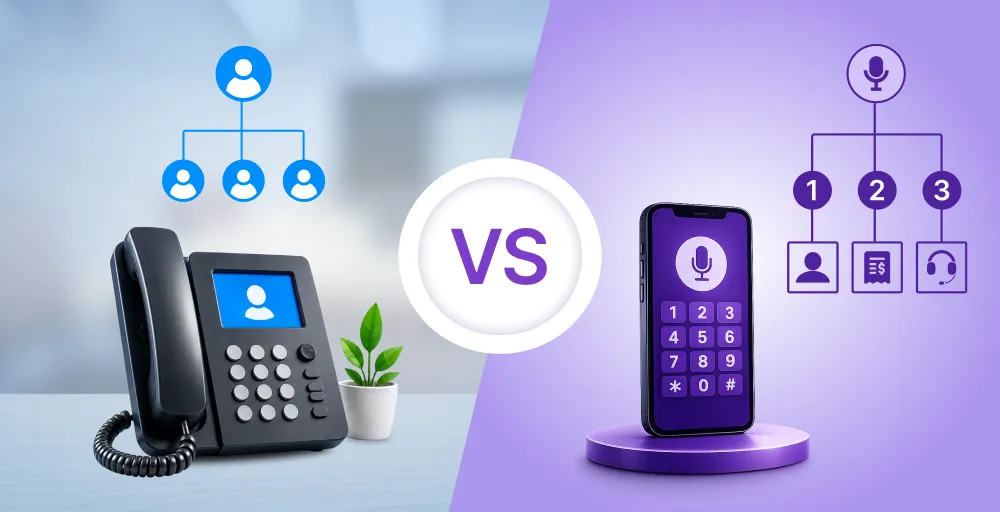
If you run a call center business and are still trying to manually manage the large call volume by hiring multiple agents, you are clearly missing out on the best substitute for your live agents.
IVR (Interactive Voice Response), a common telephony feature, can be a valuable companion. It serves as an interface for routing calls and helps enhance agent productivity while maintaining flexibility in your call center workplace.
In this blog, we will discuss what a call center IVR is, how it works, why your call center needs IVR, its key features, IVR benefits, how to set it up, and common mistakes to avoid when using it.
✨ Key Takeaways
- Call center IVR automates call handling by greeting callers, recording their input through DTMF or voice, and routing them to the right department using ACD technology.
- A call center IVR works by greeting callers with automated menus, capturing their input through voice or keypad, and routing them to the right department or agent for quick assistance.
- Effective IVRs include features such as call routing, self-service, customizable menus, and integration with CRM or PBX systems for efficient operations.
What is a call center IVR?
Call center IVR is an automated phone system that interacts with callers to provide information and direct them to the right department or agents. It acts as a digital receptionist that guides callers through menus and options using pre-recorded messages and touch-tone or voice inputs.
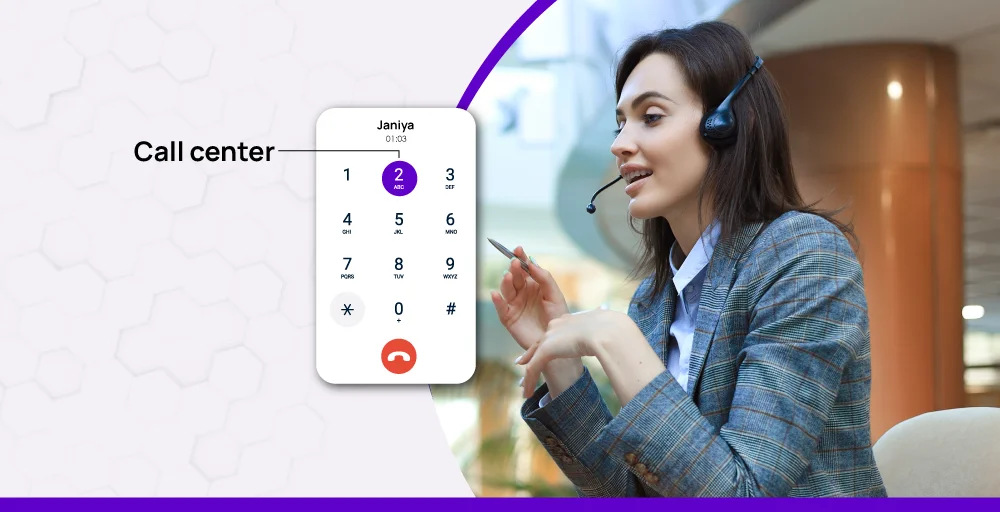
When the caller initiates the call to reach your customer support, the IVR handles the call with a humble greeting voice message and navigates the caller through the available options. And as soon as the caller selects the option from the given menu, the call is then routed to the responsible agent in the appropriate department.
It is an automated call routing solution that makes sure your callers reach the right person or department easily.
What is an IVR number?
An Interactive Voice Response number is a contact center number that comes with an IVR integration menu. When someone calls this number, instead of reaching an agent immediately, they hear a set of voice prompts. This automated menu helps callers choose their destination without waiting on hold.
Behind the scenes, the IVR number works with a cloud-based phone system to route inbound and outbound calls automatically. It’s often used in call centers and contact centers to handle high call volumes, reduce wait times, and give callers the option to connect directly to the right team.
The IVR number becomes the front door to your business while using a cloud IVR system, VoIP, or integrating with business tools like your CRM or PBX. It enables your phone line to work more efficiently, guiding callers, saving time, and enhancing the experience for both customers and the sales team.
Related 👉: Best Call Center Software in the USA
How does a call center IVR system work?
In a call center, many IVR systems act as a virtual receptionist. It guides with a call menu and routes the call based on the user’s interaction. It uses pre-recorded messages and voice input or keypad to understand the user interaction for the smooth routing.
It works in the following pattern:
1. Call initiation: As soon as the call pops up in the business communication, the IVR phone number automatically answers it without disturbing the agent.
Example: A customer calls XYZ Insurance (using KrispCall), and instead of ringing endlessly or going to voicemail, the call is immediately answered by the KrispCall IVR system
2. Greeting menu: Then the caller hears the pre-recorded voice message that briefs everything about the service in short and explains the available options in a simple way.
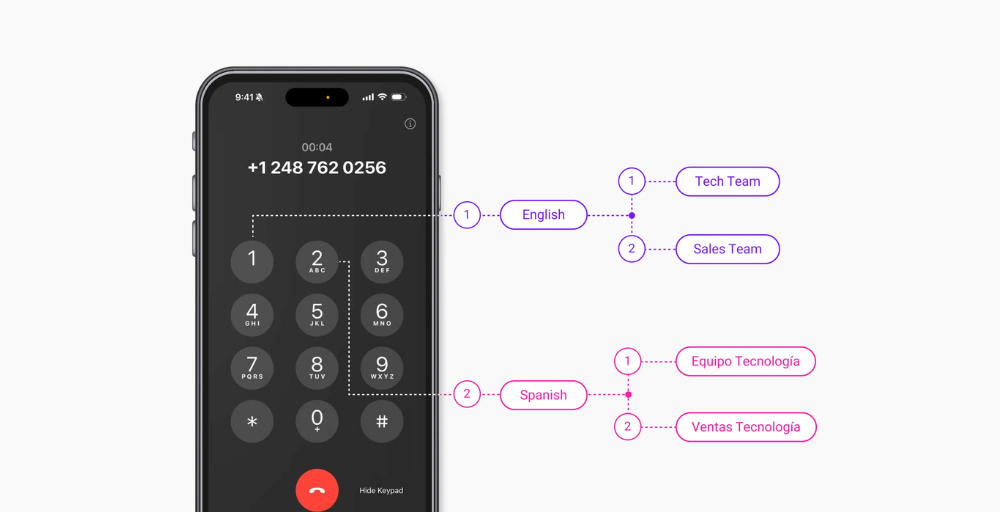
Example: “Welcome to KrispCall customer support. For virtual number Inquiries, press 1. To port the number, press 2. To Speak to a Representative, press 0.”
3. Record responses: IVR flow then records the customers’ interaction based on the button they press on the keypad using DTMF (Dual-tone multi-frequency) or voice commands to decode their intent.
Example: The caller presses “2”. KrispCall’s IVR registers this input and immediately recognizes that the customer wants to speak with the Claims Department.
4. Routes the call: Based on the user input, IVR routes the call to the responsible department or available agent using ACD (Automatic Call Distribution) technology.
Example: If the caller pressed “2” (Claims), the system checks for the next available agent in the Claims team and connects the caller.
5. Self-service or agent transfer: IVR technology handles the common request and provides self-service options like FAQs and AI reply; otherwise, the call is transferred to the live agents.
Example: “To check your number status, press 1. To receive the porting details via SMS, press 2.”
If the user still needs help, KrispCall routes the call to a live representative.
Why does your call center need an IVR?
If you think you can handle the messy calls in the contact center, you most probably haven’t used IVR in your business. Without an IVR, your callers have to wait too long, and agents have to explain themselves every time for even similar and common issues.
That’s why your call center software needs an IVR to remove unnecessary overhead. Let’s discuss some of the major reasons why your call center needs an IVR:
1. For improved call flow and routing
IVR maintains the call flow by transferring every call to the right agent or department. After the pre-recorded message is played, IVR routes the calls to the desired destination based on user input on the options. This maintains the call flow rate and reduces misdirected calls and wait times.
2. To reduce agent workload and promote self-service
IVR basically reduces the Agent workload and promotes self-service options for common queries (e.g., FAQs). It frees up the agents to focus on more complex and urgent issues.
3. To minimize customer frustration
IVR minimizes frustration by offering quick answers or fast transfers. It provides immediate answers to the common queries, routes the right agent in no time, and reduces wait time.
4. To provide 24/7 availability
IVR systems can operate 24/7 using intelligent call routing functionality, even when agents are offline. This feature makes sure customers have access to support whenever they need it.
5. To scale operations without hiring more agents
IVR helps to optimize resource allocation by automating routine tasks and improving call routing. This allows organizations to handle more call volume without the need to expand their agent workforce.
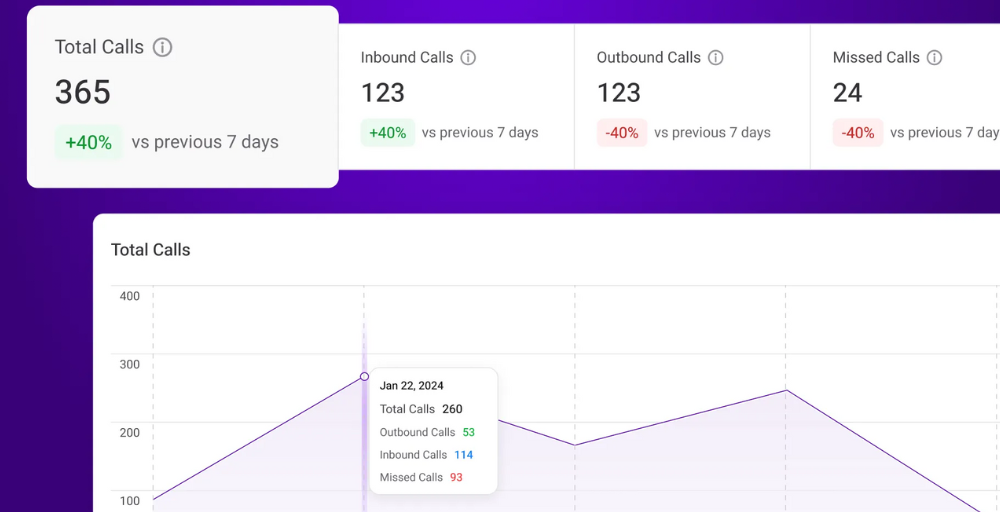
6. Data-driven design
Your IVR menu should be shaped by real call data. By checking past call records, you can spot the most common issues and put them first in the IVR options. For example, if most callers need technical support, make that option 1. It also helps you improve weak spots by adjusting routes for slow or poorly handled queries.
Key features of effective contact center IVRs
An effective contact center IVR should offer features like call routing, self-service, customizable menus, voice recognition technology, and many more. Furthermore, it should be designed with clarity and simplicity to make sure customers find it easy to use without any confusion.
Let us discuss these, the most important features, in detail:
- Call routing: The IVR should provide clear call routing options based on the customer’s query selection. The quick call routing makes it easy for customers to speak to the desired department or expert agent.
- Self-service capabilities: Self-service stands out for improving customer satisfaction by letting them use self-service options like FAQs and automatic responses.
- Customizable menu: The IVR contact center has a customizable menu that can be customized as per the changing customer needs.
- Integration with other systems: Contact center supports IVR integration with CRM tools and other advanced features like call transfers, call recordings, and automated systems for a smooth customer experience.
- Minimal wait time: The clear and straightforward menu of IVR decreases the average handle time and increases customer satisfaction rates.


Real-life examples of call center IVR
IVR helps businesses in many ways to maintain the workflow of the organization by removing the unnecessary burden so that the agents can focus on the areas that require critical thinking and actionable insights. Let us discuss some of the real-life examples of contact center IVR:
- Customer support: When the user makes the call, IVR greets them with simple options like Press 1, Press 2, etc. This simple step has a huge impact in transferring the call to the right authority. In fact, 60% of customer inquiries are handled through IVR functionality.
- Order tracking: For e-commerce and retail businesses, IVR helps to track orders and reduce wait time. It enhances customer communication, streamlines business operations, and supports modern communication needs.
- Banking or finance: Banks use IVR systems to improve service speed and keep sensitive requests organized and trackable, allowing customers to check balances, hear recent transactions, pay bills, or even report lost cards.
IVR setup: How to build an IVR for your call center?
You can build an IVR service as per your business needs to elevate your customer experience and provide a simpler and personalized menu to your customers.
Setting up a call center IVR system does not require massive technical expertise; you can do this by following the 5 simple steps.
- Log in to your account and navigate to the Settings menu.
- Click on the My Number section in the workspace.
- Select the phone number and click on Call Menu IVR, select Text-to-Speech, and write the custom message.
- Select the Add-on Option button to configure your IVR settings. And then set the parameters for: Key, Forwarded Calls To, and If Unanswered.
- Click on Save changes, and you are good to go.
If you want to take your business telephony to the next level, try our Multi-level IVR and boost customer satisfaction.
For the detailed steps and a clear understanding of IVR setup, refer to this video:
5 Best practices for call center IVR design
Even the best IVR software may lead to the downfall of the organization if it is not well-maintained. Let us discuss the best practices for a call center IVR design to avoid such common mistakes.
- Include the option for a live agent along with IVR: Always offer the live agent option while customizing IVR. It’s not that the IVR technology is incapable, but sometimes, customer prefers a live agent over advanced technologies.
- Keep the main menu option short: Always try to keep the menu simple and concise, with 3 to 5 options max. This helps to avoid unnecessary confusion and maintains a clear call flow structure.
- Maintain that the IVR sounds familiar as a human than a bot: Make sure to set a warm and conversational tone for the IVR services. This helps to build trust and make callers feel at ease, especially during the support calls.
- Prioritize the most common requests: Place the most common issues at the top of the options when crafting the IVR to reduce call time and solve queries faster.
- Test and update regularly: Maintain the habit of customizing and updating your call center IVR software on a routine task basis to keep up with the evolving technology.
Common mistakes to avoid when using contact center IVR
Even the most advanced call center IVR software can be a problem after some time if they are not well-maintained and up-to-date. In the contact centers, these mistakes can lead to a bigger problem. Let us identify and discuss the most common call center mistakes that we can avoid in the near future:

- Multiple menu layers: If the caller has to go through multiple call menu layers, it can lead to frustration and abandonment of the call. Try to get an IVR with a shallow and focused structure.
- Poor voice quality: A robotic and unclear voice can irritate and confuse the callers. Just try to use a simple and professional tone or natural voice sound prompts for clear understanding.
- Lack of Analytics tracking: You can miss valuable data if you are not tracking your customers’ interaction with the IVR. And without the necessary insights into call center analytics, it is difficult to address the most common issues of the callers during business hours.
- No option to reach a live agent: If your IVR menu option does not have one that connects callers to the live agents, your business can face a huge backlash. Always offer an easy way to connect with a real person in times of need.