A dialer is a software tool that automates outbound phone calls through automated dialing, helping sales, customer service, and support teams connect with more people in less time.
Modern automated dialers eliminate manual dialing, reduce idle time, and improve agent productivity through intelligent call routing and automation.
Businesses use different types of dialers, including preview, progressive, power, and predictive, to align with their calling goals and compliance requirements.
Understanding how a dialer works and its key features can help organizations improve call efficiency, increase contact rates, and deliver a better customer experience.
What Is a Dialer?
A dialer is call center software that automatically dials phone numbers from a contact list, detects whether a call is answered, and connects agents to live calls. By eliminating manual dialing, reducing agent idle time, and increasing efficiency in outbound contact centers.
Based on how a customer responds, a dialer can route the call to a live agent, engage a voice bot, play a pre-recorded message, send an SMS, trigger a push notification, or automatically move to the next contact. Many dialer systems also integrate with interactive voice response (IVR) technology to streamline customer interactions.
Who Uses a Dialer?
Dialers are widely used across various sectors to increase outreach efficiency and minimize agent downtime. It eliminates manual dialing, significantly boosting productivity for teams that make high volumes of outbound calls. The primary use cases of this are:
Outbound sales teams
Sales reps who handle cold outreach, lead follow-up, and pipeline acceleration use sales dialers to reduce dead time between conversations. Instead of manually dialing numbers all day, they are talking to people, which is the only part of the job that actually moves the needle.
BPO and call centers
Business process outsourcing operations run large outbound campaigns where call center agents’ productivity is everything.
A dialer lets a BPO floor run hundreds of concurrent multiple calls, increasing call volume, without adding headcount. It’s the difference between a team of 20 agents completing a 5,000 call campaign in a day versus a week.
Customer support teams
Customer service teams use dialers for proactive outreach, callback queues, follow-up calls after a support ticket closes, and renewal reminders. The dialer automates repetitive tasks, including handling inbound call overflow, so agents can focus on the conversations that truly require a human.
Industry Verticals
Insurance teams use dialers for policy renewals. Real estate agents use them for lead follow-up. Debt collection agencies and market research firms also rely heavily on them. Each industry has different rules around calling, but the tool is the same.
How Does a Dialer Work?
Modern outbound dialers work over the internet, no hardware or desk phones needed. You log in, load your contact list, and start. The dialing process follows a consistent, automated workflow:
Step 1: The dialer pulls in your contact list from a CRM, a spreadsheet, or a campaign tool. You set the rules: who to call, in what order, and when.
Step 2: It starts dialing based on the number of available agents and the contacts’ time zones.
Step 3: It detects call outcomes of each call, did someone answer, did it go to voicemail, was the line experiencing busy signals, or was the number disconnected?
Step 4: If someone picks up, the call goes to a free agent right away. If there are unanswered calls, the dialer follows the rule you set: leave a voicemail, try again later, or skip to the next number.
Step 5: Every call result is saved automatically as call data, including how long it lasted, what happened, and any notes the agent added.
Step 6: All of that information goes straight into your CRM. No manual updates needed.
What are the Different Types of Dialers
Depending on your team size, how many calls you make, and what kind of campaign you’re running, you’ll need a different type of automated dialer. Multiple dialing modes exist to serve different business needs. Here’s a quick look at all six before we go deeper into each one.
| Dailer Type | Overview | Best for | Pros | Cons |
| Auto dialer | A software that automatically dials numbers from a list to connect answered calls to available agents | Streamline basic outbound calling campaigns | Reduces manual effort and increases overall outreach speed | Less personalized if not integrated with deep customer insights |
| Predictive dialer | Dial multiple numbers ahead of time using agent availability algorithms | High-volume outbound campaigns | Maximum efficiency, data-driven targeting | The risk of abandoned calls requires training |
| Power dialer | Dials the next number automatically as soon as the call ends | Simple automated dialing | Increased efficiency, minimal risk of abandoned calls | Limited personalization |
| Progressive dialer | Dials numbers sequentially only when an agent is free | Balancing efficiency and personalization | Higher connection rates, lower call abandonment | Not ideal for large-scale campaigns |
| Preview dialer | Displays contact information to the agent before dialing | Personalizing calls, improving CSAT | Higher customer satisfaction, reducing agent burnout | Lower call volume |
| Parallel dialer | Dial multiple numbers simultaneously and filter answering machines | Maximizing live conversations, no wait volume | Maximizing live person answers, no wait time | Risk of dropped calls |
Auto dialer
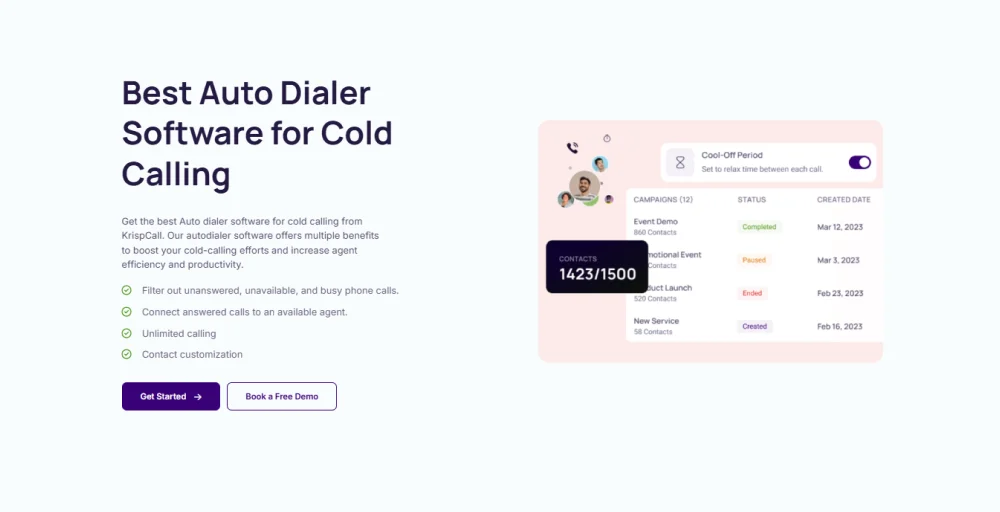
An auto dialer calls numbers from your list one by one. When someone picks up, the call connects to a free agent. If no agent is free, it plays a recorded message instead. It is the most basic type of dialer. You load the list, start the campaign, and the auto dialer software takes over. No one needs to do anything manually.
Key benefits
- Agents never dial manually.
- Very few gaps between calls.
- Easy to set up and run.
- Good for scripted, high-volume campaigns.
Drawbacks
- Agents don’t know who they’re calling before the call connects.
- If agents aren’t available fast enough, unproductive calls get dropped.
- There are strict legal rules in many countries.
Predictive dialer
A predictive dialer calls multiple numbers at once. It uses agent availability algorithms, in which the predictive dialer dials ahead of time to reduce idle time. It’s the best dialer for volume, but it needs a big enough team to work properly. With fewer than 50 agents, the formula can’t pace correctly, and calls start dropping.
Key Benefits
- Agents spend the most time actually talking.
- Adjusts call speed based on how many people are picking up.
- Built for large teams running big campaigns.
- Very little idle time for agents.
Drawbacks
- Needs 50+ agents to work well.
- Calls can get dropped if the pacing is off.
- Takes time to set up and fine-tune.
Power dialer
A power dialer calls one number per agent at a time. The moment a call ends, whether someone answers or not, it automatically moves to the next number. It’s simpler than a predictive dialer but still helps teams make more calls than they would manually.
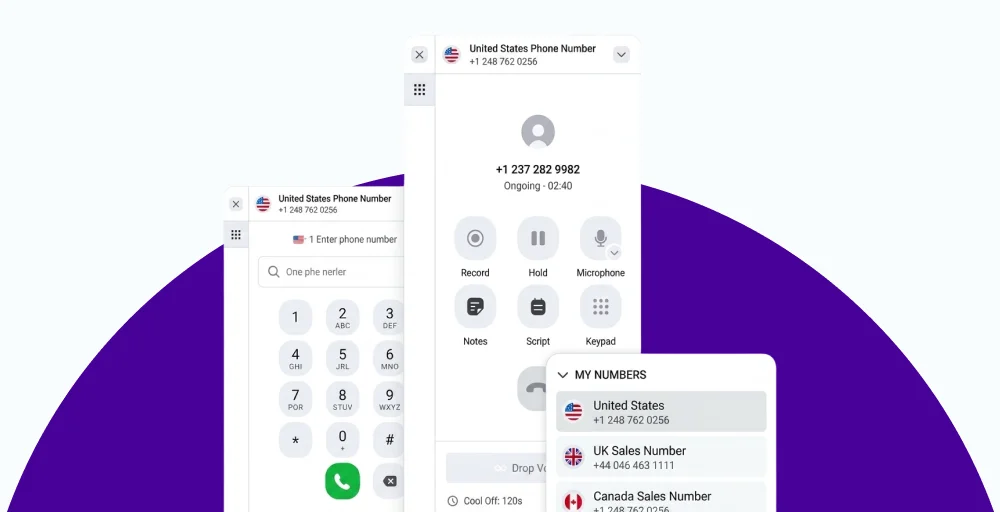
Unlike a preview dialer or progressive dialer, it doesn’t show agents who they’re calling before the call connects.
Key Benefits
- Simple and easy for any team to use.
- No dropped calls, one dial per agent.
- Good mix of speed and control.
- Works well with CRM tools for automatic logging.
Drawbacks
- No preview of the contact before the call.
- Not as fast as predictive for very large teams.
- Doesn’t adjust based on how many people are picking up.
Related 👉: What is Power Dialer vs Auto Dialer? Key Differences
Progressive dialer
A progressive dialer only calls the next number after the agent says they’re ready. It’s more controlled than a power dialer; it waits for the agent, not the other way around. This means every call is answered by an agent who is prepared and ready to talk, with access to customer data and call scripts before the call begins.
Key Benefits
- No dropped calls, the agent is always ready first.
- Better experience for the person being called.
- Good fit for B2B sales where first impressions matter.
- Easier to stay within legal calling rules.
Drawbacks
- Fewer calls per hour than power or predictive dialers.
- Not a good fit for campaigns that need to move fast.
- Agents have to confirm they’re ready actively; it needs consistency.
Preview dialer
A preview dialer shows the agent customer information, including customer details, previous call notes, and account history, before placing the call. The agent can review customer information and then decide to call or skip. It’s the most personal type of dialer. Every call starts with the agent already knowing who they’re talking to. The downside is that you’ll make far fewer calls per day than with other types.
Key Benefits
- Agents are fully prepared before every call.
- Great for high-value or long-sales-cycle accounts.
- Agents can skip contacts that clearly aren’t a good fit.
- Fewer awkward or off-guard moments on calls.
Drawbacks
- Lowest call volume among dialer types.
- Output depends on how disciplined agents are.
- Not suited for large-scale calling campaigns.
Parallel dialer
A parallel dialer calls several numbers simultaneously for a single agent. The first person to pick up is connected to the agent. The other calls are dropped immediately. It’s popular with sales development teams working through large lists of cold contacts. Instead of sitting through 5 rings on every dial, agents are only connected when a real person actually answers.
Key Benefits
- Much higher rate of reaching real people.
- Cuts time lost to ringing and voicemail.
- Works well with large, unqualified contact lists.
- Used widely in modern outbound sales teams.
Drawbacks
- Needs careful setup to avoid dropped calls.
- Calling rules around this vary by country.
- Dropped calls can frustrate people if not handled properly.
- More complex to set up than other dialer types.
7 Key Features to Look for in Dialer Software
When evaluating dialer software, features beyond the dialer type are the ones that actually make a difference day to day. Here’s what to prioritize to maximize your call center’s efficiency:
1. CRM integration
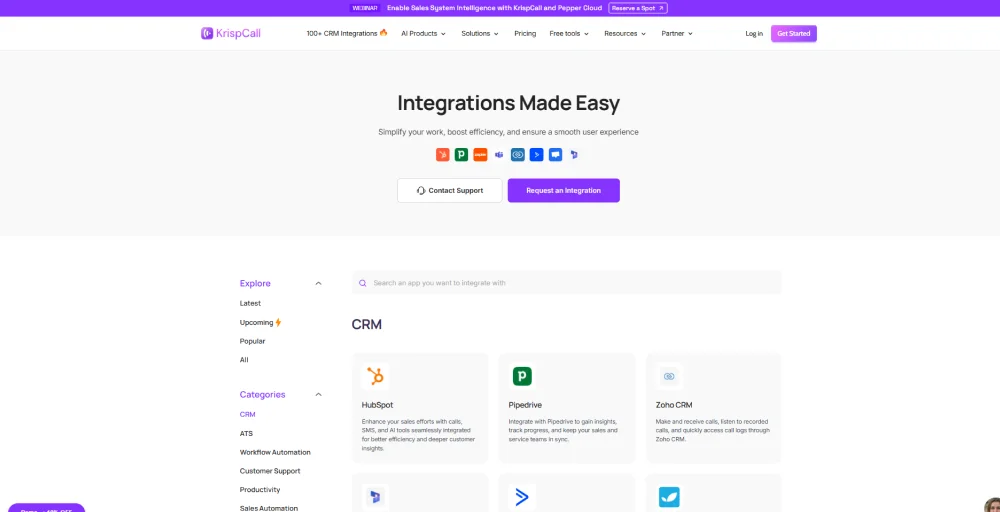
Your dialer should save call notes, results, and call duration directly to your customer relationship management (CRM) the moment a call ends. If your agents are still updating records by hand, you’re losing time and missing data. This should happen automatically.
2. Call recording and transcription
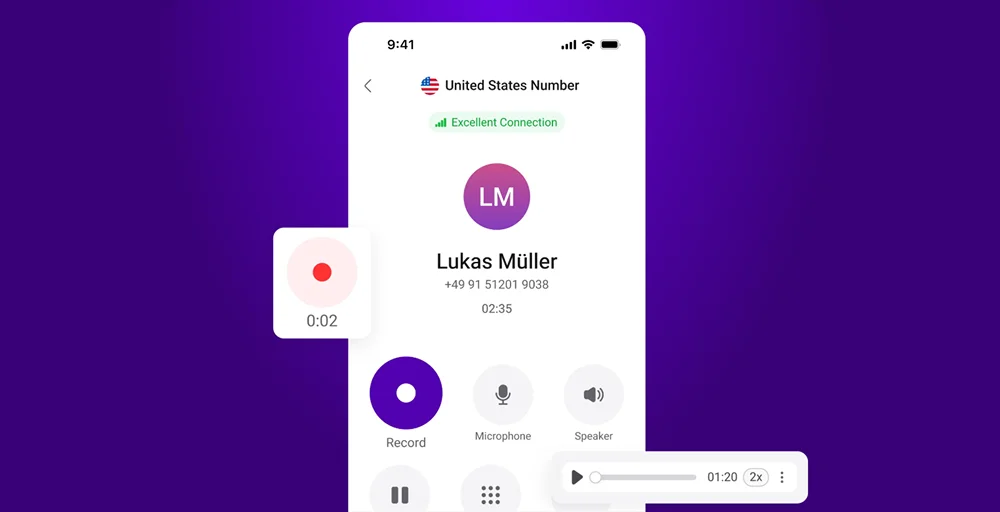
Every call should support call recording, allowing teams to record calls for training and compliance. Transcription turns those recordings into text you can search through. Useful for training new agents, reviewing calls, staying compliant, and settling any disputes about what was said.
3. Voicemail drop
Voicemail drop is an outbound dialing feature that allows agents to instantly deposit a pre-recorded message into a prospect’s voicemail inbox. Instead of manually reciting the same pitch for every unanswered call, reps click a button to “drop” the audio and immediately move on to the next lead.
4. IVR and call routing
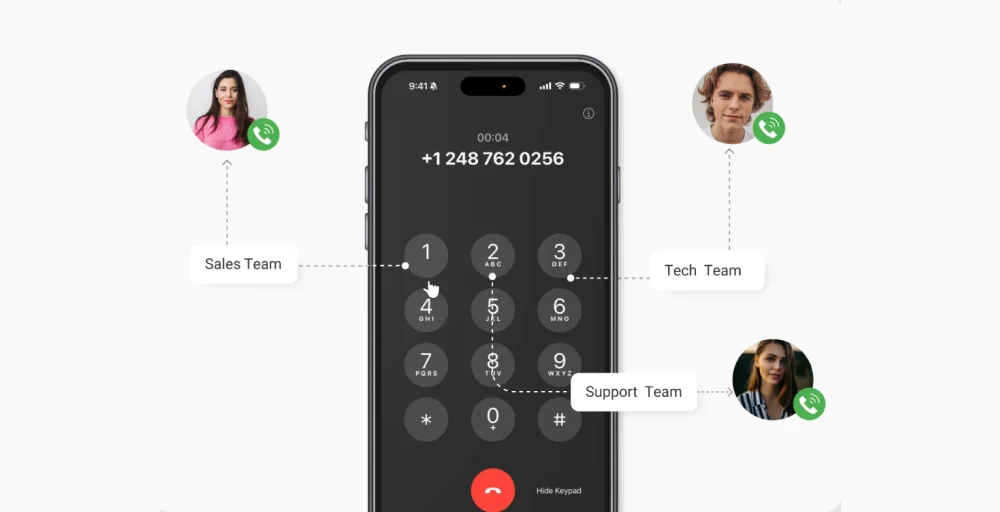
An IVR and call routing system serves as the automated traffic control for a dialer. IVR lets the person who answers choose why they’re calling, “Press 1 for sales, Press 2 for support”, and then automatically routes them to the right agent. Important for teams handling both inbound and outbound calls from the same platform.
5. Real-time monitoring and analytics
Managers should be able to see what’s happening right now, how many calls are active, how agents are performing, measure agent performance, talk time, and other key performance indicators (KPIs). A dialer provides live visibility into campaign performance and agent activity.
6. Compliance controls
Compliance controls help the dialer automatically block calls to numbers on Do-Not-Call (DNC) lists and ensure outreach complies with the Telephone Consumer Protection Act (TCPA) and GDPR regulations. They also record and store customer consent and opt-out history for auditing and regulatory compliance.
7. Scalability
A cloud dialer lets you add or remove agents in minutes: no hardware to order, no IT setup, no waiting. If adding one new agent to your dialer requires a support ticket, that’s a sign the platform wasn’t built for how teams actually grow.
How to Choose the Right Dialer for Your Business?
The right dialer depends on how your team actually works, not on which product has the most features on its website. Go through these five questions before you compare any tools. Here are five key factors to consider:
- Identify your business needs: Determine whether your team handles sales, customer support, collections, or lead generation. Different dialer types (predictive, power, preview, or auto dialers) are designed for different use cases.
- Check CRM and software integration: Choose a dialer that integrates seamlessly with your CRM and other business tools. This ensures smooth data synchronization, better workflow automation, and improved agent efficiency.
- Evaluate scalability and performance: Select a solution that can grow with your business. The dialer should support increasing call volumes, additional agents, and new features without compromising performance.
- Prioritize compliance and security: Ensure the dialer includes compliance features such as DNC list management, TCPA/GDPR safeguards, consent tracking, and secure data handling to reduce regulatory risks.
- Review reporting and analytics: Look for a dialer with real-time dashboards, call metrics, call analytics, and call center performance reports. These insights help managers monitor productivity, optimize campaigns, and make data-driven decisions.
See How KrispCall’s Dialer Works for Your Team
A dialer isn’t just a tool that saves time. It’s the difference between a team that spends its day in real conversations and one that spends it waiting for someone to pick up.
The right type depends on your team. Small B2B teams do better with a preview or progressive dialer. Mid-size outbound teams get more out of a power dialer. Large operations running big campaigns need predictive or parallel dialing.
Want to see how a dialer can improve your team’s calling process and outbound calling strategy? KrispCall’s Dialer automates dialing, reduces manual work, and helps agents connect with more prospects faster. With built-in CRM integrations, real-time analytics, and compliance features, your team can manage calls more efficiently and focus on meaningful customer conversations.