You’re in the middle of an important call when the line suddenly goes silent. You redial, apologize, and carry on, only for it to happen again later while talking with family.
Your phone shows a full battery and decent signal bars, yet the calls keep dropping. So you ask yourself, “Why does my phone keep dropping calls?”
A dropped call occurs when an active phone call is unexpectedly disconnected due to a disruption between your device and the cellular or internet network. And despite how simple it seems, it’s rarely caused by just one issue.
In this blog, we’ll explain why calls drop, how to pinpoint the cause, and what you can do to reduce interruptions so your conversations stay intact.
✨ Key Takeaways
- Dropped calls happen when the connection between your phone and the cellular or internet networks breaks, often due to signal issues, movement, network congestion, or device-related problems.
- Cellular calls and internet-based calls work differently, so troubleshooting depends on whether you’re using traditional mobile service, VoIP phones, or Wi-Fi calling.
- Identifying patterns, testing your devices on your own and others’ networks, testing calls via cellular or Wi-Fi, and using various diagnostic tools helps narrow down the real cause before trying fixes.
What is a dropped call? (and how it’s different from other call failures)
Before we dive into solutions, let’s clarify what call drops exactly mean and how it differs from other common call problems you might experience.

Dropped call vs missed call vs failed call
So, what does it mean when a call drops? It simply means that an active connected call suddenly ends without either person hanging up. The call was successfully established and ongoing before it disconnected.
A missed call is entirely different. This occurs when someone tries to reach you, but you don’t answer. The call never connects in the first place, so there’s no conversation to interrupt.
A failed called (or call failed) means the call couldn’t be established at all. You press the dial, but the connection never happens. You might hear a fast busy signal, an error message, or nothing at all.
Sometimes, calls don’t drop mid-conversation but show as canceled — learn more about what a canceled call means and why it happens.
What actually happens when a call drops
When you make or receive a phone call, your device establishes a continuous data session with your carrier’s network (or your VoIP provider’s servers). Think of it like a dedicated tunnel between your phone and the other person’s phone. For this tunnel to stay open, several things must work perfectly and continuously:
- Continuous signal: Your phone maintains a constant connection with nearby cell towers. Even a momentary break in this signal can cause the entire call to disconnect.
- Successful tower handoff: As you move around, your phone transfers your active call from one cell tower to another. If this handoff fails or takes too long, the call disconnects.
- Network authentication: The network continuously performs authentication checks to verify your device is authorized and connected. Any authentication failure terminates the call immediately.
- Device radio stability: Your device’s radio components must remain stable to maintain consistent power and signal processing. Hardware glitches or software bugs can disrupt this stability and cause call drops.
Phone conversations happen live and have an extremely low tolerance for interruption, so if any of those factors fail, your call will definitely be dropped.
How mobile & internet calls really work
Understanding how your calls actually travel from your phone to the other person helps explain why certain situations cause dropped calls.
Cellular call flow
When you place a call, it doesn’t connect directly to the other person. Your phone first links to the nearest cell tower, which routes the call through your carrier’s core network.
That network then finds the recipient’s device and completes the connection through their carrier. If anything along this chain of towers, networks, or links fails or weakens, the call can drop.
Cell tower handoffs explained
Cell towers cover limited areas. When you move, your phone must switch from one tower to another during an active call. This process, called a handoff, usually happens unnoticed.
However, problems arise when movement is fast or signal paths are blocked, such as during highway driving, train travel, or elevator use. In these cases, frequent or difficult handoffs can lead to choppy audio or dropped calls.
Network generations & call stability
Cellular networks have evolved from 2G and 3G to 4G LTE and 5G. Older 2G and 3G networks were built mainly for voice calls, which often made calls stable even with weaker signals.
Modern 4G LTE and 5G networks handle voice as data using VoLTE. When coverage is strong, calls sound clear. In weaker areas, however, maintaining a steady data connection is harder.
If your phone loses LTE or 5G coverage mid-call or switches to an older network, the call often drops.
The real reasons your phone keeps dropping calls
Now that you understand how calls work, let’s look at why they fail. The causes can range from obvious signal problems to hidden network issues you’d never suspect.
1. Weak signal strength & coverage gaps
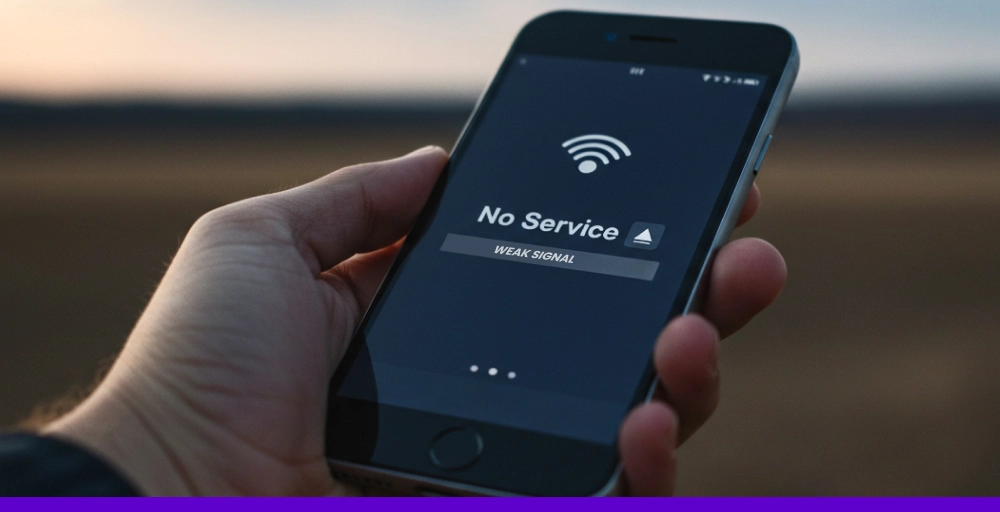
When your phone can’t maintain a strong enough connection to a cell tower, call become unstable and may disconnect. And it is the most common cause of calls dropping off.
- Bars vs real signal (dBm insight): Those signal bars on phones aren’t precise. Real signal strength is measured in dBm: -50 to -80 is excellent, -80 to -100 is unstable, and -100 or worse means dropped calls are likely.
- Indoor dead zones: Concrete, steel, and Low-E glass block cellular signals. Moving indoors, especially to basements or elevators, often drops the signal below the level needed to keep a call.
- Rural and fringe coverage areas: Towers are spaced farther apart in rural areas, creating zones where your phone barely stays connected. Terrain blocks signals, and constant tower switching increases drop calls.
2. Network congestion & peak usage
Even with a full bar, calls can drop when the network itself is overloaded. Rush hours, events, and emergencies place heavy demand on cell towers, pushing them beyond capacity.
And when towers reach maximum capacity, the network prioritizes emergency calls over your active conversation. So, your calls get dropped to free up resources, which is called intentional load management.
3. Failed handoffs between towers or networks
Movement is the biggest trigger that cause handoffs failure, which ultimately causes call drop issues.
- Cellular-to-cellular failures: Moving between tower coverage areas requires handoffs. At highway speeds or in coverage gaps, failed handoffs cause your call to drop immediately.
- Wi-Fi calling to cellular transition: When you leave home during a Wi-Fi call, your phone must switch to cellular. Many phones handle this transition poorly, simply disconnecting instead of transferring smoothly.
4. Carrier network issues you can’t see
Sometimes the carrier’s infrastructure is failing behind the scene causing calls to drop.
- Tower maintenance: Carriers perform unannounced tower work that temporarily operates at reduces capacity, leading to more frequent dropped calls in that area.
- Backhaul failures: If the connection between a tower and the carrier’s core network fails, that tower can’t route calls. Everyone using it experiences a drop regardless of signal strength.
- Carrier software updates: Network software updates occasionally introduce bugs that cause authentication glitches or handoff failures, leading to dropped phone calls until the carrier fixes them.
5. Device hardware problems
Sometimes the network isn’t the issue at all; the problem lies in your phone.
- Antenna damage: Drops and impacts can damage internal antennas, reducing your phone’s ability to maintain strong signals and causing more frequent call dropping issues.
- Bent frames: Even slight damage from drops can misalign antennas and degrade signal performance, especially in areas with marginal coverage.
- Battery instability affecting radios: Aging batteries can’t deliver consistent power. Voltage fluctuations disrupt the cellular radio’s operation, causing random dropped calls, especially at low charge levels.
- Aging devices & unsupported bands: Older phones lack newer frequency bands that carriers now prioritize. You’re left competing for limited resources on legacy bands, causing more dropped calls.
6. Software, OS & firmware conflicts
Even with perfect hardware and network coverage, software bugs can sabotage call stability.
- Outdated OS: Running old software means experiencing bugs that newer versions have already fixed, including issues affecting call stability and handoff logic.
- Carrier config bugs: Carrier-specific configuration files sometimes contain bugs that cause dropped calls during handoffs or authentication. These are invisible until the carrier pushes a fix.
- Background apps killing radio processes: Poorly coded apps can starve the cellular radio of processor time. When tower handoff requests arrive, the radio can’t respond fast enough, and the call drops.
7. SIM card & network registration issues
Your SIM card is like your identity on the network. When it malfunctions, the network literally loses track of who you are.
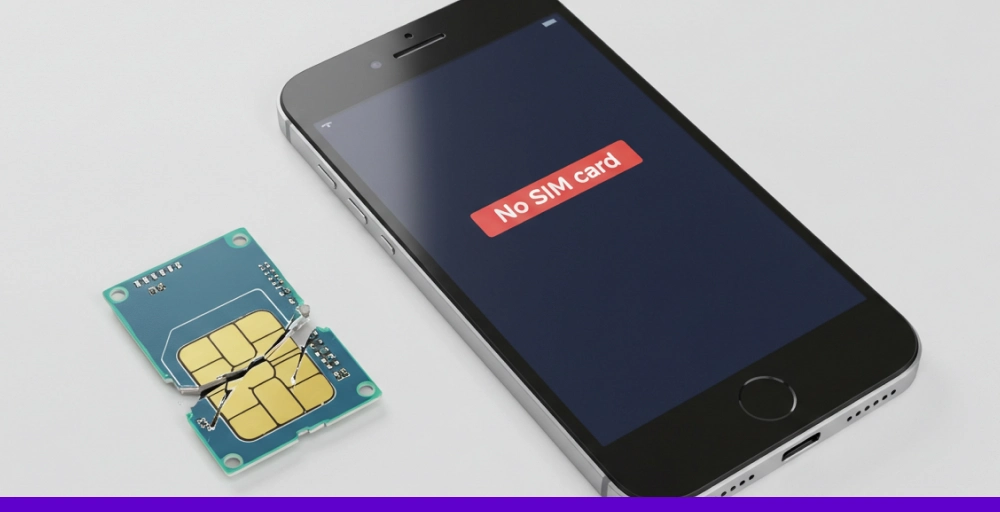
- Old or damaged SIMs: SIM cards aren’t indestructible. The metal contacts oxidize, the plastic card develops micro-cracks, and chips degrade over time.
- Authentication refresh failure: During active calls, your phone periodically re-authenticates with the network to verify it’s still authorized to use the service. And if failed, the network terminates the call.
8. Radio interference & environmental disruption
Your phone operates in a crowded radio frequency environment. So, there are many external interferences that can disrupt the delicate signals between your device and cell towers.
- Electronics & chargers: Cheap chargers and other poorly shielded Bluetooth devices can create radio interference that disrupts cellular signals.
- Dense Wi-Fi environments: Dozens of overlapping Wi-Fi networks create radio noise. Your phone works harder to maintain cellular connections, and in weak signal areas, this can cause dropped calls.
- Weather & physical obstacles: Heavy rain weakens signals, while tunnels, parking structures, and metal building blocks them entirely. As a result, your phone can’t maintain a continuous call connection.
9. User settings that accidentally cause dropped calls
Sometimes the problem is a setting you changed that’s now working against call stability.
- VoLTE disabled: Disabling VoLTE forces you to switch to 3G for calls. If the handoff from 4G to 3G fails or 3G coverage is weak, your call drops.
- Aggressive battery saver: Extreme battery modes reduce radio power or delay responses to network events, causing handoffs to fail and dropping calls to save energy.
- Network restrictions: Loving your phone to LTE only prevents fallback to a more stable 3G when coverage is poor, resulting in dropped calls on weak LTE signals.
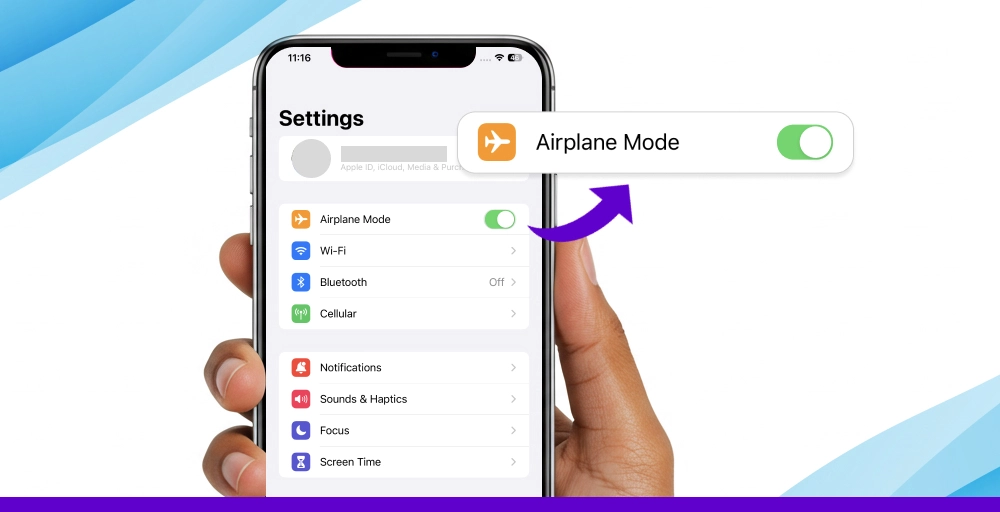
- Airplane mode toggles: Poorly designed cases or screen protectors can accidentally active airplane mode, instantly disconnecting all networks and dropping your call.
Related Issue 👉: Why Are My Messages Not Delivering?13 Reasons & Fixes.
Dropped calls on Wi-Fi calling & VoIP (Why internet calls fail)
Dropped calls aren’t limited to cellular networks. If you’re using Wi-Fi calling or VoIP services (like WhatsApp, Zoom, or KrispCall), understand these differences to troubleshoot internet-based call drops effectively.
How Wi-Fi calling & VoIP work
Unlike traditional cellular calls that rely on cell towers and carrier networks, Wi-Fi calling and VoIP route calls over the internet. First, your voice gets converted into small data packets that travel through your Wi-Fi router to the internet and finally to the recipient’s device, where they’re reassembled into audio.
This internet dependency is both a strength and a weakness. You can make calls anywhere with Wi-Fi or a data connection, but your call quality now depends entirely on your internet connection’s stability and performance.
Common VoIP call drop causes
Call drop issues on traditional cellular devices and VoIP phones differ entirely. Here are the most common VoIP call drop reasons:
- Packet loss: Your voice travels as tiny data packets. When some packets don’t reach their destination, parts of your conversation disappear. Mild packet loss creates choppy audio, while severe loss makes the call unintelligible or disconnects it entirely.
- Latency & jitter: Latency is the delay between speaking and the other person hearing you. High latency creates awkward gaps in conversation and talk-over moments. Jitter is inconsistent latency. This causes robotic, stuttering audio that often leads to call disconnects when the VoIP software can’t compensate.
- Router QoS issues: Your router handles many devices simultaneously. Without proper Quality of Service (QoS) settings, the router treats your voice call like any other traffic. When bandwidth gets tight, your call competes with other services, and if it’s lost, it results in dropped connections.
- ISP instability: Short outages, routing issues, or fluctuating bandwidth from your internet service provider can interrupt your VoIP calls, even if your local network appears fine.
Cellular vs VoIP drops (Key Differences)
Cellular calls rely on coverage. You need to be within range of a cell tower with adequate signal strength. VoIP calls, on the other hand, rely on the network connectivity. You’ll need stable, fast internet with low latency and minimal packet loss.
Cellular calls work reliably outdoors and maintain consistent call quality in the coverage area, even while moving. However, they fail in buildings with poor signal penetration, during failed tower handoffs, and in areas with fewer towers.
VoIP calls work perfectly indoors with good Wi-Fi, maintain quality regardless of location, and avoid cellular coverage limitations entirely. However, they also fail when the internet connection is slow or unstable, suffer during network congestion or bandwidth competition, and struggle with router issues or ISP problems.
Why dropped calls hurt businesses & contact centers more
For individual users, a dropped call is an inconvenience. For businesses and contact centers, it’s a huge problem that directly impacts customer relationships, operational efficiency, and revenue. The costs go far beyond the momentary frustration of reconnecting.
Customer experience & trust impact
Every dropped call damages the customer relationship in ways that aren’t immediately visible but accumulate over time.
- Repetition: When a call drops, the customer must repeat everything they’ve already explained. This wastes their time and signals that the business doesn’t value it. Each repetition increases frustration exponentially.
- Frustration: Dropped calls transform what should be a simple interaction into a stressful ordeal. Customers who were calling with a minor question now associate your brand with technical incompetence and poor service. This emotional response lingers long after the issue gets resolved.
- Brand perception: Modern customers equate reliable communication with professional competence. If your business can’t maintain a basic phone call, they question whether you can deliver on your core promises.
Operational & revenue consequences
Beyond customer perception, dropped calls can also create measurable operational damage, including:
- Repeat calls: Every dropped call generates at least one additional call attempt, often more. Your contact center now handles 1.5 to 2 times the call volume it should, straining capacity and increasing wait times for all customers. This turns into longer queues, higher abandonment rates, and more frustrated callers.
- Lower CSAT & QA scores: Customer satisfaction scores plummet when call suddenly drop. Even if the agent was helpful before the disconnect, the overall experience gets rated poorly. These score drops affect performance reviews, bonuses, and strategic decisions based on flwed data.
- Agent productivity loss: Agents lose productive time with every dropped call. They must log the incomplete interaction, wait for the customer to call back, rebuild rapport, and re-gather information they already had.
Why “just call back” is not a solution
When a sales call drops mid-conversation, that prospect may never call back. They’ll call your competitor instead. When a high-value client experiences repeated dropped calls, they begin evaluating alternative vendors, not because of your product, but because basic communication is unreliable.
Just call back mentality assumes customers have infinite patience and no alternatives. The business risk isn’t the cost of the dropped call itself, but it’s the cumulative erosion of trust and the lost opportunities during that critical moment of disconnection.
How to diagnose dropped calls (Before Guessing Fixes)
Randomly trying fixes wastes time and often doesn’t solve the problem. The key to actually stopping dropped calls is understanding what’s causing yours specifically. A systematic diagnosis takes just 10-15 minutes and tells you exactly where to focus your efforts.
1. Identify patterns
Dropped calls rarely happen completely randomly. Tracking when and where they occur reveals the root cause.
- Is it location-based? Like, do calls drop in specific locations (e.g., your home, office, basement, or certain highways)? This points to coverage gaps or to issues with the signal not passing through.
- Is it time-based? Like, do call start dropping at specific times (morning, commute, lunch hours, evening)? This suggests network congestion during peak usage.
- Or is it contact-specific? Like, do calls with certain people drop more than others? If it only happens with specific people, the problem might be on their end, not yours.
Keep a simple log of date, time, location, whether you were moving, and what you were doing. After a few dropped calls, the pattern usually becomes obvious.
2. Isolate device vs network
Determining whether your phone or the network connection is at fault saves you from wasting time on the wrong fixes. Perform these two tests:
- Multiple phone test: Borrow a friend’s cell phone or use a backup device. Make calls from the same locations where your calls typically drop. If the other phone works perfectly, then your device has software or hardware issues. If it also drops calls, then the problem is network coverage or your carrier.
- Different carrier test: If possible, test your phone with a different carrier’s SIM and make calls in your problem locations. If the drop stops, then your original carrier has a coverage gap in that location, but if drops continues, then your phone itself is the issue.
3. Test cellular vs Wi-Fi vs apps
Different connection types fail for different reasons. Perform these tests separately to identify where the problem lives exactly:
- Cellular calling test: Disable Wi-Fi calling and VoIP apps. Make traditional cellular calls. If drops stop, your Wi-Fi network or internet connection was the issue. If drops continue, it’s a cellular coverage or device problem.
- Wi-Fi calling test: Enable Wi-Fi (WLAN) calling, stay on Wi-Fi and disable cellular. If drops stop, you have cellular coverage issues that Wi-Fi bypasses. If drops continue or worsen, your internet connection or router has quality problems.
- VoIP app test: Use WhatsApp, Zoom, or FaceTime audio while on Wi-Fi. If these work perfectly while cellular and Wi-Fi calling drop, your internet is fine, but your carrier’s network or your phone’s cellular radio has issues.
4. Tools & diagnostics
Use these tools to gather technical data that confirms what your pattern testing suggested.
- Signal analyzer apps: Download Network Cell Info Lite (Android) or use Field Test Mode (iPhone: dial *3001#12345#*). These show the actual signal strength in dBm, and readings below -100 dBm indicate the cell signal is too weak for stable calls.
- Carrier diagnostic menus: Access hidden diagnostic menus on your phone. On Android, dial *#*#4636#*#* to view phone information and run network tests. On iPhone, *3002#1234#* opens Field Test Mode. These show network type, band, tower ID, and connection quality metrics that reveal registration issues or weak signals.
- Call drop logs: Check your phone’s call history and note exact times of dropped calls. Cross-reference with your location and activity. This data helps spot patterns you might have missed and provides concrete information if you need to contact your carrier for support.
How to fix dropped calls (Step-by-Step)
Now that you’ve diagnosed the cause, here are proven fixes organized from simplest to most comprehensive. Start with quick fixes, then move to more involved solutions if needed.
1. Quick fixes for individuals
These simple steps can solve the majority of dropped call problems and take just minutes to try:
- Restart your phone: Power it off, wait 30 seconds, then power it back on. This simple restart helps clear temporary software glitches that cause calls to drop.
- Update your phone’s software: Check for available OS updates and install any pending updates. These updates often include fixes for call stability issues and improvements to the overall network.
- Reset network settings: Go to Settings > General > Reset > Reset Network Settings (iPhone) or Settings > System > Reset > Reset Wi-Fi, mobile & Bluetooth (Android). This clears corrupted network configurations, removes buggy Wi-Fi profiles, and resets cellular settings to factory defaults.
- Replace your SIM card: The new SIM can eliminate authentication issues caused by degraded contacts, resolve registration glitches from chip wear, and provide updated carrier provisioning.
- Enable Wi-Fi calling: Enabling Wi-Fi calling allows calls to route over your internet connection when the cellular signal is weak, and provides an automatic backup when cellular fails.
2. Network & coverage improvements
When quick fixes don’t solve the problem, these solutions address the underlying coverage and signal strength issues.
- Signal boosters: Signal boosters help capture weak outside signals, amplify them electronically, and rebroadcast them inside your building, turning unusable coverage into reliable connectivity.
- Femtocells: Femtocells, a small, low-power cellular base station, connect to your internet and create a personal mini cell tower in your home. It provides a full-strength carrier signal regardless of outside coverage.
- Coverage escalation with carriers: Requesting coverage escalation involves submitting detailed signal reports, requesting network optimization, or prompting carriers to adjust nearby towers or add infrastructure.
3. Business & call center-grade solutions
For businesses, where droppe calls directly impact revenue and customer satisfaction, these professional-grade solutions are an absolute must:
- QoS-configured routers: Configure QoS (Quality of Service) to prioritize voice traffic over other data types like streaming video or downloads. This ensures consistent call performance even during heavy network use.
- Dedicated VoIP networks: Implement dedicated VoIP networks for your voice traffic to eliminate bandwidth competition. This provides predictable call performance and enables precise monitoring of voice-specific metrics.
- Redundant internet links: Set up multiple internet connections from different ISPs as an automatic failover. If your primary connection fails or degrades, calls seamlessly switch to the backup connection without dropping.
- SBCs & call failover: Implement enterprise Session Border Controllers (SBCs) to intelligently manage VoIP traffic. SBCs monitor call quality in real-time, automatically reroute calls through the best available path, and fail over to backup carriers or connections before calls drop.
When it’s time to contact support or switch carriers
Sometimes the problem isn’t something you can fix yourself. Recognizing when to escalate or consider switching carriers saves you frustration and gets you to a solution faster.
Red flags that require carrier intervention
Certain patterns indicate systemic issues that only the carrier can resolve.
- Drops everywhere: If your phone drops calls consistently across multiple locations, then the issue is likely with your device hardware or carrier network. This issue requires carrier technical support or a replacement device.
- Multiple devices affected: When your phone, your family member’s phones, or coworkers using the same carrier, all experience dropped calls in the same locations, the carrier’s network infrastructure is at fault.
- Same locations always fail: If calls reliably drop at your home, your office, or specific points on your commute every single time, those locations have a coverage issue your carrier needs to address.
How to escalate effectively with carriers
Generic complaints to customer service rarely produce results. Effective escalation requires documentation and persistence.
- Document the issue: Track dates, times, locations, signal strength, and error messages when calls drop. Screenshots and call logs help transform your complaint from calls don’t work into actionable engineering information.
- Request technical escalation: Ask specifically for network engineering review, coverage investigation, or tier-2/advanced technical support, not a general customer service.
- Submit coverage tickets: Many carriers allow formal coverage or network trouble tickets. These trigger internal diagnostics rather than scripted responses.
- Leverage multiple channels: If phone support stalls, escalate via carrier apps, online chat, social media support teams, or business support lines (if applicable).
- Know when to switch: If the carrier acknowledges coverage limitations with no improvement timeline, or repeatedly closes tickets without resolution, switching carriers may be the fastest and most effective solution.
The future of call stability
New technologies are dramatically improving call reliability, but dropped calls are not disappearing entirely. Understanding what improves and what still breaks helps set realistic expectations.
What 5G improves
5G networks can handle significantly more simultaneous connections per tower, which is up to 10 times more than 4G LTE, reducing drops caused by congestion. It also lowers latency (signal delay) from 50ms on 4G to as low as 1-10ms, allowing faster handoffs between towers and quicker recovery from brief signal disruptions.
What still causes drops
Despite these improvements, 5G still doesn’t eliminate long-standing challenges. High-band (mmWave) signals travel shorter distances and are easily blocked by walls, trees, rain, or even your hand. Indoor coverage can be worse than 4G unless buildings have dedicated equipment. Reliable 5G also requires many more closely spaced cell sites, and that infrastructure takes years to build.
Why dropped calls won’t fully disappear
Even with perfect 5G and Wi-Fi 6 deployment, certain facts guarantee dropped calls will continue, just less frequently.
Networks will always have coverage limitations in underground locations, rural areas, and the interiors of large buildings. Tower handoffs and transitions between networks remain failure points, and internet-based calling still depends on local internet quality.
So, the bottom line is, yes, you’ll experience fewer dropped calls as networks evolve, but expecting zero dropped calls sets you up for disappointment.
Wrapping up!
Dropped calls are frustrating, but they’re not mysterious. They result from many predictable causes, and the key to fixing them is diagnosis before attempting solutions.
Start by identifying patterns, isolating problems, and then applying appropriate fixes. If you’ve tried everything and calls still drop consistently, don’t hesitate to escalate with your carrier or switch to one with better coverage.
And yes, the future will bring improvements through 5G and advanced technologies, but perfection isn’t realistic. What is achievable is reducing dropped calls from a constant frustration to a rare occurrence.