Contact center integrations have become essential for organizations aiming to provide top-tier customer service, streamline operations, and maximize agent productivity.
Integrations unify workflows, automate repetitive tasks, centralize data, and allow businesses to deliver omnichannel experiences that customers expect.
In this blog, you’ll learn about some of the most important integrations every modern contact center should consider, why they matter, and leading vendors in each category.
✨ Key Takeaways
- Contact center integrations connect business tools, unifying data for streamlined management and enhanced analytics capabilities.
- CRM, helpdesk, ticketing, omnichannel messaging, workforce management, and VoIP integrations are essential for contact centers.
- Contact center integrations enable smooth information exchange, enhance customer experience, and increase agent productivity.
10 Must-have contact center integrations for seamless customer service
Contact center integrations involve linking contact center platforms with various business and communication tools to create a unified system.
These integrations enhance customer service, enable connections with third-party applications, improve the overall customer experience, increase data accuracy, boost agent productivity, and provide better analytics and insights.
As CCaaS (Contact Center as a Service) solutions support integration with various models, here are some of the best types of contact center integrations:
1. Helpdesk and ticketing system integrations
No matter how experienced your support agents are, they can only work as efficiently as the tools available to them. One of the most critical yet often underutilized tools in a contact center is the helpdesk and ticket system.
When not properly integrated with the contact center platform, these tools create fragmented workflows, siloed data, and prevent support agents from viewing the complete picture of a customer’s issue.
By integrating the helpdesk system directly into your contact center, agents are instantly equipped with a centralized dashboard that unifies all support tickets, customer inquiries, and communication history. Every incoming call, email, or message can trigger automated ticket creation, ensuring no query is missed or mishandled.
Benefits
- Centralized support dashboard: Agents can view, manage, and respond to all tickets from one interface without switching tools.
- Faster resolution times: Pre-filled data and intelligent routing reduce time spent on repetitive tasks.
- Improved SLA adherence: Automatically track and escalate tickets that approach SLA deadlines.
- Reduced agent burnout: Fewer manual tasks mean more time for meaningful customer interactions.
- Real-time collaboration: Multiple team members can work on a ticket with complete visibility, ensuring seamless handoffs.
Vendor examples
Zendesk
Zendesk’s helpdesk integration seamlessly ties into its Talk and Messaging platforms, giving agents access to robust call control tools and ticket automation. Agents can assign, transfer, and collaborate on tickets in real-time while supervisors monitor performance through call whisper, barge, and call recording features.
Freshdesk
Freshdesk offers an intuitive and scalable helpdesk platform with AI-powered ticket routing, automated workflows, and SLA management. When integrated with a contact center solution, Freshdesk allows tickets to be generated automatically from phone calls, emails, and chat sessions, helping support teams stay organized and responsive.
ServiceNow
Designed for enterprise-level operations, ServiceNow supports complex IT service management and customer workflows. When integrated with your contact center, ServiceNow allows agents to trigger advanced automations, escalate high-priority tickets, and apply ITIL best practices to customer service.
2. Omnichannel messaging integrations
When integrated into your contact center, omnichannel messaging tools not only increase customer satisfaction but also empower agents with real-time context, improve collaboration, and reduce the average handling time (AHT). No matter how your customers contact you, their whole history is available at a glance, eliminating repetitive questions and accelerating resolutions.
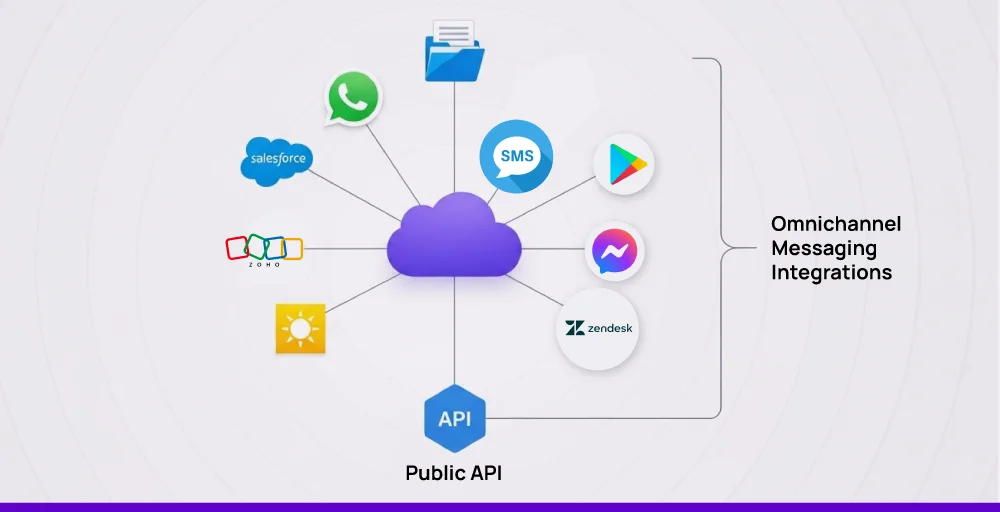
These integrations consolidate all customer conversations, from SMS, live chat, social media, email, to messaging apps like WhatsApp and Messenger, into a single, unified agent interface. They align all digital communication under one roof and allow agents to reply to any query, on any platform, with consistency and confidence.
Benefits
- Unified communication dashboard: Handle all conversations (SMS, chat, social media, email) from one interface.
- Faster response times: Real-time notifications and automation reduce delays in responding to customers.
- Enhanced personalization: Agents can access complete interaction history, enabling more relevant and empathetic replies.
- Increased efficiency: No need to switch between tools, which improves workflow and reduces errors.
- Seamless channel handover: Conversations can start in chat and move to email or phone without losing context.
- Higher customer satisfaction: Customers don’t need to repeat themselves; the experience feels cohesive and professional.
Vendor examples
RingCentral
RingCentral’s platform offers a fully unified experience by integrating VoIP, SMS, chat, and CRM into one powerful interface. It supports real-time analytics and allows agents to switch between communication channels effortlessly, all while maintaining a complete history of interactions.
Exotel
Exotel enables businesses to integrate SMS, voice, interactive voice response IVR, and chatbots into their customer communication strategy. It simplifies omnichannel engagement by connecting directly with your CRM and helpdesk tools, making it ideal for support-heavy teams needing quick resolutions.
WhatsApp Business
WhatsApp Business enables companies to provide real-time support and proactive notifications using the world’s most popular messaging app. With proper integration into your contact center system, WhatsApp messages appear alongside other digital conversations, complete with automated workflows, chatbots, and analytics.
3. Workforce management integrations
A contact center is only as effective as the team that runs it, and managing that team can be challenging without the right tools. Workforce Management (WFM) integrations connect your contact center platform with scheduling, forecasting, and performance management systems to make sure you have the right number of agents, with the right skills, available at the right times.
Without integration, workforce planning often becomes a guessing game. Managers might manually export call data to spreadsheets, try to predict peak hours, and then schedule shifts accordingly. But with WFM integrated directly into the contact center, all of that becomes automated and data-driven.
Benefits
- Smarter scheduling: Automatically align agent availability with forecasted demand to prevent overstaffing or understaffing.
- Accurate forecasting: Use historical and real-time contact center data to predict call volumes, chat sessions, and support tickets.
- Performance insights: Track agent productivity, adherence to schedules, and workload balance.
- Integrated HR Functions: Sync directly with payroll, leave management, and compliance systems.
- Improved Employee Satisfaction: Provide fair, transparent schedules and flexible shift-swapping options.
Vendor examples
BambooHR
Known for its user-friendly HR platform, BambooHR offers time-tracking, approvals, and analytics that integrate smoothly with contact center platforms. This helps teams manage workforce planning while ensuring compliance with HR policies.
HiBob
HiBob delivers a modern HR experience with strong analytics, onboarding workflows, and performance management tools. Through no-code integration with your contact center, it enables real-time data exchange for more accurate scheduling and resource allocation.
ADP
ADP combines payroll, time tracking, and scheduling with robust compliance tools. When integrated into a contact center, it allows managers to view staffing needs alongside operational performance data, making it easier to make real-time adjustments.
4. Analytics and reporting integrations
In the modern contact center, data is the fuel for smarter decisions, but only if you can access it in a clear, actionable way. That’s where analytics and reporting integrations come in. These tools connect your call center platform with business intelligence (BI) software and contact center reporting dashboards, transforming raw call logs, chat transcripts, and customer feedback into real-time insights.
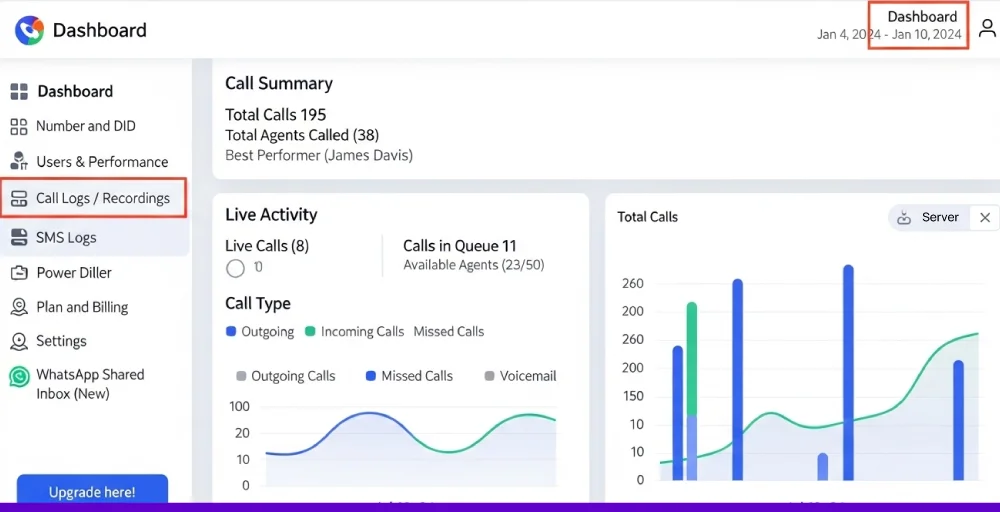
Without proper integration, performance data is often scattered across multiple systems. Your telephony platform might store call volumes, your CRM might track customer satisfaction scores, and your WFM tool might log agent productivity.
Analytics integrations unify these data sources, giving managers a 360-degree view of operational efficiency, customer sentiment, and agent performance.
Benefits
- Comprehensive performance tracking: Monitor call center metrics and KPIs like average handle time (AHT), service level (SL), first call resolution (FCR), customer satisfaction (CSAT), and net promoter score (NPS).
- Real-time and historical insights: See what’s happening now while also analyzing long-term trends.
- Sentiment and speech analysis: Automatically evaluate customer tone and emotion from transcripts and call recordings.
- Data-driven decision-making: Spot inefficiencies, identify training needs, and adjust staffing or processes based on evidence.
- Customizable dashboards: Tailor reports to highlight the metrics most important to your business.
Vendor examples
Power BI
Microsoft’s Power BI offers deep connectivity with Dynamics 365, Teams, and most major CCaaS platforms. It’s ideal for businesses that want enterprise-grade analytics tightly integrated with their existing Microsoft stack.
Sisense
Sisense specializes in embedding analytics directly into applications and workflows. With real-time visualization and predictive analysis, it helps contact centers not just measure performance but also anticipate changes in demand and customer behavior.
Tableau
Tableau excels in visual storytelling with data. It integrates seamlessly with cloud contact center solutions to create interactive dashboards, helping leaders visualize patterns in customer interactions, call volumes, and satisfaction scores.
5. Knowledge base and self-service integrations
Customers don’t always want to wait; they want instant answers to their queries. And the knowledge base and self-service integrations make it possible by giving both customers and agents easy, on-demand access to information through FAQ’s, help articles, tutorials, and AI-powered search.
When integrated into your contact center, the knowledge base becomes more than just a static library; it’s a dynamic support tool. Customers can find answers without needing to open a ticket, while agents can instantly surface the right response during the live conversation.
Self-service portals, chatbots, and even advanced IVR systems can pull directly from this knowledge base repository, ensuring the information remains consistent and accurate across all channels. This doesn’t just reduce call volumes, but also boosts customer confidence and empowers agents to resolve complex issues faster.
Benefits
- Reduced call & ticket volume: Customers solve simple issues on their own, freeing agents for higher-priority tasks.
- Faster resolution times: Agents can pull up pre-approved answers instantly during live interactions.
- Consistency across channels: Every customer gets the same accurate answer, whether they ask a chatbot, call an agent, or read an FAQ.
- Improved customer satisfaction: Self-service empowers customers to get help 24/7, on their own terms.
- Scalable support: As your customer base grows, a knowledge base absorbs more of the support load without increasing staffing costs.
Vendor examples
Document360
A modern knowledge base platform that supports both public and private content, integrates with chatbots, and offers version control for managing updates effectively.
LiveAgent Knowledge Base
Let’s build both internal and customer-facing help centers, with SEO-friendly article publishing and integration into ticket workflows.
Bloomfire
An AI-enhanced knowledge sharing platform that indexes all your content, articles, videos, and documents, so agents and customers can quickly find what they need.
6. Voice and VoIP integrations
Voice remains the backbone of contact centers, even in an era of chatbots and social media management. Voice over Internet Protocol (VoIP) technology revolutionizes how organizations manage calls by replacing costly, inflexible traditional phone lines with cloud-based calling systems.
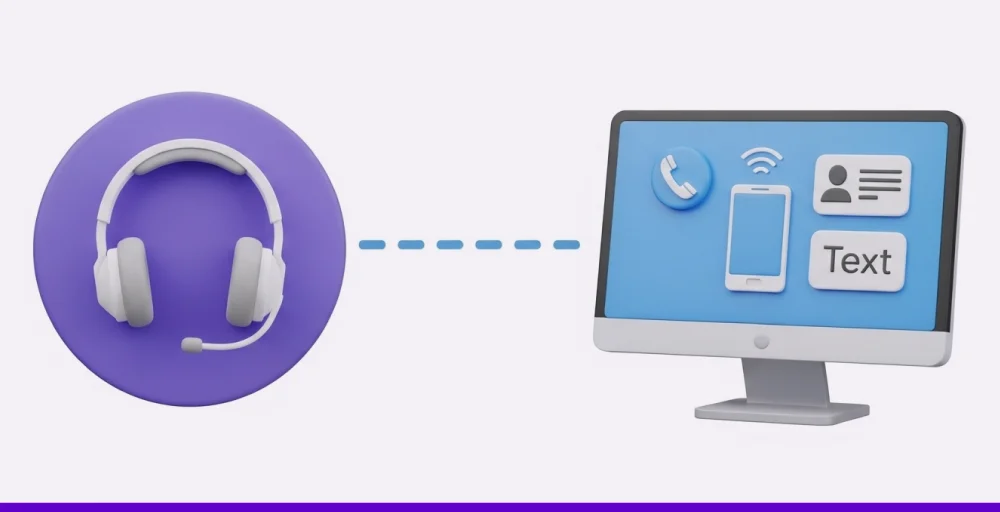
When integrated into a contact center, VoIP doesn’t just handle calls; it unifies voice with other channels like email, chat, and CRM systems. This enables agents to see the full context of a customer’s history before answering the phone, personalize interactions, and log call data automatically.
Unlike legacy phone systems, cloud-based VoIP offers global scalability, making it easy to expand into new regions without expensive infrastructure. With features like call routing, call recording, AI-based transcriptions, computer telephony integration (CTI), and real-time analytics, businesses can boost efficiency, cut costs, and elevate service quality.
Benefits
- Lower call center costs: Eliminates the need for traditional phone lines and reduces long-distance fees.
- Better call quality: High-definition audio with minimal downtime through robust cloud infrastructure.
- Smart call routing: Directs calls to the right agent based on skills, availability, or customer history.
- Integration with CRMs & Helpdesks: Automatically log calls, attach recordings, and display caller data in real time.
- Enhanced training & QA: Supervisors can monitor calls, whisper coaching tips, or join calls as needed.
Vendor examples
RingCentral
A global cloud communications leader offering VoIP, video conferencing, team messaging, and contact center solutions. Deep integrations with CRMs like Salesforce and Microsoft Teams make it ideal for unified communications.
Aircall
Designed for modern teams, Aircall integrates seamlessly with CRMs and helpdesks, offering real-time analytics, call tagging, and automatic activity logging. Great for distributed teams needing a plug-and-play VoIP solution.
8×8
Combines VoIP, video, chat, and contact center in one platform. Features advanced analytics, call quality monitoring, and strong compliance certifications for industries like healthcare and finance.
7. AI and chatbot integrations for contact centers
By integrating AI and chatbots into your contact center solution, you can integrate them with third-party intelligent virtual agents (IVAs), automate routine interactions, handle high-volume inquiries, and free up human agents to focus on complex or high-value cases.
These AI tools can operate across channels, website chat, SMS, WhatsApp, Facebook Messenger, and voice calls, ensuring consistent service everywhere.
Modern AI bots go far beyond basic scripted responses. They use natural language processing (NLP) to understand intent, retrieve relevant information from your knowledge base, and even detect customer sentiment. Over time, they learn from interactions, making them smarter and more effective.
Benefits
- 24/7 customer support: Provide round-the-clock service without requiring overnight staffing.
- Reduced wait times: Handle multiple conversations at once, instantly responding to FAQs or routine requests.
- Omnichannel support: Offer consistent automated assistance across chat, social media, SMS, and voice.
- Personalized experiences: Use customer history and context to tailor bot responses.
- Improved agent productivity: Free up human agents to focus on high-priority or complex issues.
Vendor examples
IBM Watson assistant
An enterprise-grade conversational AI platform with advanced NLP capabilities. Integrates with websites, messaging apps, and contact center platforms to deliver personalized, context-aware customer support.
Intercom
Known for blending human support and automation, Intercom’s chatbots can qualify leads, answer FAQs, and hand over to live agents when necessary, without breaking the conversation flow.
Drift
Focused on sales and customer engagement, Drift uses AI chatbots to pre-qualify visitors, schedule meetings, and provide instant answers, boosting conversion rates.
8. Quality assurance and monitoring integrations
Every customer interaction is an opportunity, not just to solve an issue, but to learn, improve, and elevate service quality. Quality assurance (QA) and monitoring integrations give contact centers the tools to record, review, and analyze customer conversations, ensuring that agents deliver a consistent and compliant experience.

By integrating quality assurance and monitoring tools directly into your contact center, supervisors can listen in on live calls, review recordings, analyze speech patterns, and even detect customer sentiment in real-time.
These call center integrations enable data-driven coaching for agents, help identify process gaps, and ensure adherence to regulatory requirements.
Benefits
- Compliance assurance: Ensure agents meet industry regulations (e.g., PCI-DSS, HIPAA) and internal quality standards.
- Real-time monitoring: Listen in on live calls for immediate intervention when needed.
- Data-driven coaching: Use recordings and analytics to train and improve agent performance.
- Speech & sentiment analysis: Detect frustration, confusion, or satisfaction levels during interactions.
- Faster problem resolution: Spot recurring issues early and fix process bottlenecks.
Vendor examples
Five9
Provides integrated voice analytics, AI-powered call scoring, and robust recording features. Supervisors can whisper advice to agents mid-call or join calls when escalation is necessary.
CloudTalk
Offers real-time call monitoring, analytics dashboards, and easy-to-access call recordings for training purposes. Ideal for remote and hybrid contact center teams.
Genesys
Delivers advanced behavioral analytics, speech recognition, and automated scorecards to track agent performance. Integrates seamlessly with CRMs and workforce management tools.
9. Payment and e-commerce integrations
For contact centers handling sales, billing, or subscription management, secure and seamless payment processing is critical. Payment and e-commerce integrations connect your contact center directly with online payment gateways, shopping carts, and billing platforms, allowing agents to process transactions in real time without transferring customers to a separate portal.
These integrations enable agents to take payments over the phone, chat, or email, issue refunds, verify orders, and check transaction history, all while keeping customer data secure and PCI-compliant.
For e-commerce operations, the integration can go further by connecting with inventory, shipping, and CRM systems, ensuring that every transaction triggers the right follow-up actions.
Benefits
- Faster transaction processing: Reduce wait times by enabling in-call or in-chat payments.
- Enhanced security & compliance: Maintain PCI DSS compliance and protect customer data.
- Unified order management: Access purchase history, refunds, and shipping updates in one interface.
- Upsell & cross-sell opportunities: Leverage customer purchase data to make targeted offers.
- Reduced abandonment: Complete sales before customers lose interest or switch channels.
Vendor examples
Stripe
A flexible, API-driven payment platform that integrates easily with contact center software. Supports in-call payment links, recurring billing, and international transactions.
PayPal
A widely trusted gateway offering quick integration for phone, chat, and web payments. Ideal for omnichannel businesses needing fast deployment.
Shopify + Contact Center Integration
For e-commerce businesses, integrating Shopify directly into the contact center lets agents manage orders, refunds, and inventory while chatting with customers.
10. Email management integration
Email remains one of the most critical customer service channels, especially for businesses that handle detailed queries, formal requests, or regulated communication. Without integration, agents are often stuck switching between multiple inboxes, forwarding emails manually, and risking lost or delayed responses.
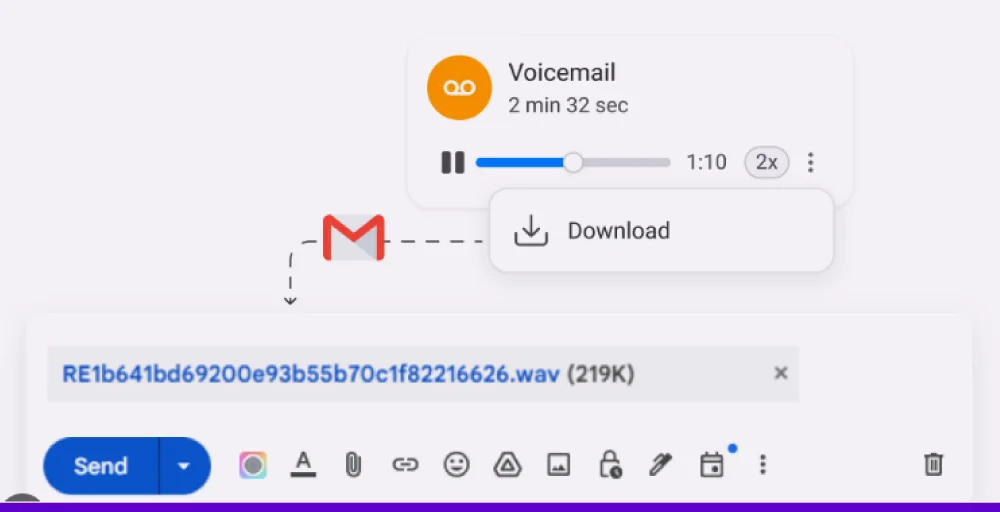
Email management integration connects your contact center software directly to your organization’s email systems, consolidating all incoming and outgoing messages into a single, unified interface alongside calls, chats, and social media messages.
Agents can receive, respond, assign, and track emails in real time without ever leaving the contact center dashboard. Automatic tagging, SLA timers, and escalation workflows ensure every email is prioritized and handled correctly, while analytics give managers full visibility into performance and compliance.
Benefits
- Unified communication hub: Manage all customer emails alongside calls, chats, and social media in one place.
- Improved SLA compliance: Automatically track deadlines for first response and resolution.
- Reduced context switching: Agents can work from one platform, boosting efficiency.
- Email analytics: Monitor response times, message volumes, and team performance.
- No missed emails: Queue-based workflows ensure every email gets resolved before closure.
Vendor examples
Front
A collaborative inbox platform that centralizes email, chat, and SMS. Offers analytics, tagging, and team assignment features to streamline customer email handling.
HubSpot Service Hub
Integrates email ticketing with CRM data, automating follow-ups and ensuring every customer interaction is logged for a complete service history.
LiveAgent
Combines email, chat, and social media in one dashboard with advanced SLA rules, canned responses, and real-time agent collaboration tools.
KrispCall: All-in-one solution for seamless contact center integrations
Contact center integration transforms agent productivity, enhances the customer experience, and grows your business. KrispCall is a cloud-based contact center platform that unifies communication channels and integrates easily with CRM, helpdesk, analytics, and other business tools.


It offers a unified dashboard for voice, chat, email, and SMS, plus workforce management, real-time analytics, secure payment integrations, AI automation, and IVR.
With KrispCall, contact centers can consolidate their operations on a single platform, reducing complexity and improving overall efficiency.
Its user-friendly interface and no-code integration options make it easy to connect your essential tools and deliver exceptional omnichannel customer service.