Voice calls remain one of the most direct and personal ways to connect with clients. Whether it’s sales teams nurturing leads or service agents resolving issues, real-time conversations help build trust and strengthen relationships.
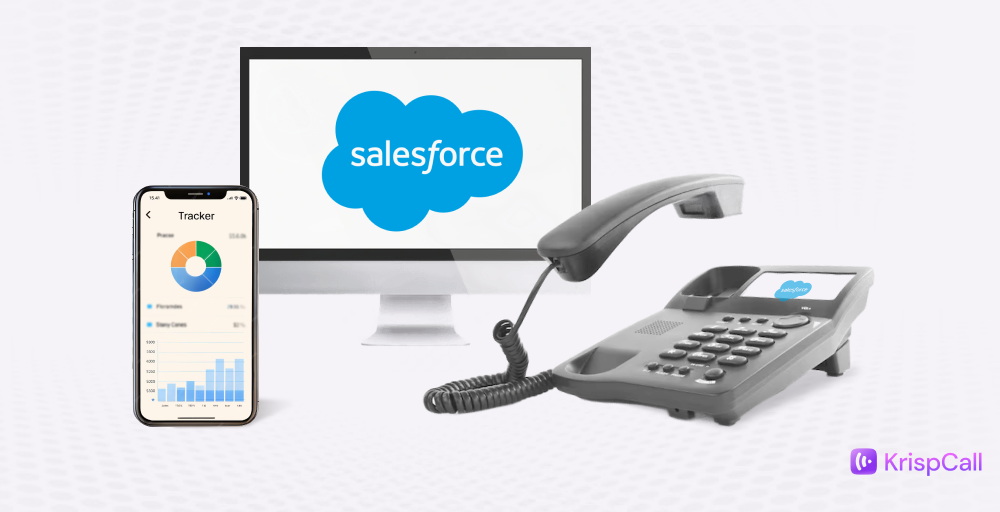
Teams rely on Salesforce telephony integration to centralize these interactions, linking calls, customer data, and activity tracking in one unified platform. This seamless connection eliminates manual tasks, improves response times, and provides a complete view of every customer touchpoint.
In this blog, you’ll discover key Salesforce phone integration best practices and tips to optimize Salesforce call integration, covering setup, performance, and common issues.
✨ Key Takeaways
- Salesforce phone integration with CTI provides real-time customer insights and automatically logs calls, improving agent productivity.
- Use clear goals, a compatible provider, clean data, secure processes, and regular audits for effective Salesforce phone integration.
- Common Salesforce phone integration issues include call drops, logging failures, sync errors, softphone crashes, and delayed notifications.
How Salesforce phone integration works?
Salesforce phone integration connects your telephony system directly to Salesforce CRM, enabling calls to be made and received in Salesforce while syncing call data with customer records.
CTI, or Computer Telephony Integration, is key here; it links telephony systems to Salesforce. Hence, agents can see customer information instantly during calls, while Salesforce call center optimization automatically logs activities in the CRM, improving efficiency and the customer experience.
Salesforce phone integration best practices
To maximize the benefits of Salesforce CRM telephony setup, it is essential to start with clear call objectives, choose a compatible telephony provider, maintain accurate caller data, and continuously audit the system to optimize performance.
Follow these best practices to maximize your Salesforce phone integration:
1. Set clear call handling objectives from day one
Define specific goals for your Salesforce calling workflow automation, such as reducing response times, improving call logging accuracy, or boosting sales conversion rates. These objectives guide the setup, configuration, and automation workflows to ensure alignment with business priorities.
2. Select a Salesforce-ready telephony provider
Choose a telephony system that offers native or seamless integration with Salesforce, such as KrispCall, RingCentral, Twilio, or Nextiva, ensuring AI-powered Salesforce phone system features like click-to-dial, automatic call logging, and Salesforce softphone integration work smoothly. A Salesforce-ready provider simplifies deployment and accelerates it.
3. Maintain clean and consistent caller data
Ensure customer phone numbers and associated records in Salesforce are accurate and standardized, using formats such as E.164. Clean data enables reliable screen pops, quicker call resolution, and meaningful analytics to improve call management in Salesforce.
4. Build call flows that match your sales and support processes
Design interactive voice response (IVR) menus and call routing paths in Salesforce based on your team’s workflows to improve call efficiency. Tailored call flows enhance the customer experience and agent productivity by directing calls appropriately and capturing the correct data.
5. Strengthen telephony security and compliance
Implement protections such as end-to-end encryption and role-based access controls to safeguard sensitive customer information during calls. Compliance with regulations such as GDPR and HIPAA ensures safe Salesforce customer interaction tracking and reduces legal risks.
6. Perform regular audits and review
Continuously monitor call logs, agent activity, and system performance through Salesforce dashboards and reports to detect issues or improvement opportunities. Regular reviews ensure the telephony integration remains aligned with evolving business needs and technology upgrades.
What are the common issues of Salesforce phone integration?
Common issues with Salesforce phone integration fall into technology, data, performance, or user-related categories. Some of them are:
1. Call dropping or poor call quality
One common issue with Salesforce phone integration is call dropping or poor call quality. It can be caused due to poor internet connections, insufficient bandwidth, or misconfigured VoIP integration. It can lead to incomplete calls and a poor customer experience.
2. Call logging failures
Sometimes calls are not automatically logged in Salesforce due to API limits, incorrect configuration, or missing user permissions. This results in lost call records and incomplete activity histories.
3. Integration sync errors
These occur when Salesforce fails to communicate correctly with the telephony system due to authentication issues, outdated CTI adapters, or data mismatches. Users may notice missing or inconsistent call data.
4. Softphone not loading or crashing
The Salesforce softphone component can fail to load due to browser compatibility issues, corrupted cache, or outdated integration packages. This prevents users from making or receiving calls directly in Salesforce.
5. Delayed call pop-ups
When there’s network latency or server lag, incoming call notifications appear late. This delay can cause users to miss calls or respond slowly to customer inquiries.
Conclusion
Integrating your phone system with Salesforce is more than just a technical setup; it’s a strategic move to streamline communication, boost productivity, and deliver exceptional customer experiences. By following best practices such as ensuring reliable VoIP call quality, proper logging, and seamless user adoption, teams can maximize the value of every interaction.
A well-optimized Salesforce communication tools integration empowers your organization to respond faster, keep accurate records, and maintain stronger relationships, turning every call into an opportunity for success.
Streamline your calls with Salesforce and KrispCall today!