Your phone number is more than just a way to reach you; it’s a master key to your digital life. Because most of our accounts (from banking to social media) are tied to a single mobile phone number, sharing those ten digits with a stranger on a dating app or a marketplace seller is a significant security risk.
Masking your phone number provides a crucial “digital buffer.” It keeps you connected while protecting your real identity from spam, stalkers, and data breaches. Using a proxy number is an effective way to reclaim your privacy in a hyper-connected world.
So, in this blog, you’ll get to know more about phone number masking and how to mask your phone number.
✨ Key Takeaways
- For just one-time number masking, use vertical service codes like (*67 in the US/Canada or #31# internationally) to hide your caller ID for a single call.
- Use built-in iPhone or Android settings for caller ID blocking, such as for iPhone, Settings → Phone → Show My Caller ID → Toggle off, and for Android Phone app → Menu → Settings → Supplementary services → Show my caller ID → Hide number.
- To permanently mask your actual phone number, get a secondary number via VoIP apps like KrispCall, Google Voice, or Burner.
What does it mean to mask your phone number?
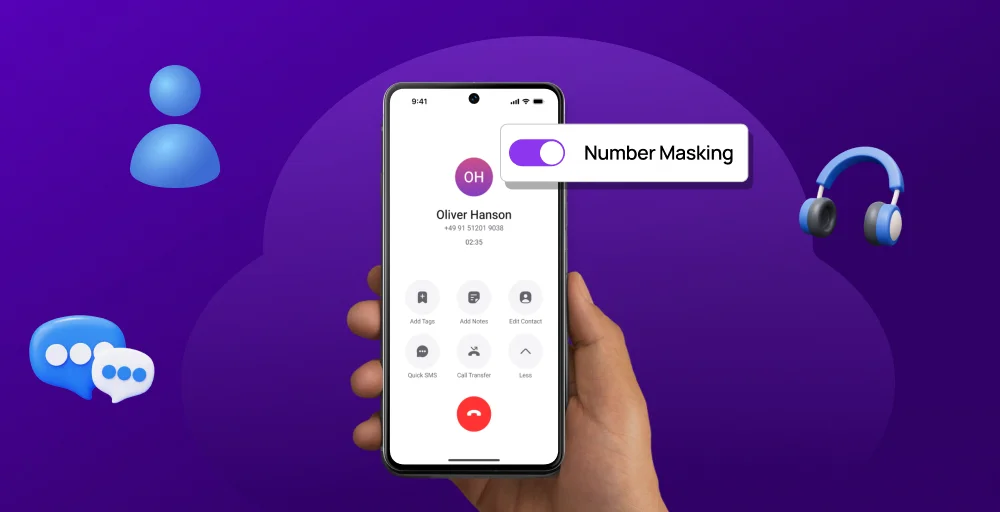
Masking your phone number means hiding your real number by displaying a different, virtual, temporary, or proxy number on the recipient’s caller ID during calls or text messages. The masked phone number acts as a proxy, ensuring neither side sees the other’s actual contact information. It’s widely used in VoIP providers, ride-sharing apps, and customer support systems, and mirrors how a residential proxy hides your real IP address online.
Why should you mask your phone number?
Masking your phone number is important for protecting your personal privacy and enhancing security by hiding your real number behind a temporary, virtual number.
Key reasons to mask your phone number:
- Protects your privacy: It prevents strangers, such as delivery drivers or buyers, from obtaining your personal phone number.
- Increases security: It helps guard against identity theft and scams by keeping your personal and business numbers safe from cybercriminals who might misuse them.
- Reduces spam: Masking your number prevents it from being shared, reducing the risk of unwanted calls and messages.
- Builds trust in transactions: It enables secure communication for services like Uber, Airbnb, or eBay, so both parties can communicate without sharing personal contact details.
- Ensures business safety: For companies, it protects employee information and helps comply with privacy laws such as GDPR and CCPA.
How to mask your phone number from your phone (Built-in settings)?
If you need a quick, one-off solution to hide caller ID, both iPhone and Android have built-in features to help.
To mask your phone number on your phone
Mask your phone number for iPhone
Step 1: Open Settings
Step 2: Scroll down and tap Phone
Step 3: Tap Show My Caller ID.
Step 4: Toggle the switch off.
Note: Some carriers do not allow this and may require a manual code.
Mask your phone number for Android
Step 1: Open the Phone app.
Step 2: Tap the three dots (Menu bar) in the top right corner.
Step 3: Select Settings > Supplementary services (or Calling Accounts > Additional settings).
Step 4: Tap Show my caller ID, then select Hide number.
How to permanently mask your phone number (Using virtual numbers)?
To permanently mask your phone number, use a virtual number service provider like KrispCall, Cloaked, Google Voice, or Burner. These call masking solutions offer a permanent, more secure alternative to temporary masking, providing consistent, professional, and private communication to help prevent spam calls and protect privacy.
Step-by-step masking with KrispCall:
Step 1: Sign up for KrispCall and log in to the dashboard.
Step 2: Navigate to the My Numbers menu and select the Number setting option.
Step 3: Choose the specific phone number you wish to use for the custom caller ID.
Step 4: Navigate to the Caller ID section and select Add an External Number.
Step 5: You will receive an OTP code on that external number to prove ownership.
Step 6: Input the OTP and click Verify. Now, all outgoing/outbound calls will display this external number instead of your private mobile digits.
How to hide your phone number when calling or texting?
Hiding your number while calling or texting is the most direct way to stop people from “saving” your identity. Depending on whether you need a quick, one-time block or a permanent secondary line, you have three distinct levels of protection.
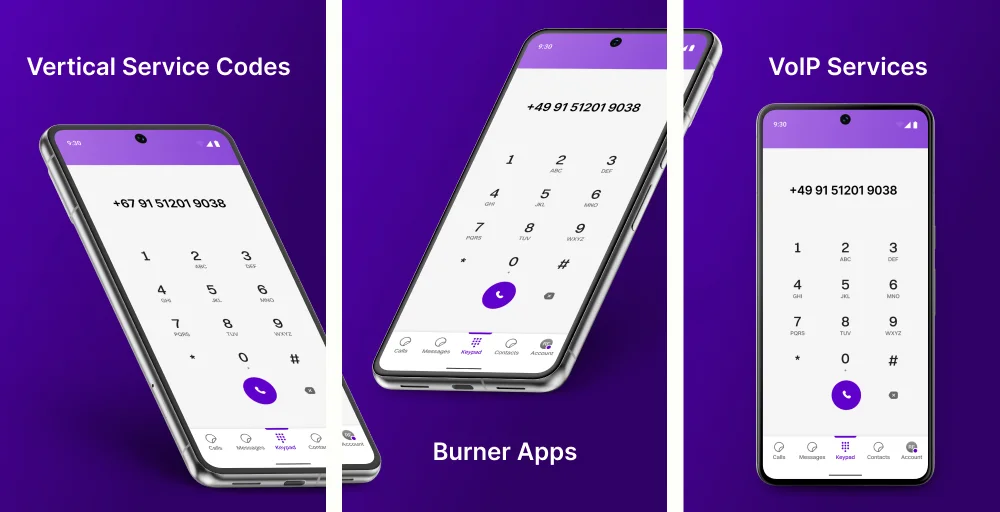
- Vertical Service Codes: Dial *67 before a number in the US or Canada to temporarily hide your caller ID for that call.
- Burner Apps: Apps like Burner or Hushed provide temporary numbers that you can “burn” (delete) once you’re done using them.
- VoIP Services: Google Voice lets you route all calls through a second phone number that rings your main phone, keeping your real number hidden.
How to hide your phone number when using social media apps?
Hiding your phone number on social media apps is a common privacy concern, especially when dealing with strangers on messaging, dating, or buying/selling platforms. Most apps require a valid phone number for account verification and contact discovery, and there typically isn’t a built-in option to hide your actual number.
The most effective and widely recommended method is to use a virtual phone number (also known as a second number, or disposable number). This allows you to register accounts with a separate number that forwards calls and texts to your real phone without revealing your personal number.
Steps to get and use a virtual number:
1. Download the app (e.g., Burner, Hushed, TextNow) from your Google Play Store.
2. Sign up and choose a number (US, Canada, or international, depending on the service).
3. Use this number to verify or register on the social media app.
4. Communicate only through the app or via the virtual number.
5. For additional security, “burn” (delete) the number when you’re finished and obtain a new one.
WhatsApp uses your phone number as your identifier, which is displayed in profiles, groups, and chats. There’s no native option to hide it (even with usernames, the number often remains visible to contacts in certain regions). Therefore, using a virtual number is a good way to maintain your data privacy.
1. Get a virtual number (e.g., via Google Voice, TextNow, Burner, or Hushed).
2. Install WhatsApp and register/verify with the virtual number (receive SMS/code via the virtual app). If you want to change your number on an existing account, go to Settings > Account > Change Number. Enter your old (real) number and new (virtual) number, then verify.
3. Your WhatsApp will now display the virtual number, keeping your real number hidden.
Note: If SMS verification fails for some VoIP numbers, you can request verification via a voice call.
Dating apps
Most dating apps don’t publicly show your phone number to matches (they use in-app messaging). They may ask for it during signup for verification/2FA/notifications, but you can often skip or use alternatives.
Market places
These platforms often encourage in-app messaging, but people frequently ask for phone numbers to coordinate (calls/photos/delivery). Sharing your real number risks scams (e.g., theft of verification codes to hijack accounts) or harassment.
Best apps to mask your phone number (Quick comparison)
Here’s a quick comparison of the best apps to mask/hide your real phone number using virtual/second numbers. These are popular for privacy on social media platforms, online dating apps, marketplaces (e.g., Facebook Marketplace), online verifications, and more. All support SMS for sign-ups and basic calling/texting.
| Apps | Key feature | Best for |
| Burner | Spam blocking, Delete or switch numbers, Muting & blocking | Temporary/disposable use |
| Hushed | Anonymous calling, Number Private, Call routing | Privacy-focused users needing variety or short/long-term numbers |
| Google Voice | Proxy number, Anonymous Caller ID, Call forwarding | Free/permanent personal use |
| Sideline | Avoid spam, Number porting, and separate voicemail | Small businesses/freelancers needing a professional second line |
| Line2 | Call blocking, VM transcriptions, SMS & MMS | Basic, reliable second line |
| Cloaked | Phone number and email aliases, Call guard, Dark web & SSN monitoring | Protecting personal privacy, preventing, and securing digital identities |
| Dialpad | Disable Caller ID, Real-time transcription, HD call quality | Businesses/sales teams (not ideal for personal privacy) |
Common situations where number masking helps
Phone number is often the key that links your various online identities together. Masking that number provides a critical layer of separation between your private life and public interactions. Here are the most common situations where number masking is helpful:
- Online marketplaces: Masking prevents scammers from scraping your phone number to add it to telemarketing lists. Once the transaction is complete, you can simply disable the local number or ignore the app, ensuring the buyer can’t contact you months later with complaints.
- Job applications: It spams the noise. Using a dedicated number for your resume keeps your personal line free for friends and family. If you get hired or decide to stop your search, you can turn off that number to instantly end the influx of unsolicited recruiter calls.
- Dating apps: Prevents bad matches from finding your home address or social media accounts via a reverse phone lookup. It lets you get to know someone at your own pace without giving them a direct line to your personal life.
- Small businesses: It allows you to set Business hours for that specific number, so phone calls go straight to voicemail after 5:00 PM. It gives your business calls a more professional appearance without the cost of a secondary physical phone.
- Rideshare/delivery work: While different apps mask numbers internally, some glitches or off-platform requests might expose your line. Using your own virtual number as a backup ensures that a frustrated customer cannot harass you after delivery.
- Traveling: You can maintain a local presence for reservations or emergency contact centers without swapping SIM cards constantly. You can receive SMS verification codes for banking or flight changes over Wi-Fi, even without a cellular signal from your home carrier.
Conclusion
Protecting your phone number is no longer just a tech-savvy habit—it’s essential in today’s digital world. Whether you need a quick one-time solution, like dialing *67, or a permanent, professional line through a business phone system like KrispCall, there’s a masking option for every need.
Setting up a virtual number or adjusting your device’s caller ID settings takes only a few minutes but gives you full control over who can reach you. By doing so, you reduce your risk of spam, scams, and privacy breaches while maintaining safe and secure communication for personal or business purposes.