Webphone
9000+ companies worldwide trust and cherish our service













What is Webphone?
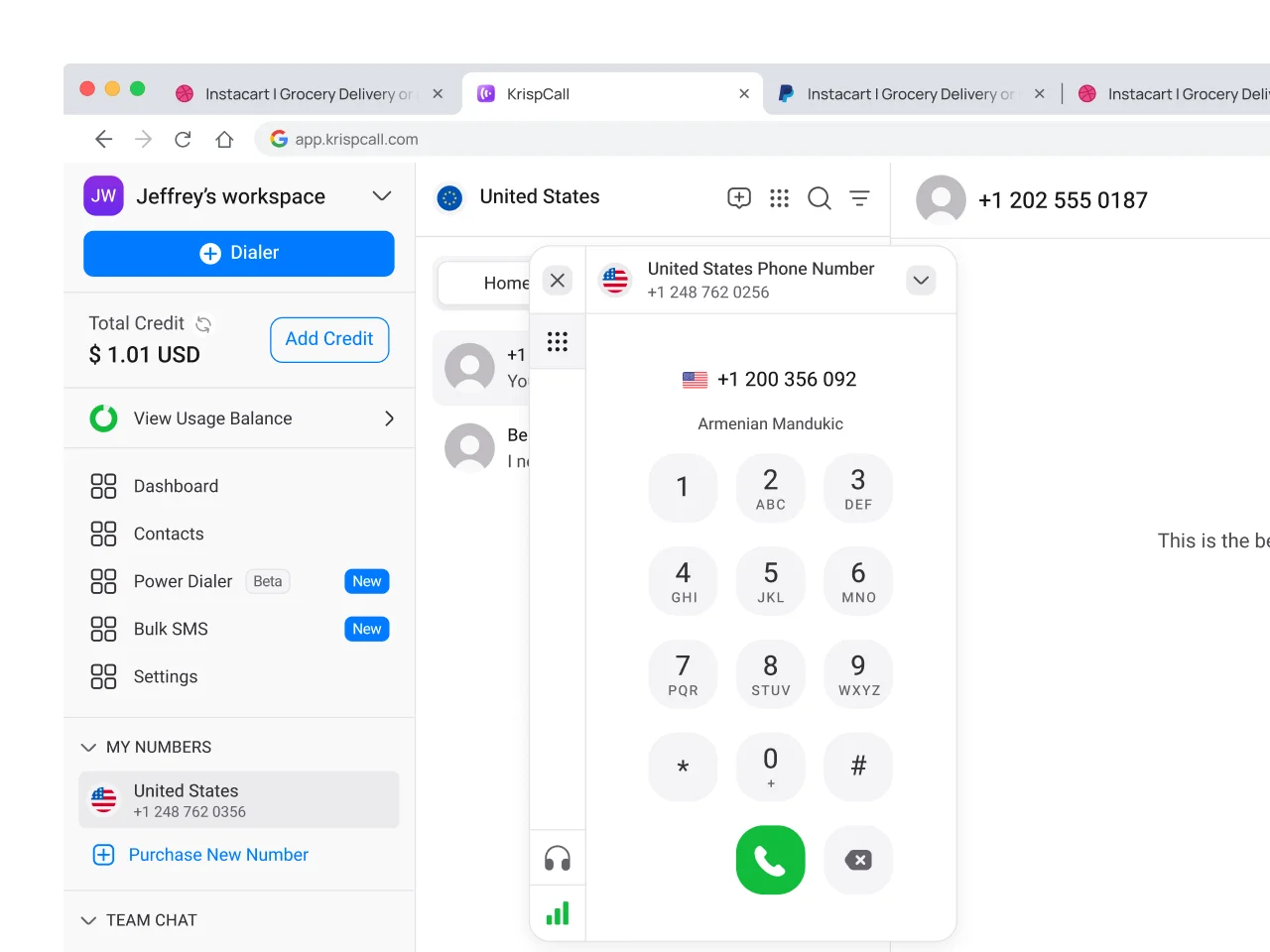
A Webphone is a software-based application feature that allows users to make and receive telephony calls directly from their web browser. It works within your existing desktops or web applications without requiring any dedicated physical phones or specialized hardware.
This browser-based approach means you can make calls to traditional landlines, mobile phones, or any internet-based phone from wherever you work. Whether you’re in sales, support, or operations, webphone brings voice into the tools you already use.
At its core, the webphone serves as a software-driven alternative to traditional desk phones and mobile apps. By integrating with your existing telephony platform, it provides access to features like Call handling, number dialing, and call controls, all within a single interface.


Get a Virtual Number
Get local, mobile, and toll-free virtual phone numbers from 100+ countries and expand your business worldwide.
How KrispCall’s Webphone Works?
Make and receive calls directly from your browser—no downloads, no hardware, just seamless communication.

Powered by WebRTC Technology

Digital Voice Conversion

Incoming Call Routing

No Software Hassles
How to use Webphone in KrispCall?
To use the KrispCall webphone, all you need is a browser-compatible device with a microphone and speakers.
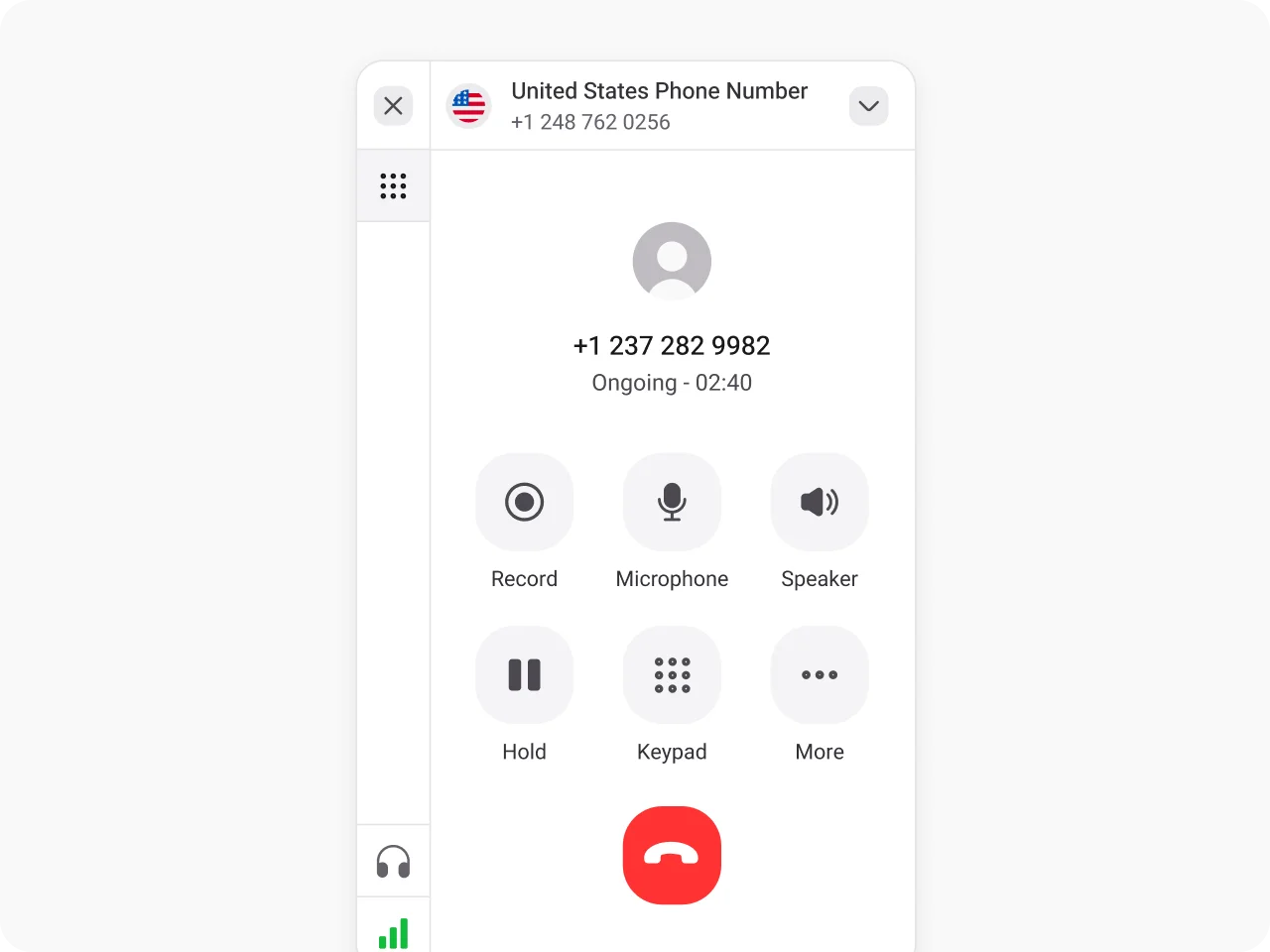

Log in to your KrispCall account.

Enter the phone number you want to call.

Click the green call button to begin your conversations right from your browser.

You can also receive incoming calls through a web phone.
Benefits of Webphone
Webphone is designed to support real work and offers several benefits that enhance how teams manage calls, such as:
Turn every browser into a business line with Krispcall’s Webphone feature
Call, manage, and route—all from your browser. No downloads. No desk phone. Just pure productivity.
Make calls directly from your web interface without the need for external applications. No need to manually enter contact details.
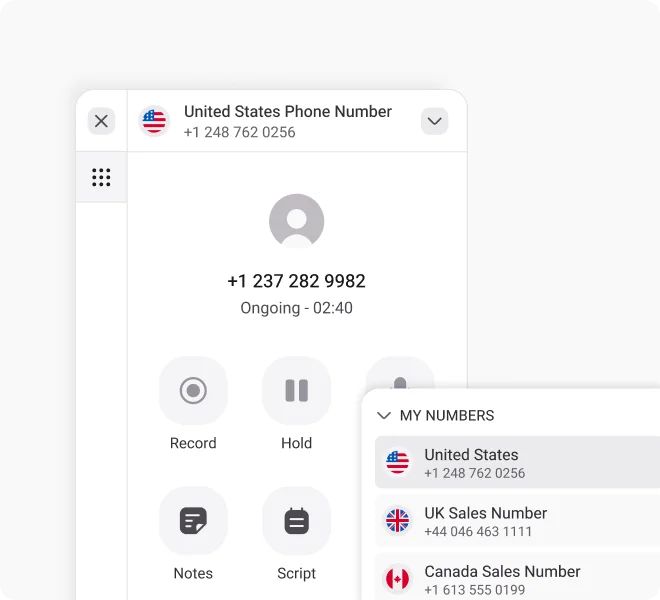
Control active calls with features like mute, hold, and transfer directly in your web browser without leaving your current workspace.
Access your calling capabilities from any device with internet connectivity. Switch between devices while maintaining call quality and functionality.
Automatically direct incoming calls to available team members or departments. Set up custom routing rules directly through the browser dashboard.
More Features like Webphone
Power dialer
Auto-dial numbers in sequence to boost the outbound calling speed and reach more leads and prospects in less time.
Call Recording
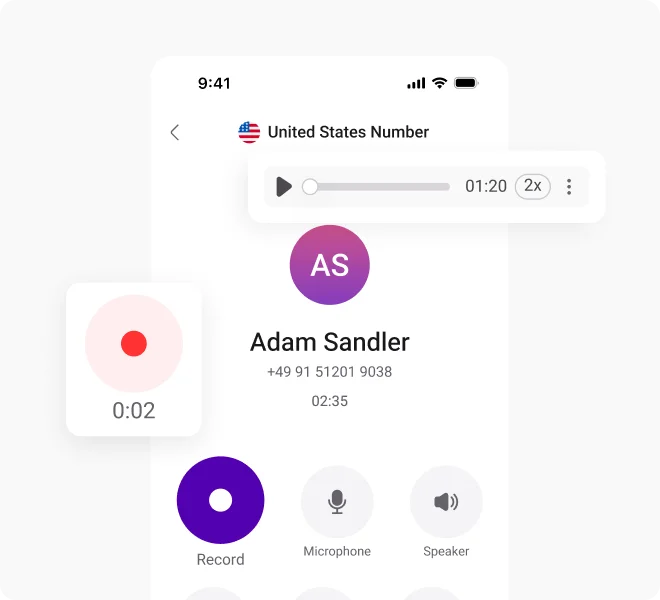
Record and store inbound and outbound calls securely for training, compliance, or performance review, and revisit key conversations whenever needed.
Voicemail to Email
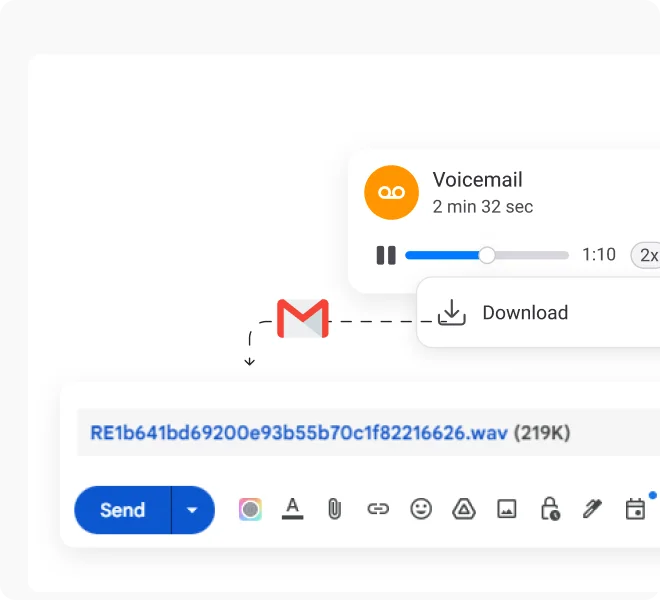
Receive voicemail as audio files straight to your email inbox and access it from any device without calling voicemails.
Proud to be Recognized as VoIP Leader & Regional Leader in ANZ, EMEA, Europe, and Asia Pacific by G2








J C.
HR Officer

Jun 23, 2025
“I love how easy KrispCall is to use, and the helpful support makes it easy for me to manage multiple numbers and stay connected globally.”

Mike B.
Co-Founder and Business Dev...
Jun 04, 2025
“KrispCall won us over with lightning-fast support, effortless access to numbers and SMS, and pricing that makes sense for small businesses.”

Tkachenko E.
Software Developer
Apr 21, 2025
“KrispCall lets me manage all my calls, texts, and voicemails from one place, helping me stay organized and present a professional image wherever I work.”

Amanda C.
CEO
Jan 22, 2025
“KrispCall’s quick, respectful customer support helped me find the perfect solution for global calls and a customer service number!”

Nagendra V.
Digital Marketing Specialist
Oct 07, 2024
“KrispCall makes global calling effortless with all the tools I need in one place—perfect for connecting with clients worldwide & my digital marketing needs!”

James S.
Software Engineer
May 21, 2025
“KrispCall’s easy setup and intuitive interface keep my team’s communication organized, while its AI-powered platform has streamlined global calls and customer interactions.”

Taha Ryuko S.
Founder & CEO
May 29, 2025
“We received a prompt response right after reaching out, and KrispCall helped resolve my virtual identity issue.”

Colin L.
Server
Feb 11, 2025
“We use KrispCall for a Hong Kong number to receive OTPs—the service is reliable, support is excellent, and the daily usage emails keep us in the loop.”

Lucas W.
Product Manager
Dec 3, 2024
"KrispCall’s authentic, professional service and exceptional customer understanding make staying connected with clients effortless—I’m very happy with it!"

Pushkar Verma
Director
Aug 12, 2024
“The setup process was very easy, with chat support available during our business hours. We needed a UK number with WhatsApp setup, and this solution met our needs at a reasonable price.”

Turan B.
Researcher
Jun 05, 2025
“KrispCall helped me get a virtual number that makes international calling smooth and easy.”

Sandeep M.
Real Estate Specialist
Apr 22, 2025
“KrispCall helped me get a UK number and set up WhatsApp and Telegram effortlessly for my real estate client calls from Dubai.”

Teddy M.
Finance Professional - Busin...
Feb 04, 2025
“Super quick setup and amazing support, KrispCall made it easy for our customers to reach us!”

Hunter F.
Business Analyst
Nov 12, 2024
"KrispCall’s amazing VoIP features and seamless number porting have been essential for managing my international business calls and remote team—highly recommended!"

Matthew Jones (JP, AFIML)
Associate Fellow
Jul 18, 2024
“Been using KrispCall for a while now and the service is great and the customer support is so responsive”
Frequently Asked Questions
Didn’t find the Answer you were looking for? Visit our Help Center or Contact Support
The call quality of webphones matches or sometimes even exceeds that of traditional phone systems, especially with the utilization of VoIP technology and reliable internet connections.
Yes, Webphone can be used for both incoming and outgoing calls. WebRTC-based Webphones allow users to make and receive calls directly through their browser interface.
Call limits depend on your specific plan and service provider. For more information about calling allowances and pricing in KrispCall, please contact our support team.
Webphone requires a stable internet connection for optimal performance. Poor connectivity may affect call quality, but the system will attempt to maintain connections when possible.
Yes, multiple users can access Webphone concurrently, each with their own browser interface and calling capabilities.
