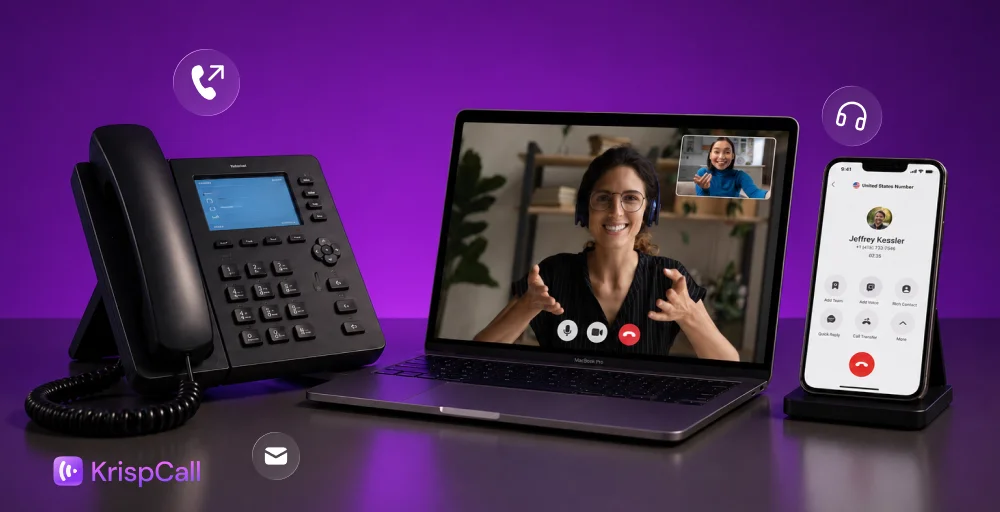
Struggling to manage disconnected emails, missed calls, and multiple messaging apps in the office? Isolated tools often lead to miscommunication and reduced productivity.
That’s where unified communications (UC) steps in. It combines all your communication channels on a single platform, helping your team stay aligned and your operations run seamlessly.
This blog will guide you through the detailed information on unified communication, including how it works, core features, and leading UC platforms.
What is Unified Communications?
Unified communication is a solution that integrates voice calling, video conferencing, messaging, email, and file sharing into a single platform. It enables teams to communicate and collaborate more efficiently through a single interface.

UC solutions make business communications smoother and can be deployed both on-premises and in the cloud. With it, you can switch your communication channel, for example, from a chat to sharing files or video conferencing without disrupting the workflow.
A unified approach keeps your team connected and productive with the collaboration tools they need.
How Unified Communications Works?
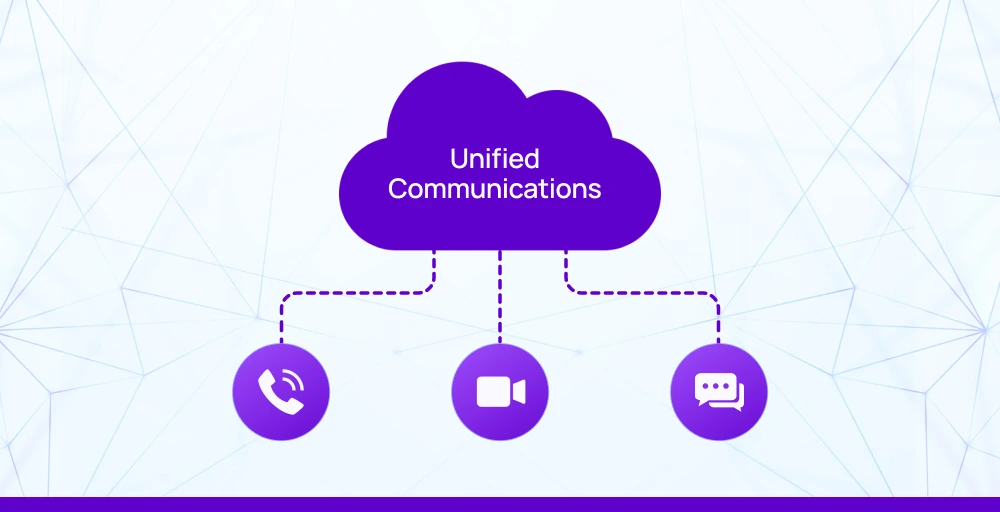
Unified communications brings together all important communication tools, such as voice, video, conferencing, messaging, and email, into a single platform. By integrating these communication channels, your team members can collaborate and provide better customer service.
Here’s a step-by-step guide on how Unified Communication works:
1. Consolidation of communication channels
Integrated communication platforms consolidate a multitude of tools into a single platform, creating a much smoother and more consistent communication experience. Some of the tools include:
- Voice: Combines traditional telephone calling with VoIP (Voice over Internet Protocol) for internet calling.
- Video conferencing: Allows for virtual meetings, webinars, and one-on-one online meetings. It enhances team communication, regardless of the location of each team member.
- Messaging: Merges instant messaging and SMS functionality for immediate, real-time communication of individuals or groups.
- Email: Integrates seamlessly with email systems, allowing users to access email functionality alongside other communication tools.
- Voicemail: Stores and manages voice messages in a centralized location, allowing them to be played back on any device and by any user.
- File Sharing: Provides a centralized system for simple sharing in the same space for documents, presentations, & multimedia.
The consolidation of communication channels eliminates the need to switch back and forth between various apps or systems.
2. Centralized platform access
One communication platform serves as a single, integrated dashboard, providing users with access to the entire set of communication channels through a single portal. These platforms are typically cloud-based and bring Unified Communication as a Service (UCaaS) features.
Organizations can manage everything, including calls and messages, in one place with this model, providing them with greater control, visibility, and ease of use.
3. Enhanced collaboration
Bringing together collaboration and communications capabilities will allow users to transition between communication modes easily.
For example, the user can initiate a conversation via instant messaging, then proceed to a voice call, and finally join a video meeting, all without ever leaving the platform. Synchronous interaction fosters collaboration in teams, particularly for remote and hybrid teams, as conversations are continuous and efficient.
4. Better productivity
Unifying all business communication capabilities under one system enables agents to work without distraction from managing multiple applications. Faster communication, access to data, and the ability to respond directly to clients or coworkers improve teamwork, effectiveness, and overall performance.
5. Accessibility and flexibility
The majority of convergent cloud communication solutions are cloud-based which enable users to access software on any internet-connected device, such as a smartphone, tablet, or desktop computer. This flexibility enables them to work from anywhere, whether they’re in the office or working from home.
6. Business process integration
Advanced unified communications platforms can seamlessly integrate with essential business applications like CRM systems, helpdesk software, and project management tools. This integration empowers teams, especially customer-facing agents, to access detailed customer information, manage interactions more effectively, and streamline workflows without switching between multiple apps.
What are the features of a Unified Communications system?
In the context of Unified Communications (UC), features refer to the underlying tools and functionality that enable businesses to integrate different forms of communication, such as voice, video, chat, and email, into a single system. The features unify the communication, reduce operational complexity, and boost team efficiency.
1. Voice calling (VoIP)
Voice over Internet Protocol (VoIP) enables phone calls over the internet, eliminating the need for traditional phone lines by converting voice into digital data for transmission.
With VoIP, businesses can significantly cut communication costs while enjoying high-quality audio. It also supports mobility, allowing employees to make and receive calls from anywhere, ideal for remote and hybrid work environments.
2. Video conferencing
Video conferencing is a vital tool for hosting virtual face-to-face meetings, allowing teams to see each other, share screens, and collaborate in real-time, regardless of their location. It enhances communication, fosters stronger team connections, and eliminates the need for in-person meetings, ultimately saving time and reducing travel costs.
3. Instant messaging & team chat
Instant messaging and group discussions enable employees to communicate instantly, eliminating the need for emails or phone calls. It enhances office productivity by streamlining decision-making and facilitating well-structured, easily accessible team discussions. Messages can even be searched and referenced later when needed.
4. Presence information
Presence information displays a colleague’s real-time status, such as available, busy, in a meeting, or offline, helping teams communicate more efficiently. With this information, you can avoid unnecessary interruptions, time your messages more effectively, and organize group interactions with greater precision.
5. Unified messaging
With unified messaging, voicemails, emails, texts, and even faxes are accessible in one central inbox for the user. This is a time-saver, as it eliminates the need to check multiple platforms. It also reduces the chance of missing important messages and provides a more seamless flow of communication.
6. Screen and file sharing
This feature allows users to share their screen, documents, or presentations during meetings. It helps teams provide examples more clearly and collaborate on project-related material in real-time. It is especially beneficial for training sessions, team meetings, or customer demos.
7. Mobile & multi-device access
Unified communications systems can be accessed from laptops, desktops, tablets, or smartphones. This enables employees to communicate and collaborate from anywhere, whether in the office, at home, or on the road. It offers workflow continuity across devices.
8. Call management tools
Call management tools like call forwarding, routing, voicemail-to-email, and auto-attendants streamline inbound call handling by directing calls to the right department or agent, which improves call flow. These features ensure no call goes unanswered, reduce customer wait times, and enable issue first-call resolution, ultimately enhancing the overall customer experience.
9. Integration with business tools
UC platforms can integrate with CRM systems, calendars, helpdesk systems, project management systems, and more. These integrations streamline workflows, reduce the need to switch between apps, and ensure valuable context is preserved during every interaction, making teams more efficient, organized, and productive.
10. Security & compliance
Security is paramount to safeguarding the critical information of businesses. A unified communication solution secures the customer data and interaction by utilizing end-to-end encryption and limited access control.
The UC solution also complies with standards like GDPR and HIPAA to ensure data safety and meet security requirements. Complying with rules builds customer trust and protects the enterprise from potential legal threats.
11. Advanced features that make UC stand out
Most unified communications platforms now offer advanced call center features that include AI-driven features like automatic call transcription, intelligent call routing, and call analytics. Utilizing these features, businesses can track key metrics, optimize operations, and make informed decisions based on real-time data.
Why does Unified Communications matter today?
With the rising hybrid work environment, communication needs to be instant, seamless, and accessible from anywhere.
Traditional communication methods no longer meet today’s needs, with scattered emails, siloed messaging apps, and disjointed phone systems. Unified communication solves this by integrating all communication channels, such as voice, video, messaging, and collaboration into one centralized platform.
UC keeps your teams connected and aligned, no matter where they are. It reduces tool overload, minimizes app-switching, and ensures every interaction is tracked, contextual, and consistent. Whether teams are in the office, remote, or on the move, unified communications help maintain continuity, streamline workflows, and support scalable, future-ready operations.