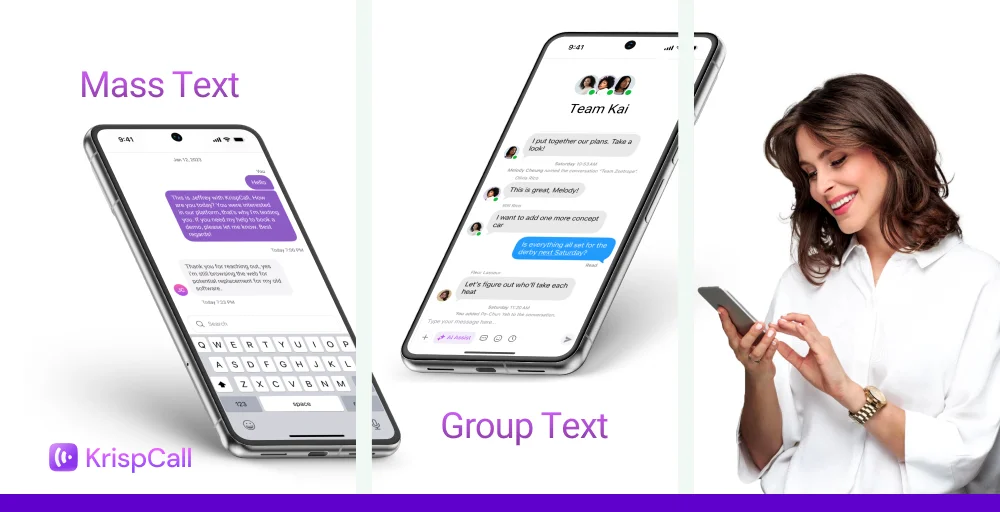
The words “mass text” and “group text” sound pretty similar. Although both types of texting involve sending a single message to multiple people at the same time, they seem similar but work in entirely different ways.
With mass texting, everyone gets your message individually, and replies stay private. Another, all replies show up in the same chat, turning your message into a full group conversation.
In this blog, we will explore the definitions of mass text vs group text, the differences between the two, and effective ways to use them.
✨ Key Takeaways
- Mass texts are sent individually, keeping recipients and responses private, while group texts are sent in a single thread that all participants can view and respond to.
- Use mass texting for promotional messages, business alerts, appointment reminders, and feedback updates.
- Use group texting for small teams, families, or groups where open discussion and real-time interaction matter.
What is mass texting?
Mass texting is the process of sending the same message to a large group of people at once. Recipients receive messages privately; no one else can see them, and they can also respond privately. This makes the conversation professional and secure while maintaining privacy.
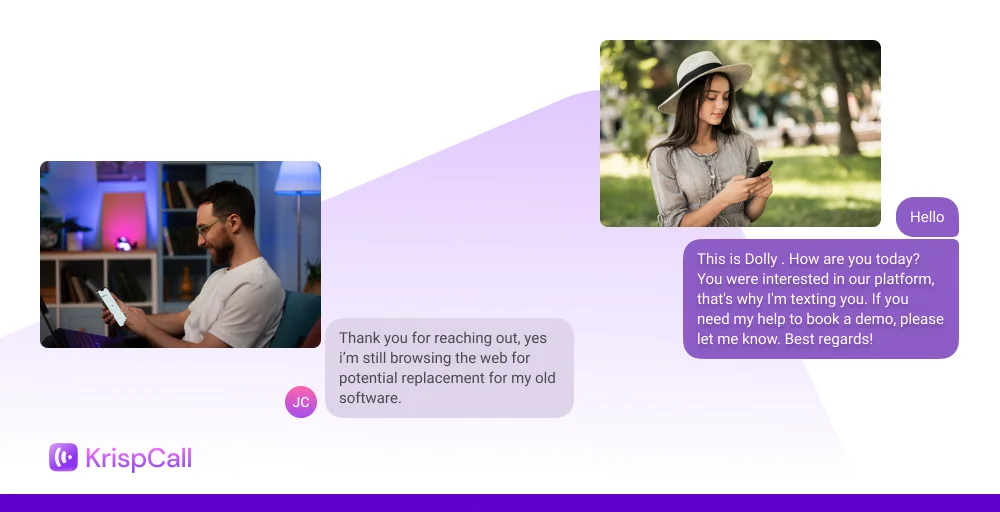
Organizations mainly use these SMS texts for promotional campaigns, new updates, and business alerts. Mass texting is ideal for reaching the broadest possible audience instantly.
What is group texting?
Group texting is sending the same messages to a large group of people at once, where everyone is part of a single shared conversation. Every individual can see the text message and can respond to it. This creates an ongoing conversation rather than a one-way announcement.
Group texting is mainly used for team discussions, family chats, or quick group coordination. This text message is perfect for collaboration or immediate feedback. However, it is less suitable for private or one-to-one communication.
Mass text vs group text: At-a-glance comparison
Here are the differences between mass text and group text, taking various factors into account.
| Factor | Mass Text | Group Text |
| Privacy & Recipient Visibility | Each person receives the message individually; recipients can’t see each other. | Everyone in the group can see all members and replies. |
| Thread & Reply Behavior | Replies come back privately to the sender only. | Replies appear to everyone in the group, creating a shared thread. |
| Recipient/Group Size Limits | It can reach hundreds or thousands at once. | Usually limited (10–20 people, depending on carrier/device). |
| Speed & Volume | High-volume sending supported; may involve carrier throughput limits. | Slower and limited since messages are sent as a multi-party MMS/SMS. |
| Compliance & Legal Requirements | Must follow opt-in/opt-out, TCPA, GDPR, and anti-spam rules. | No formal compliance rules, as it’s just a personal group chat. |
| Personalization | Supports dynamic fields like names, offers, and tags. | No personalization, everyone gets the same message. |
| Cost Structure | Charged per SMS/MMS sent to each recipient. | Usually covered by standard carrier texting plans. |
| Deliverability & Spam Risk | High deliverability but needs compliance to avoid filtering. | Minimal filtering since it’s a regular group conversation. |
1. Privacy & recipient visibility
In mass texting, recipients receive the same message individually; no one else can see it, and responses are private. In group texting, all members can see the whole conversation and respond.
2. Thread & reply behavior
Mass texting typically supports one-way messaging, though replies can be received individually. Group texting creates a shared conversation thread, where every participant can reply, and all replies are visible to everyone.
3. Recipient/group size limits
Mass texting platforms can often send messages to hundreds or thousands of recipients at once, depending on provider limits. Group texting usually works best with smaller groups, as large threads can become unwieldy and confusing.
4. Speed & volume (messages per second, carrier throttling)
Mass texting can send large volumes of messages quickly, but carriers may throttle very high volumes. Group texting depends on app limitations and may slow down with larger group sizes.
5. Compliance, opt-in/opt-out & legal considerations
Both require recipient consent to comply with anti-spam laws. Mass texting often includes built-in opt-out management, while group texting relies on user moderation and respect for privacy.
6. Personalization & dynamic content
Mass texting allows for personalized message fields, such as names or appointment details, in each message. Group texting is less flexible, as messages are broadcast to all members equally without individualized content.
7. Cost structure (per message vs per group)
Mass texting is usually charged per message sent, while group texting may be free within certain apps or counted as part of data usage, depending on the service.
8. Deliverability & spam risk
Mass texting has a higher risk of being flagged as spam if opt-in rules are ignored, but professional platforms can manage this. Group texting is generally safer for communication among known participants, as messages are expected and relevant to the group.
When to send a group text or mass text?
The goal of using both texts is to reach a large audience; however, they serve different purposes.
You should use mass texting when:
- Reaching large audiences: Perfect for sending messages to hundreds or thousands at once without manual effort.
- Protecting recipient privacy: Each message is delivered individually, so recipients cannot see who else received it.
- Professional or business communications: Ideal for marketing campaigns, appointment reminders, event notifications, product launches, or urgent alerts.
- Personalized messaging: You can include each recipient’s name, order details, unique offers, or other dynamic content to make messages feel personal.
- Ensuring legal compliance: Helps you stay within regulations like TCPA, GDPR, or other anti-spam rules by handling opt-ins and opt-outs correctly.
You should use group texting when:
- Communicating with small groups: Works well for friends, family, classmates, or small teams, typically with fewer than 20 participants.
- Encouraging conversation and collaboration: Everyone in the group can see replies and participate in the discussion.
- Sharing casual updates: Perfect for event planning, quick check-ins, or informal reminders where replies are expected.
- Uniform messaging: All participants receive the same message, with no personalization needed.
- Immediate interaction: Replies are visible to all, fostering back-and-forth conversation naturally.
Effective ways to use mass and group texting
Mass texting and group texting are used in different sectors and for various purposes. Mass texting is used for promotional messages, appointment reminders, and alert notifications. In contrast, group texting is used for team coordination, internal communication, and household messaging.
Mass texting
Mass texting is used for one-way communications to reach the maximum number of audiences insanity. Typical uses of mass texting are explained below:
- Promotion messages: Marketing texts maximize customer engagement, driving conversions more effectively than email marketing. For instance, if a business needs to promote its new product launch, sending a mass text can reach a large number of customers.
- Appointment reminder: Hospitals, clinics, and other service providers can use mass texting to remind their patients about their appointments. This helps reduce no-shows and improve patients’ overall experience.
- Alert notifications: Businesses, schools, or organizations can use mass texting to notify employees, customers, or students about sudden updates, schedule changes, or emergencies.
- Order updates: Businesses can provide customers with delivery status updates. They track orders, inform customers about shipment times, and address any issues that arise.
- Feedback requests: Mass texting helps collect feedback from their customers or clients. By sending quick surveys, rating requests, or opinion polls, companies can gather valuable insights about products, services, or experiences.
Group texting
Group texting works best when you need interaction among participants. It creates a shared conversation thread where everyone can see and reply to messages. Common uses include:
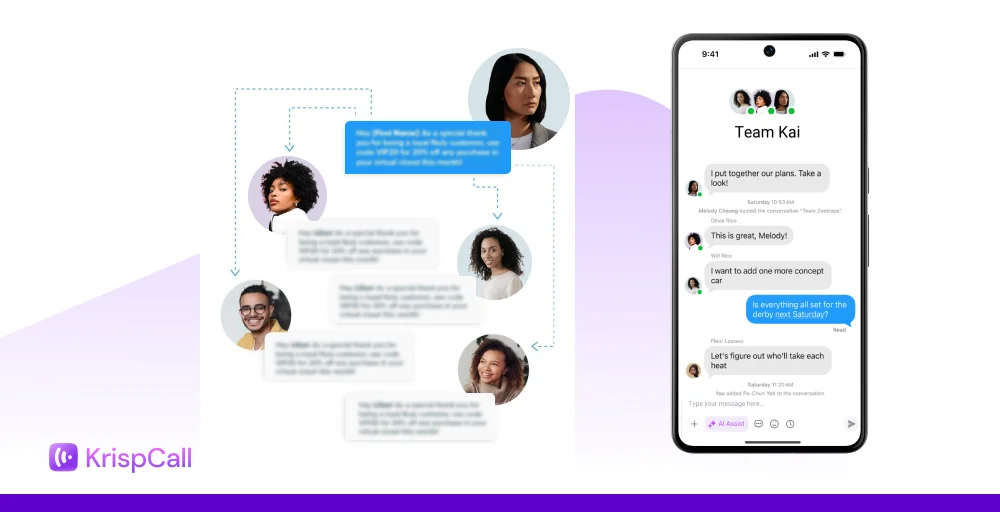
- Team coordination: Group texting can be used by small businesses to share their day-to-day updates, discuss progress, and assign tasks. This helps all team members stay informed, ensuring everyone is on the same page and improving collaboration.
- Internal communications: Organizations can use group texting to communicate important internal announcements, policy changes, or reminders. This method ensures messages reach the intended staff quickly and encourages timely responses when needed.
- Household messaging: Families or friends can use group texting to share their day-to-day activities. Similarly, it allows everyone in the household to stay updated, share reminders, and respond in real time, making daily coordination simpler and more efficient.
How to text mass text with KrispCall?
KrispCall enables you to send bulk SMS with advanced mass texting features such as text message campaigns, two-way messaging, personalization, and segmented messaging. You can enhance customer engagement while keeping messages relevant and professional.
Additionally, you can design targeted text message campaigns for promotions, alerts, reminders, and updates from a single unified dashboard.
To send mass text messages with KrispCall, follow these steps. Here are the steps:
Step 1: Sign in or create a KrispCall account if you do not have one. And purchase a virtual phone number.
Step 2: Upload your existing contacts via CSV and ensure all contacts have opted in to receive messages, in compliance with regulations.
Step 3: Create clear, concise, and engaging messages
Step 4: Select the contacts or groups you want to send the message to.
Step 5: Start sending messages immediately.
Step 6: Monitor delivery rates, open rates, and responses using KrispCall’s analytics.