Many businesses struggle with tracking agent performance, addressing customer complaints accurately for quality assurance purposes, and training new hires using real-world examples. Without the right tools, important details often slip through the cracks.
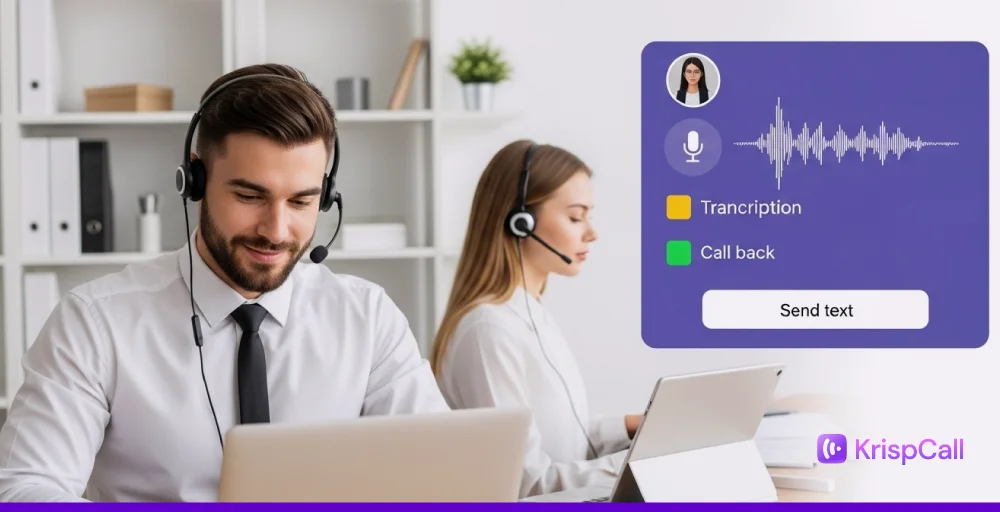
Imagine being able to instantly review every word said during a customer service call, without having to listen to the entire recording. That’s the power of call center transcription.
Call center transcription solves all these issues by converting spoken words during calls into written text. This not only helps with monitoring and quality control but also enhances customer experience and agent training by providing actionable insights.
In this blog, we will explore all about call center transcription software, how it works, its benefits, and some of its best practices.
✨ Key Takeaways
- Call center transcription is the process of converting spoken words during contact center calls into text using automated speech recognition (ASR) technology.
- The key steps that take place in the working mechanism of call center transcription solutions are speech-to-text transcription, data storage, and transcription analysis.
- The benefits of using such voice call transcription are improved customer support, enhanced agent training, call record accuracy, data security, and quality assurance.
What is call center transcription?
Call center transcription is a software that automatically transcribes all the words spoken by speakers into written text during a call in call centers (whether live or recorded). Call transcription is widely used for customer service to know how call center agents interact with customers, and also provides agent training through the creation of extensive real-world conversion libraries.
Furthermore, it’s also used in quality assurance (QA) and compliance, and to analyze customer feedback, as well as maintain accurate and searchable records that help ensure standards are met and improve overall security quality.
Benefits of call center transcription
Call center transcriptions convert recorded calls or live calls into text. Such recordings and transcribing of calls can provide a business several benefits, some of which are:
- Improve customer support: These transcripts of customer interactions allow agents to retrieve and search past conversations quickly. Help to understand, provide personalized service, like responses, and consider the past calls or the customer’s call history.
- Quality assurance: Transcription for call center quality assurance helps review customer interactions faster and facilitates accurate transcripts. It will help in systematic review and improve customer satisfaction and service quality.
- Enhance call record accuracy: This ensures that contact centers have recorded the right things during the call. It will help to reduce disagreements or misunderstandings and provide clear records of calls during the time of interaction variations.
- Agent training: Transcripts are used to train new hires or agents. Like, if an agent does exceptional work or faces new challenges during a call with customers, then call center transcripts help them to review them during their onboarding time.
- Legal compliance and risk management: Most of the businesses follow the strict TCPA or GDPR legal regulatory requirements. So, transcribed text or call records are important to ensure compliance, so that they can be used while monitoring agents or compliance to remain fully compliant.
- Call analytics and sentiment analysis: Call transcriptions enable deeper customer insights into customer behavior. This helps improve agent performance, monitor customer sentiment, and streamline operations using conversational analytics.
How does call center transcription work?
The call center transcription process converts customer conversations into words or text and helps to improve customer experience, call analytics, and compliance. To make real-time call transcription work effectively, there are several things that are needed, like:
1. Speech-to-text conversion (Automated transcription)
The speech-to-text for call centers is the major backbone of the transcription software. This uses the automatic speech recognition technology to transcribe calls, either during the time of the live call or after the call is finished. It is faster than doing manual call transcription.
But such automated transcription for call centers usually depends on the phone call quality and the technology you are using, so there are high chances of facing accuracy issues. So, to get reliable and accurate transcripts, a high-quality phone system and effective transcription solutions are important.
2. Data storage
After the call is transcribed, the next steps involve the storage of data, like where to store it and how to access it. Like, usually, such transcribed data is stored in a database and directly connected to the customer’s profile.
Doing this will help to access data during the time of training, quality assurance, or while taking future preferences.
3. Transcription analysis
Though the call transcripts are useful for organizations, they remain just idle on a server. But analyzing such transcripts helps the contact center to get to know about agent performance through contextual analysis, customer satisfaction, and overall efficiency.
The contact center transcription solution uses artificial intelligence (AI) call transcription tools and natural language processing (NLP) to analyze call transcripts for script compliance, customer sentiments, and keyword trends. These insights can guide training and reveal issues early.
Best call center transcription practices
To use call center or call recording transcription services for contact center solutions, there are some best practices that should be considered to get reliable and secure call transcription software. They are:
- Check quality: Always review the quality of every call transcript for quality assurance. With the help of transcripts, you can easily get product knowledge demonstrations, customer service skills, and review agent performance. So, always check if the transcripts compile an audio file or not.
- Embrace the awkward silence: Suddenly, silence during the live calls can reveal the pain points. So, analyze call transcription accuracy in that dead period to identify knowledge gaps or system inefficiencies that may hold agents back, so you can properly address them.
- Track linguistic evolution: Transcriptions help monitor the way customers speak, which is a subtle but important indicator for overall satisfaction and potential issues. Be sure to keep an eye on the language spoken, and check whether your transcription software is multilingual call transcription software.
- Integrate with other systems: Consider transcription software that can integrate with other systems, such as customer relationship management (CRM) and speech analytics. This will help to get a comprehensive view of customer interactions and improve overall performance.
- Security and compliance: As the call transcripts and call recordings contain sensitive and personal customer information, data security is necessary. So, choose a service provider with robust security measures, encryption, and access controls.
Power up your call center with KrispCall’s call transcription software
If you are considering using call transcription software for your call center, it can have built-in and high-quality real-time voice transcription features. So that you can minimize the limitations of call transcription tools for a call center service provider.
Then, KrispCall can be the best choice for your contact center needs. KrispCall provides reliable and accurate phone call transcription software, which can help to streamline quality assurance, enhance agent training, and empower the growth of your contact center.
KrispCall also provides features like call recording, live call monitoring, interactive voice response (IVR), CRM integrations, call summary, speech-to-text, voicemail-to-text, and many more.
So, you can try using KrispCall for your contact center platform. Book a free demo for your real-time call transcription with Krispcall now!