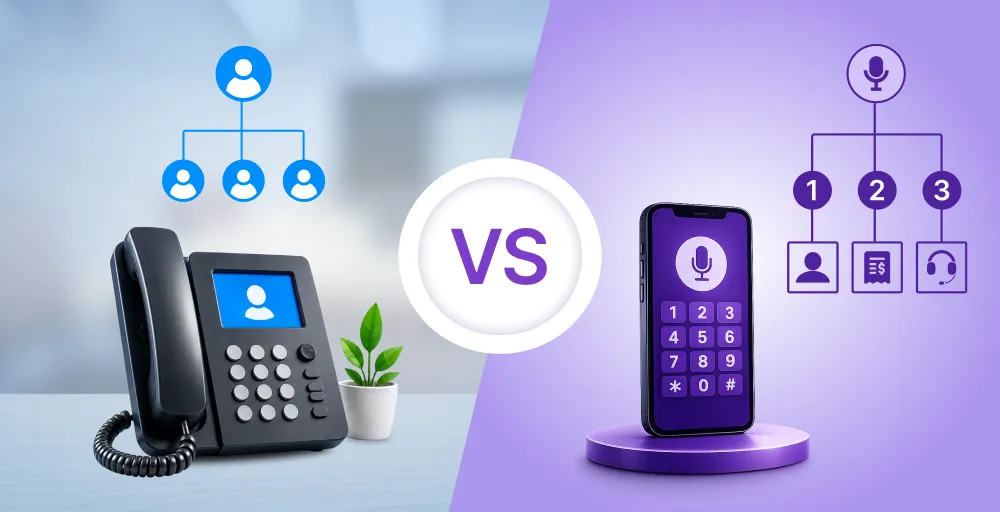
Handling phone calls efficiently is vital for businesses, especially when the call volumes grow. Additionally, your customers become frustrated due to long wait times if you do not have a proper system in place.
No customer wants to be transferred multiple times and waste their precious time. So, an auto attendant phone system is there to manage these incoming calls. And the pre-recorded information in these messages is referred to as the auto attendant script.
An auto attendant script is the business’s first point of contact to greet callers and quickly direct them to the right team. In this blog, we’ll cover the 25+ auto attendant script examples along with every detail about the auto attendant script.
✨ Key Takeaways
- Auto attendant scripts are prewritten templates used by automated phone systems to guide customers and reduce waiting times.
- Some of the must-have components of auto-attendant scripts are professional greetings, business operational hours, a default menu navigation option, and an alternative support option.
- To ensure your scripts are professional and effectively portray your brand, you need to gain insights from call history, establish proper language and tone, set clear departmental paths, and create seasonal or campaign-specific updates.
What is an auto attendant script?
An auto attendant script is a pre-written set of voice prompts used in an automated phone system to guide callers through the phone menu options. It works as a virtual receptionist that plays auto attendant messages to help callers reach the right department and agent.
Meaning you won’t need a live operator for routing callers to their required resources. A well-structured auto attendant script improves the caller experience by reducing their wait times.
So, these scripts include greetings, menu options, and voicemail instructions customized to suit the business size.
What to include in the auto-attendant script?
A good auto attendant script doesn’t just provide answers when your customers call; instead, it dictates your brand’s image. Additionally, an easy-to-navigate guide enables your new and existing customers to find what they are looking for quickly.
So, whether you’re creating an auto attendant for your phone system or creating a multiple-layer automated voice message system script, the content inside the script is the aspect that depicts professionalism.
Things that you must include in your auto attendant scripts as a customer service team.
1. Greeting and introduction
The opening of your script is extremely important. Start with a short and friendly greeting that introduces your company, and you set the tone for the call. You want your opening to be professional and upbeat so callers don’t realize they’ve reached a personal line.
Example:
“Hello! Thank you for calling [Company Name]. We are happy to assist you today.”
This is the very first thing your caller will hear, so make it measurable and not hard to understand.
2. Regular business hours
Inform your callers that they can directly speak with a live representative from your company at appropriate times. Include your standard business hours, and don’t forget to open voicemail greetings for holidays, closures, and special events.
Example:
“Our office is open Monday-Friday from 9 a.m. to 6 p.m. Eastern time.”
If your call roll is recorded outside of your regular hours, let your callers know by offering messages, such as directing them to a voicemail or links to online resources.
3. Default menu options
Some callers may fail to select an option or become stuck on the menu. A default menu option ensures they will receive an immediate response and you can direct them to voicemail, a live support agent, or your support website.
Example:
“If you didn’t make a choice, hold, please, and we’ll transfer you to the next available agent.”
This keeps the experience fluid and avoids dropped or dead-end calls.
4. Alternative Support Options
Not all problems require a call. Provide other means of assistance, such as your website, FAQs, or support email. This can help limit calls and provide customers with options.
Example:
“You can also check out support.example.com for fast responses or email us at help@example.com.”
Auto attendant script examples
The following are over 25 effective auto attendant script examples suitable for most businesses’ needs.
These auto attendant script examples include a smooth auto attendant message, simple call routing, and a caller-friendly directory, which allows you to create an effective automated phone system script.
1. Basic business auto attendant greetings script
“Welcome to [Company Name]. Press 1 for Sales. Press 2 for Customer Support. Press 0 to talk to an operator.”
2. Customer service-focused script
“You have called [Company Name]. Your call matters to us. Press 1 for scheduling or appointments. Press 2 for billing inquiries. Press 0 to call our receptionist.”
3. Technical support routing script
“Welcome to [Company Name] Tech Support. To troubleshoot, press 1. To ask an account question, press 2. To get product information, press 3. To be connected to a technician, press 0.”
4. Medical office auto attendant script
“Thank you for calling [Medical Practice Name]. To book appointments, press 1. To ask for prescription refills, press 2. To speak with a nursing staff member, press 3. To have billing or insurance questions answered, press 4.”
5. After hours auto attendant message
“You’re calling [Company Name] outside business hours. Office hours are Monday through Friday, 9 AM to 5 PM. Leave a message after the tone or press 0 to leave a message, and we’ll get back to you as soon as possible.”
6. Holiday closure auto attendant script
“Holiday greetings! [Company Name] is currently closed for the season and will reopen on [Date]. Press 1 for emergencies. Otherwise, leave a message at the tone, and we will return your call upon resumption of business.”
7. Restaurant auto attendant script
“Hi! I appreciate your call to [Restaurant Name]. Press 1 to make a reservation. Press 2 for menu information. Press 3 to place takeout orders. Press 0 to talk to a host.”
8. Real estate agency auto attendant script
“Welcome to [Real Estate Company]. To ask about properties available, press 1. For consultations with sellers, press 2. To talk to an agent, press 0.”
9. Financial services auto attendant script
“You have reached [Financial Institution]. For questions about your accounts, press 1. To talk to a financial advisor, press 2. For billing and payments, press 3.”
10. Educational institution phone tree script
“Thank you for calling [School/University Name]. To speak with the admissions department, press 1. For academic advising, press 2. To reach student services, press 3. To replay this menu, press *.”
11. E-commerce customer support script
“Welcome to [E-commerce Store]. To track your order, press 1. For returns and exchanges, press 2. For the availability of a product, press 3. To talk to a representative, press 0.”
12. Hotel reservation auto attendant script example
“Welcome to [Hotel Name]. If you would like to make a reservation, press 1. For information regarding our amenities, press 2. For group bookings, press 3. To contact the front desk, press 0.”
13. Insurance company auto attendant script example
“Welcome to [Insurance Company]. To report a claim, press 1. For policy details, press 2. For billing questions, press 3. To speak with an agent, press 0.”
14. Multilingual auto attendant greeting example
“Hello! Welcome to [Company Name]. To continue in English, press 1. Para español, press el 2. Pour le français, press 3.”
15. Home services auto attendant script
“Thank you for calling [Home Services Company]. For emergency service, press 1. To schedule an appointment, press 2. For questions about billing, press 3. To speak with a representative, press 0.”
16. Professional services auto attendant script
“Welcome to [Law Firm Name]. To be referred for legal consultation, press 1. For account and billing information, press 2. For office address and hours, press 3. To be referred to our receptionist, press 0.”
17. Nonprofit organization auto attendant script
“Thank you for calling [Nonprofit Name]. To donate, press 1. To learn about volunteering opportunities, press 2. To learn more about our mission, press 3. To be referred to a representative, press 0.”
18. Call center high-volume greeting script
“Thank you for calling [Company]. Due to heavy call volumes, please leave your name, account number, and a brief message after the tone. We will return your call within one business day. Press 0 now to leave a message.”
19. Emergency services auto attendant script
“Hello, you have called [Emergency Service]. To be assisted by the police, press 1. For a medical emergency, press 2. For the fire services, press 3. For other inquiries, press 0. For life-threatening emergencies, please call 911.”
20. After-hours product support script
“Hello, and thank you for calling [Company Name]’s after-hours product support. Press 1 for [Product A] assistance. Press 2 for [Product B] assistance. For warranty information, press 3. To speak with a technician, press 0.”
21. Medical office voicemail script example
“You have called the voicemail box of [Doctor’s Name]. Leave your name, phone number, and a short message. We will call you back as soon as possible.”
22. Retail store auto attendant script
“Thank you for calling [Retail Store Name]. Our store hours of operation are Monday to Saturday, 10 AM to 7 PM. For store locations, press 1. For product availability, press 2. To ask sales inquiries with a sales associate, press 0.”
23. Appointment scheduling auto attendant script
“Thank you for calling [Company Name]. To schedule a new appointment, press 1. To change or cancel appointments, press 2. For billing inquiries, press 3.”
24. Automated voicemail message script for support
“You’ve reached [Company Name] Support. We’re currently unable to take your call. Please leave your name, phone number, and issue after the tone. A representative will return your call shortly.”
25. Sales promotion auto attendant script
“Thanks for calling [Company Name]. For information on our current promotions, press 1. To speak with a sales representative, press 0.”
26. Multilingual after-hours auto attendant script
“Hello, you’ve reached [Company Name] after business hours. Para español, oprima el uno. Pour le français, appuyez sur deux.
How to customize your auto attendant script for your business?
A standard phone menu rarely works. To serve your callers and portray your brand well, you need a script that fits your business needs and aligns with customer expectations.
- Develop caller insight from call history: Start by reviewing past call logs or support tickets to identify the reasons people contact you most frequently. Are most calls for sales, billing, or troubleshooting? Use this data to construct your menu around real customer behavior, not assumptions.
- Reflect your brand personality in language and tone: A physician’s office needs a professional, subdued voice, while a hip, high-tech startup might use a friendly, energetic voice. Choose words and a speed that suit your brand image, so your automated voice message system script sounds natural to your callers.
- Vary based on business hours and busy times: If your personnel are occupied at certain times of the day, you may also route calls differently, maybe directing additional calls to voicemail or self-service. You may tailor your phone auto attendant script to suit your call volume and staffing patterns.
- Establish departmental paths: If you have multiple services, set up custom flows for each. For example, a law firm can have separate scripts for family law and corporate clients. This way, callers land exactly where they need to, fast.
- Add seasonal or campaign-specific updates: Customize scripts to promote time-sensitive offers, holiday hours, or special hours. An automated phone message that says, “Press 1 to hear about our July specials,” turns your phone system into a marketing tool, not just a routing tool.
Common auto attendant script mistakes to avoid
Identifying and avoiding common mistakes in auto attendant messages is important, as it directly deals with the customer experience and satisfaction.
- Missing key choices: If your menu doesn’t cater to the leading reasons callers call. For e.g., sales, support, or billing, callers might get lost or upset.
- No method to talk to a live person: Always offer callers a chance to speak with a live agent or return to the main menu. Dead ends cause abandoned calls and bad impressions.
- Not stating business hours: Clearly state your business hours and holiday closures. It aids in setting expectations, especially for after-hours calls.
- Low-quality recordings: A poor audio experience makes your business sound unprofessional. Use a clear voice and choose a professional voice generator for the best effect.
- Old data: If your message is about expired promos or out-of-order departments, it may confuse the caller or mislead them. Refresh your recordings.
- No fallback options: Not everybody knows what to press. Provide a default option like “Press 0 to talk to someone” so that callers can continue.
- Disregarding performance metrics: Utilize call analytics to see where the callers drop off or lose their way. Improving your phone tree script using actual data improves overall call flow.
Improve your customer experience with a well-written auto attendant script
An auto attendant is like a virtual receptionist. It answers the calls, plays greetings, and directs callers to the right department. With this, businesses sound more professional and save time by automatically handling calls.
Looking for affordable auto attendant software for your business? KrispCall’s auto attendant system is a cheap and easy-to-use solution. You can create custom call menus and set call routing based on agent availability without the need for technical expertise.
Don’t believe it? Book a free demo to see how KrispCall’s auto attendant provides a smooth customer experience.