In a busy call center, every call is important. Agents talk to many customers each day, helping solve problems and answer questions.
However, sometimes important call details can be overlooked. Asking customers to repeat themselves can be frustrating for both sides. That’s why recording calls is so helpful.
Call center recording tools let you capture every conversation. It helps supervisors check call quality, ensure call center compliance with regulations, and improve agent training.
With the right tools, you can listen to past calls, understand customer needs, and continuously improve your call center without missing a thing.
✨ Key Takeaways
- Call center recording tools allow you to record inbound and outbound calls in a call or contact center.
- The call recording tools are used for quality assurance and compliance, understanding customers, and providing coaching to call center agents.
- KrispCall, Nextiva, CloudTalk, and AirCall are some of the best call center recording tools.
4 Types of call center recording software
Call center recording software captures audio (and sometimes screen activity) of conversations between customers and call center agents. It is mainly used by the sales and support teams, compliance officers, and quality assurance (QA) managers.
Here is the comparison table of the different types of call center recording tools:
| Type of call center recording Tools | Best for |
| On-premises Call Recording | Large organizations with strict data security needs, such as healthcare and finance. |
| Cloud-based Call Recording | Businesses need flexibility, scalability, and remote access. |
| On-demand Call Recording | Companies that require selective recording for specific situations, like dispute resolution. |
| Local Call Recording | Small teams or low call volumes, especially when handling sensitive calls offline. |
These are the main types of call center recording software:
1. On-premises call recording
On-premises call center recording software is installed and managed on local or physical servers to record calls within the organization’s infrastructure. It gives businesses full control over their call recording technology, with all recording and software kept and managed on-site.
Primarily, this type is used by large organizations requiring strict control over their data. Industries like healthcare and finance often use it to maintain strict data security compliance standards and ensure their recordings are fully compliant.
Pros: On-premises call recording gives organizations maximum control over how their data is stored, accessed, and protected. They can fully customize recording systems and policies to match internal workflows and meet strict compliance requirements.
Cons: Setting up an on-premises system requires a large upfront investment in hardware, along with ongoing maintenance and upgrades.
2. Cloud-based call recording
One of the most cost-effective and powerful software programs for call recording is cloud-based call recording software. It reduces infrastructure costs while providing scalable storage, remote accessibility, and advanced features, making it ideal for businesses seeking reliable, secure, and efficient call management.
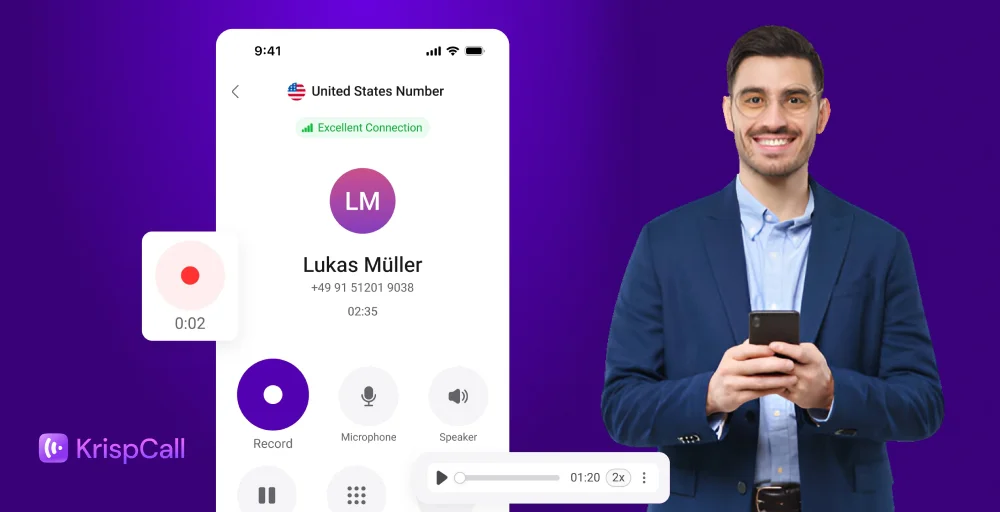
Unlike traditional on-premise systems, cloud-based call recording offers real-time access to recordings, AI-powered analytics, and seamless integrations with CRM and support platforms. This flexibility empowers teams to monitor quality, ensure compliance, and make data-driven decisions, anytime, from anywhere.
Pros: Cloud-based call recording offers flexibility and scalability, allowing organizations to easily expand storage or add users without major infrastructure changes.
Cons: Because it relies on the internet, slow or unstable connectivity can affect performance. There are ongoing subscription costs, and organizations must trust a third party with their sensitive data.
3. On-demand call recording
On-demand call recording tools enable supervisors and agents to initiate recordings during a call, as needed, through a hosted PBX (Private Branch Exchange). This allows businesses to selectively record calls rather than recording every interaction.
These types of call center recording solutions are useful for capturing important interactions like dispute resolution or escalating customer issues, providing flexibility and saving storage space.
Pros: On-demand call recording lets agents record only when necessary, saving storage space and reducing costs. It’s more privacy-conscious and helps organizations comply with regulations that require selective recording.
Cons: The biggest drawback is the risk of missing important calls if recording isn’t activated at the right time. It requires agents to be proactive and trained to use it consistently.
4. Local call recording
The most commonly used call center recording system is the local call recording software, as it records all of the calls automatically with the help of software that requires no manual intervention from agents.
Local call recording is usually set up on individual computers or devices, instead of the entire company. It’s best for businesses with few calls or when dealing with sensitive information that should not be stored online.
Pros: Local call recording stores audio directly on the agent’s device, making it quick and easy to access. It works even without an internet connection, giving teams more flexibility in remote or low-connectivity environments.
Cons: Device storage can fill up quickly, and if the device is lost or stolen, so are the recordings. Quality depends on the type of hardware is used.
How is call center recording software used today?
Call center recording software is more than just call capturing; it supports many daily tasks across a contact center software.
Here’s an overview of how most call center recording systems are used:
1. Call recording solutions for call center agents
For contact center agents, call recordings serve as valuable records of customer conversations and histories. They help agents understand customer history, including previous interactions.
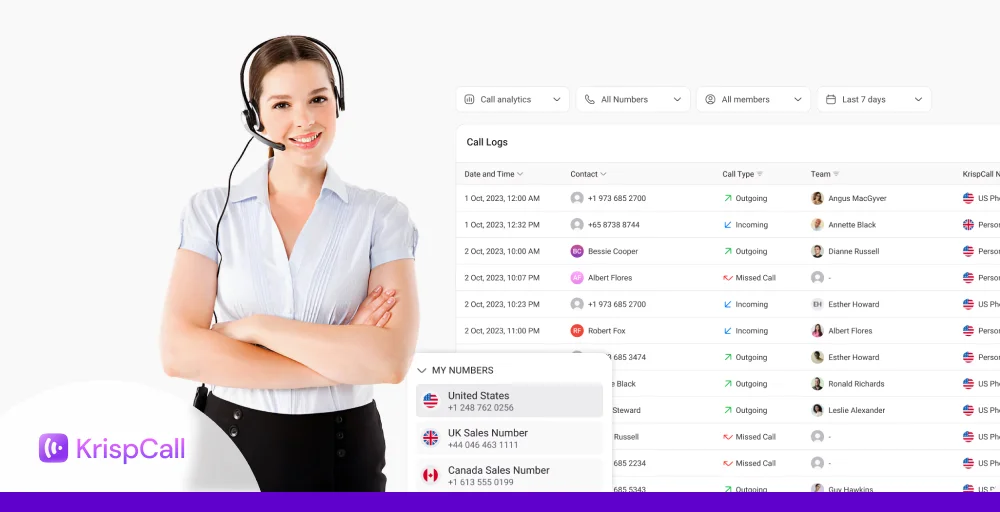
This allows agents to verify commitments, details, and schedule follow-up calls. Recordings are also important for agent training. Agents and supervisors review calls to ensure scripts are followed, identify skill gaps, and pinpoint areas for improvement.
2. Call recording for quality assurance and compliance monitoring
Call center and quality assurance managers use call recordings to ensure high service standards are maintained. They listen to recorded calls to assess how agents perform and check if they are providing consistent service to customers.
Call recording feature is also important for monitoring compliance. It helps verify that agents follow legal requirements and industry best practices. This reduces risks and protects the company from penalties.
3. Call recording for better coaching
Call recordings are a great tool for personalized coaching. Contact center managers can use real call examples to give agents specific feedback on how to handle difficult calls. This targeted approach helps agents build skills and confidence, which leads to better customer interactions. Ultimately, it also helps ensure a consistent customer experience from all agents.
4. Understanding customers better through call recording
Call recording capabilities offer useful information about what customers think and need. By listening to many calls, businesses can understand customer feelings, find common issues, and notice new trends. This helps them improve their products, services, and support, leading to better decisions and happier customers.
5. Call recording boosts efficiency and workflows
Listening to and analyzing call recordings helps businesses spot problems in their processes or areas where agents are having trouble. This information can be used to improve how things work, automate routine tasks, or make helpful resources easier to find. As a result, the call center runs more smoothly, wait times go down, and customers get their issues solved faster.
What features to look for in call center recording tools?
When selecting call center recording tools, it’s important to evaluate a range of features that support compliance, quality assurance, training, and operational efficiency.
Here’s a detailed explanation of the features to consider:
- Call recording storage: Ensure the tool offers secure, scalable cloud or on-premise storage with easy retrieval options.
- Audio, video, and screen recording: Captures the full customer-agent interaction including voice, video, and on-screen activity for complete context.
- Post-call summaries: Automatically generate concise overviews of each call to save time and aid quick reviews.
- Call transcription: Converts speech to searchable text for documentation, training, and compliance.
- AI analytics: Uses AI to detect sentiment, keywords, trends, and agent performance insights.
- Pause-resume recording: Allows pausing during sensitive information collection to ensure data privacy compliance.


Top 10 call center recording tools for your business
Here is a comparison table of the best call center recording tools:
| Provider | Best for | Top features | Price | Call recording type |
| KrispCall | Scalable cloud call center | Automatic recording, CRM sync, Call analytics, and Interactive voice response (IVR) | $12- Custom | Automatic (inbound & outbound) |
| Nextiva | Unified communications & analytics | Voice/screen recording, AI transcription & tone analysis | $30-60 /user/month | Automatics & On-demand |
| CloudTalk | Remote teams & browser-based access | Auto-recording, metadata tagging | $19- Custom | Automatic (all calls) |
| AirCall | Real-time coaching & CRM access | Call whispering, monitoring, and on-demand playback | $30-50 +/license | Automatic & On-demant |
| Nice CXone | Enterprise-grade quality control & compliance | Enlighten AI analysis, auto-compliance flagging, and QA tools | $71-249 /month | Automatic |
| OpenPhone | Small to mid-sized tools | Mobile & desktop recording, auto notifications, call summaries | $15-$35 /user/month | Manual & Automatic |
| Twilio | Developer & customizable workflows | API control, call pausing, lead scoring | Custom | Manual & Automatic |
| RingCentral | Flexible business telephony | Auto/manual recording, cross-device sync | $20-$35/user/month | Manual & Automatic |
| Zendesk | Support ticket integration | Call-to-ticket linking, caller permissions | $19-$115/agent/month | Automatic |
| CallHippo | Customer support & coaching | Look-back capture, Agent consent, Compliance tools | $18-$42/user/month | Manual & Automatic |
Make conversations clear with KrispCall’s call center recording solutions
Choosing the right cloud-based call center recording solution means following clear call recording policies, meeting compliance standards, and making the most of every customer interaction.
With KrispCall, you get a simple, secure way to record and manage your business calls, whether you need an automatic call recording tool for all conversations, on-demand call recording, pausing and resuming recording, or user-initiated recordings.
This flexibility allows your company to ensure compliance, improve quality monitoring, and enjoy the many benefits of call recording.
KrispCall’s cloud-based platform works seamlessly for teams of all sizes and locations. You can use it for quality checks, compliance audits, agent training, or quick dispute resolution.
Every recording can be summarized and transcribed, giving you searchable insights that help you improve service, train agents more effectively, and make better business decisions — all in one powerful tool.
Ready to gain valuable insights and ensure compliance?
Get started now and explore KrispCall’s call center recording tools today and transform your conversations into actionable data!