Auto reply for Missed Call
Auto Reply For Missed Calls Never Leave a Caller Unanswered
Never fail to get back to a missed customer call! Set up auto-replies to enhance caller experience by automatically sending informative replies for their missed calls and prompt them on how to reach your business even when you are not available to answer their call.


Get a Virtual Number
Get local, mobile, and toll-free virtual phone numbers from 100+ countries and expand your business worldwide.
Staying connected is crucial for businesses, especially if you operate within flexible hours or high volumes of incoming calls. And no business wants to miss an important customer call.
What if you could automatically send a message every time you miss a customer call, letting them know you will reach out soon? That’s exactly when KrispCall’s auto reply for missed call becomes an invaluable feature.
With it, your business can stay accessible and responsive, even when your team is unavailable to answer the phone. In addition, missed-call auto-replies maintain professionalism, manage expectations, and improve efficiency.
So, let’s learn what the instant reply for missed calls feature really is, how it operates, its benefits, and find out how it can be effective.
What is Auto Text Reply for Missed Calls?
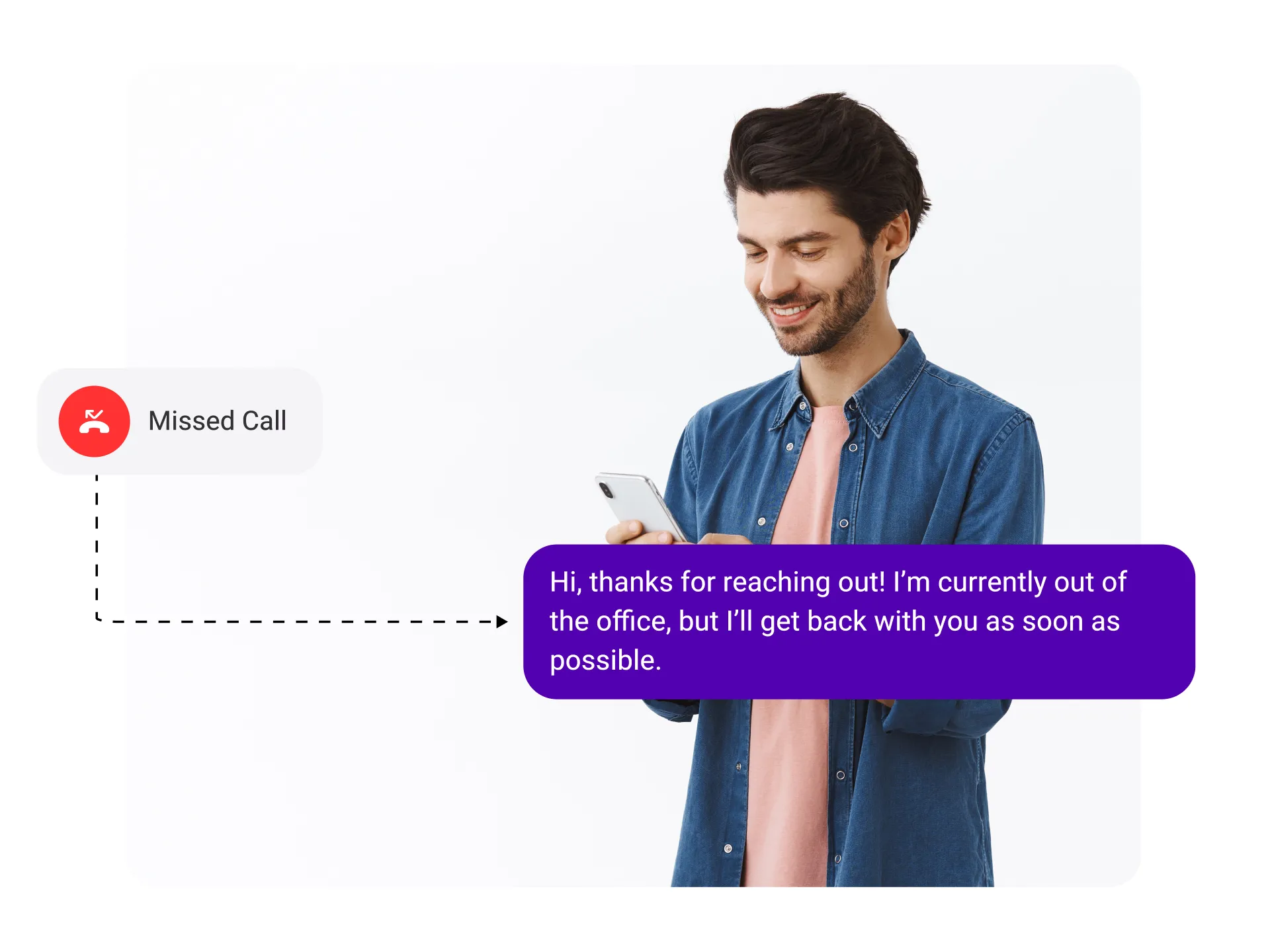
An auto text reply for missed calls is a feature that lets you send an automatic text message to missed calls when you’re unavailable. Instead of making customers feel ignored and left waiting, they immediately receive an auto-text reply from an automated system letting them know you’ll get back to them shortly.
This feature comes in handy for businesses when they are unable to answer calls, perhaps due to high call volume, long call queues, or simply due to the unavailability of human agents.
It’s available on cloud phone systems and business VoIP platforms like KrispCall, and is suitable for both solo professionals and large support teams.
How Does Auto Text Reply for Missed Call Work?
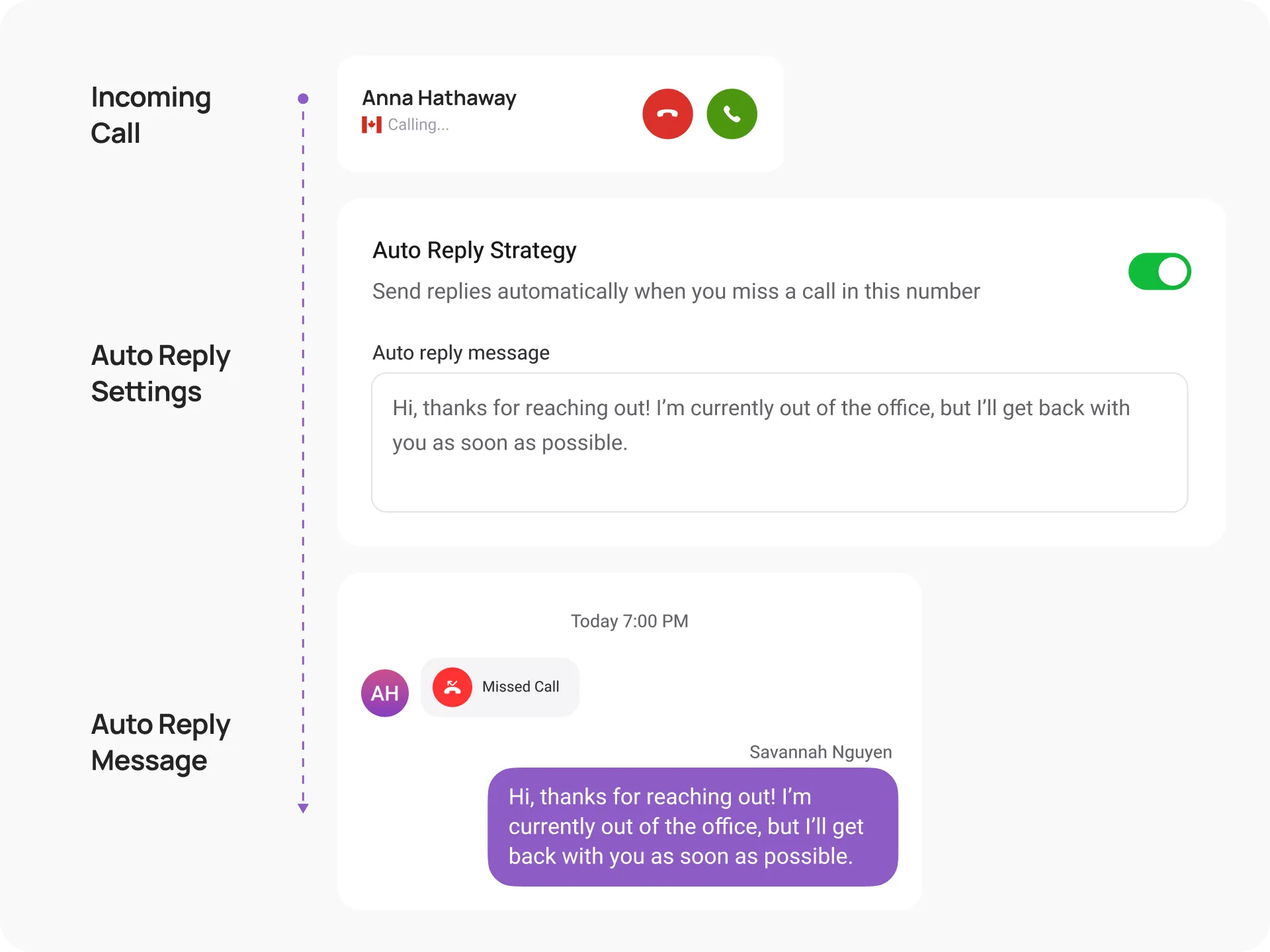
Auto text reply for missed calls typically works by automatically sending a pre-configured text message to the caller when you fail to answer an incoming call. The process of auto-text reply for missed calls involves an automated system detecting when an incoming call goes unanswered.
Once your phone detects a missed call, the auto-reply feature is triggered. The system then sends this message to the caller’s number without your intervention. Before the feature activates, you choose or write a sample auto reply message for missed calls that ranges from a simple ‘We’re currently unavailable, we’ll call you back shortly’ to a fully customized response with your business hours and contact details.”
Benefits of Using Auto Text Reply for Missed Calls

Improved Responsiveness
Increased Efficiency
Context Setting
Reduced Voicemail Clutter
Consistent Information
Manage Expectations
How to Set Up Auto Text Reply for Missed Calls on KrispCall?
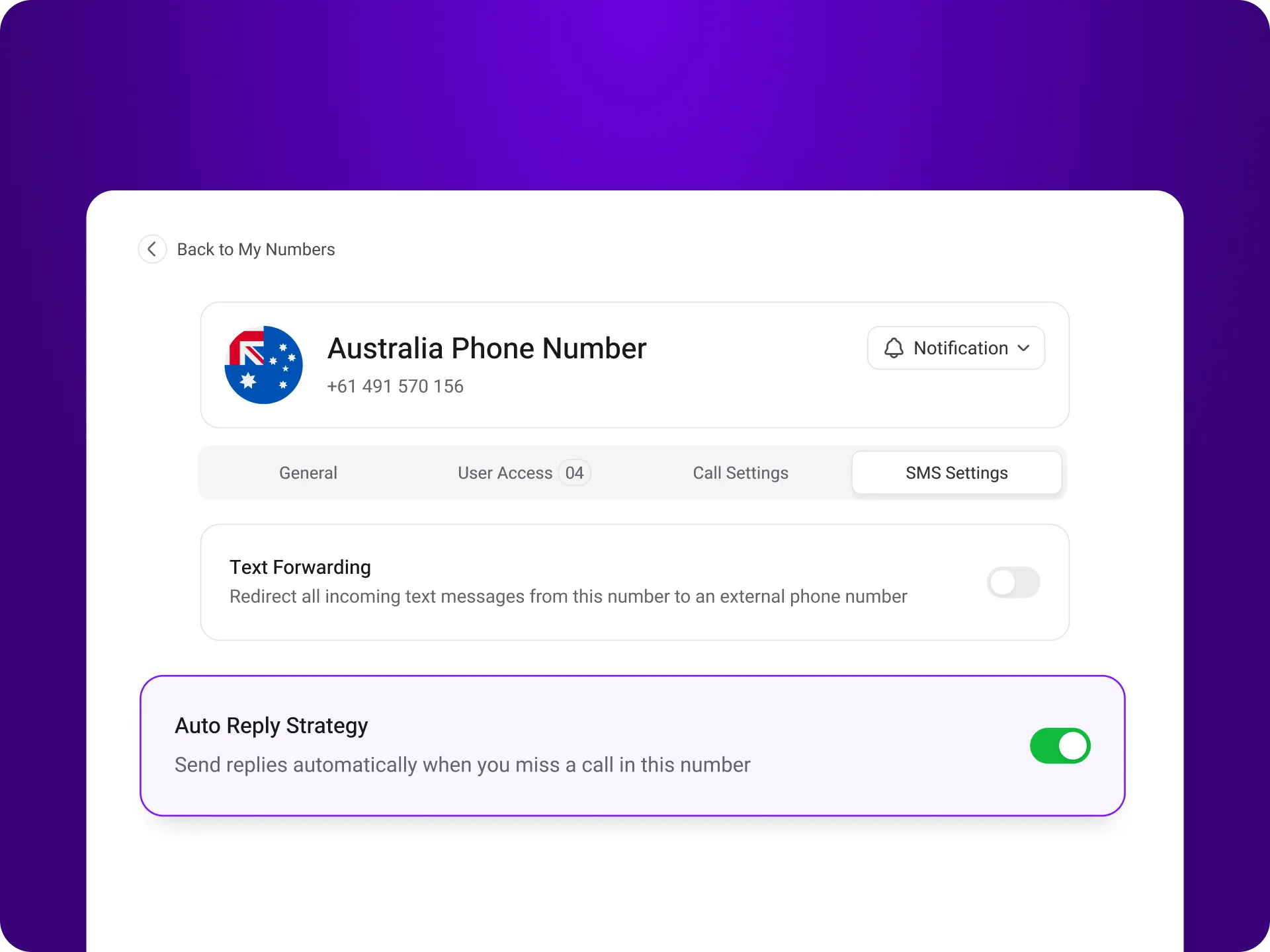
To activate auto text replies for missed calls, log in to KrispCall and go to ‘Settings’ and then head over to ‘My Numbers’. Next, navigate to ‘Auto Reply Strategy’ and set customized messages for first-time and returning callers. Save it, and callers will receive prompt responses even when you’re unavailable.

Login to your KrispCall account.

Go to the ‘Settings,’ section and click on it to access the “My Numbers” option.

Select the number you like to set up Auto Reply.

In the Number Setting page, scroll to find the “Auto Reply Strategy.”

Here, you can enter custom messages for first-time callers and returning callers.

Set unique or similar messages for each category.

Save your changes, and the auto-reply feature will be active for missed calls.
Using Auto Text Reply for Missed Call in a Business: Best Practices
Promptness
Express Gratitude
Clear and Concise Message
Avoid Its Overuse
More Features like Auto Reply for Missed Calls
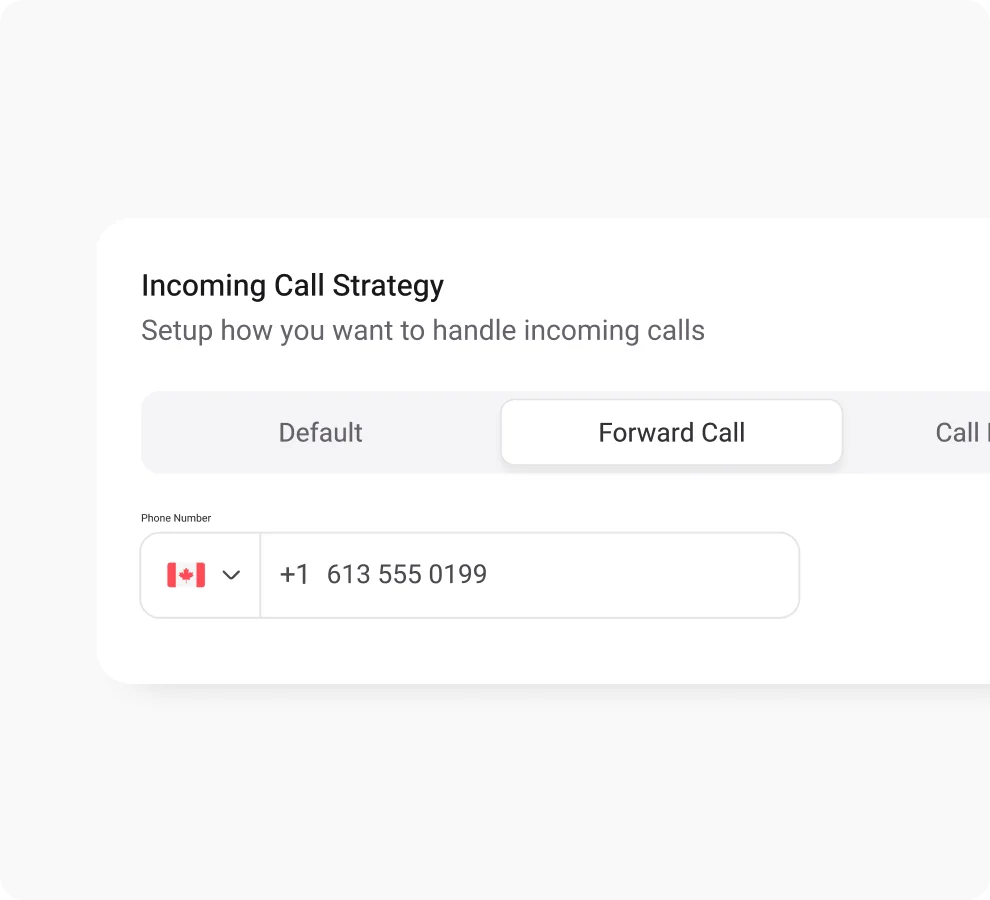
Call Forwarding
Improve call management with call forwarding - never miss vital calls, boost agents’ productivity, and customer satisfaction.
Shared Phone Number
Boost customer response by sharing your number with your team members and eliminating missed calls.

Phone Tree (IVR)
Boost CRM performance with KrispCall's live call monitoring & elevate service quality and track agent performance in real time.

Frequently Asked Questions
Didn’t find the Answer you were looking for? Visit our Help Center or Contact Support
Auto-Reply is a feature that lets you automatically respond to unanswered calls with a pre-written custom text response to the caller when you are unable to answer their call.
Your business needs an auto-reply for the following key reasons:
- Promptly replying to unattended customer inquiries.
- Managing time and efficiency during high-volume calls.
- Ensuring consistency and showcasing professionalism.
- Reassure customers about response times and opening hours
A good auto-reply message for business should be professional, friendly, and informative. It should acknowledge the receipt of the message, provide an expected response time, and offer alternative contact methods if necessary.
Here’s a general example of an appropriate auto-reply:
Hi there! We’ve received your inquiry and will get back to you as soon as possible. In the meantime, you can check out our FAQ section on our website [website address].
Thanks for contacting [Your Business Name]!
You need auto replies for missed calls, as they can help you save time by not having to hire staff to manually send messages for missed calls and stay reachable even when you are busy.
To respond to a missed call with an auto-reply text, you can follow these methods:
- Set up a trigger to detect missed calls, or use an app that can detect missed calls and respond automatically.
- Create a personalized auto-text message to send to the caller.
- If a missed call is detected, send the customized auto-text message to the caller immediately.
- Set up a follow-up task to ensure that the missed call is not forgotten.
- Add a personal touch to your auto-text message by using the contact information properties.
To set up auto-replies on your Android phone, you can follow these steps:
- Open the Phone app.
- Tap the three dots (⋮) menu in the top right corner.
- Select “Settings” or “Call settings” (depending on your phone model).
- Look for options like “Respond with SMS,” “Quick response messages,” or “Auto reject with a message.” (These options might vary slightly depending on your phone’s manufacturer).
- Choose from pre-written messages or create your own custom text.
- If available, enable the auto-reply feature.
Note: Some Android phones might allow setting schedules for when the auto-reply is active (e.g., only during work hours).
iPhones don’t have a built-in feature for auto-replies to regular text messages. However, you can utilize an option called “Auto-Reply” within the “Focus” mode. This works specifically with the Driving Focus, but you can also create a custom Focus mode to achieve a similar result.
Here’s how to set up auto-replies using the Driving Focus:
- Go to Settings.
- Tap on Focus.
- Choose Driving.
- Tap on Auto-Reply.
- Select who you want to receive the auto-reply:
-
- No One (won’t send any replies).
- Recent (replies to those whom you’ve recently texted).
- Favorites (replies to your favorites list).
- All Contacts (replies to everyone).
You can customize the default message by tapping on the text box and typing your desired response.
To auto-reply to missed calls in KrispCall, log in to KrispCall, go to ‘Settings’, and then navigate to ‘My Numbers.’ Scroll to ‘Auto Reply Strategy.’ There, you can set custom messages for first-time and returning callers and save. With all set, you can always get back with prompt responses even when you’re unavailable to answer calls.
Yes, absolutely! Most phones and carrier services allow you to personalize automatic text messages for missed calls, though it might involve using their settings or apps. There are even third-party options that you can use for customization and more control.
A good missed call auto reply message should be short, professional, and set clear expectations. For example: “Hi, sorry we missed your call. We’ll get back to you within [X hours]. For urgent queries, visit [website] or email [address].” You can customize your missed call auto reply message in KrispCall.
KrispCall for Multiple Platforms
Stay connected no matter where you are. KrispCall is your constant companion, available on iOS, Android, as a WebApp, and Google Chrome Extension.


