Accurate call records are essential for reliable customer information and informed business decisions, as each call offers insights into customer preferences and behaviors. However, manual logging can lead to mistakes and data gaps, complicating performance tracking and reporting.
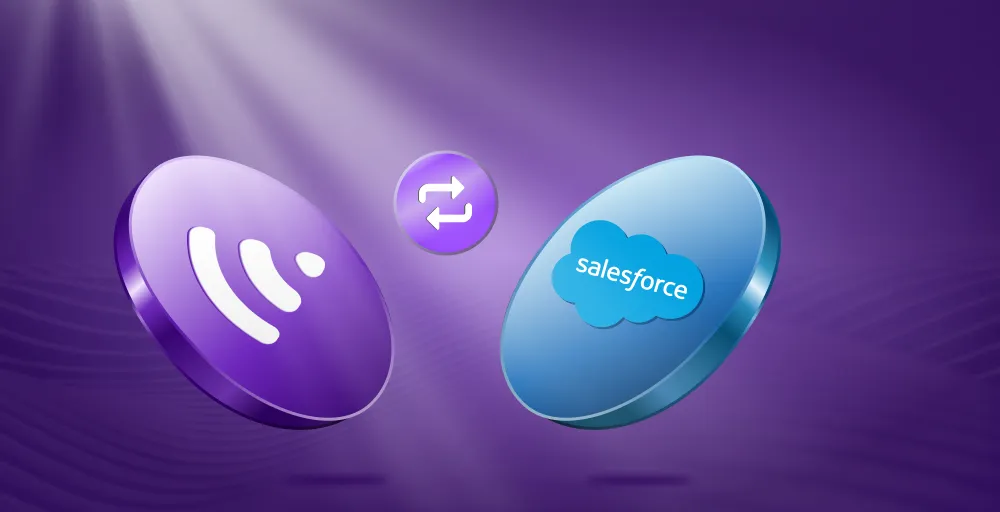
Integrating Salesforce with KrispCall automates call data capture, ensuring every call is recorded and stored accurately in real time. This enhances data accuracy and allows teams to focus on meaningful customer interactions rather than administrative tasks.
✨ Key Takeaways
- The Salesforce KrispCall integration automatically logs every call in Salesforce, eliminating manual entry and reducing errors.
- Accurate call logging ensures all call details, such as duration, time, agent, and customer info, are accurately captured and stored in Salesforce.
- Teams gain complete visibility into customer interactions through precise Salesforce call logs, enabling more effective follow-ups and performance tracking.
Common call logging accuracy issues
Common call logging accuracy issues include inadequate data processing, misinterpretation of data, and insufficient accurate customer data available to agents. These issues lead to poor call flow paths and unqualified agents handling calls, ultimately impacting the reliability of call logs.
Some of the common issues are:
1. Manual entry errors and inconsistencies
Sales representatives often make mistakes when entering call data. These mistakes can include typos, missing details, and duplicates. Even experienced users can enter wrong phone numbers or mislabel call outcomes. These errors can harm data quality and lead to unreliable reports.
2. Missing call records and incomplete data
Next come missing call records and incomplete data when calls are not logged at all, or when essential information, such as call duration or call notes, is omitted. This will result in gaps in sales communication history, making it difficult to track customer interactions and follow up properly. Incomplete data weakens sales insights and affects performance evaluation.
3. Delayed logging and memory-based inaccuracies
One common issue is a delay in call log-in and inaccuracies in memory, especially when call details are recorded long after the call ends, leading to recall rather than real-time capture. This system memory loss may miss information, reducing data accuracy and timeliness. This delay also disrupts workflows dependent on up-to-date call data.
4. Inconsistent data formats across team members
Inconsistent data formats directly affect call logging accuracy, leading to errors, missing information, and confusion among team members. This stems from a lack of standardization, leading to problems such as missing or incomplete data and inconsistent formatting.
5. Time spent on administrative tasks vs. selling
An inability to accurately log calls creates a negative feedback loop that increases administrative burden and reduces time spent selling. When call logs are incomplete or unreliable, sales teams lose valuable time fixing data errors, searching for information, and navigating disconnected systems.
How KrispCall integrates with Salesforce
Here’s a step-by-step guide to help you integrate your KrispCall account with Salesforce:
- Log in to your KrispCall account and go to Settings.
- In the Settings menu, under App Settings, you can find Integrations. Click on it.
- Click to reveal integration options, select Salesforce, and then click Connect. A new window will prompt you to log in to your Salesforce account for KrispCall integration.
- After clicking Connect, the Salesforce login page will appear. Enter your Salesforce credentials and log in to authorize KrispCall access.
- Once logged in, install the KrispCall Salesforce package if prompted. This package enables call logging and CTI functionality in Salesforce.
Benefits of integrating KrispCall and Salesforce for call logging accuracy
Integration of KrispCall with Salesforce improves the call logging accuracy by automating the process, minimizing human errors, and creating a unified 360-degree view of customer interactions.
- Automatic call capture: Every inbound and outbound call made through the KrispCall is automatically logged in the Salesforce record. This will prevent agents from the risk of forgetting calls or entering incorrect information.
- Standardized data entry: This integration automates the entire Salesforce call logging process and leverages predefined formats to ensure standardized data entry. This eliminates manual data entry, ensuring every logged call contains the same fields and is formatted consistently across all user records.
- Reduced human error: Here, no need for manual data entry or log-in process, which reduces manual logging mistakes or missed calls. As the integration has automatic call logging and contact syncing features that align with the Salesforce CRM.
- Enhanced reporting: The integration automatically attaches all call recordings to the relevant customer record in Salesforce. This will provide accurate information to the correct account, with complete context, follow-ups, and training purposes.
- Real-time note syncing: Agents can take notes directly within the KrispCall dialer, and these notes are automatically synced to the corresponding Salesforce contact or lead record during or after the call. This captures key meeting points and ensures the details are precise and immediately accessible.
How to leverage accurate call data for Salesforce reporting
Leveraging accurate call data for Salesforce reporting effectively requires a focus on seamless data capture, integration, and strategic analysis.
- Performance metrics: Enable tracking of team and individual call activity to provide a clear view of how actively and effectively sales reps engage with prospects. This data helps monitor productivity and identify areas that need improvement.
- Sales insights: These come from analyzing call data to identify patterns, bottlenecks, and top performers. These insights allow managers to understand what drives success or stalls deals, and to support informed coaching and strategy adjustments.
- Lead management: Accurate call logs support timely follow-ups by providing reliable communication records. This improves sales conversion by preventing missed or delayed contact with prospects.
- Forecasting: Relies on verified call data to predict sales outcomes more accurately. By correlating call engagement quality with pipeline progress, businesses can optimize workflows and resource allocation for better results.
Conclusion
Integrating KrispCall with Salesforce significantly enhances call logging accuracy by automating the process, reducing human error, and ensuring every customer interaction is captured in real time. With automatic call syncing, teams no longer need to manually log activities, allowing them to focus on delivering better service and closing more deals.
This seamless integration provides accurate, up-to-date call records within Salesforce, giving managers and agents complete visibility into communication history. Ultimately, the KrispCall + Salesforce integration empowers businesses to improve productivity, strengthen customer relationships, and make data-driven decisions with confidence.
Improve the accuracy of your call logging today. Get Started with KrispCall!
Frequently Asked Questions
Why do we need integration in Salesforce?
Integration ensures all customer interactions are captured in one place, improving data accuracy and team efficiency.