Making a phone call isn’t always the most convenient option, especially when your goal is simply to leave a clear message. Sometimes you just want to share quick information without starting a full conversation.
This is common for sales representatives following up with leads, support agents sending updates outside business hours, or remote teams coordinating across time zones without being intrusive.
Because of this, many people ask the same question: how do you leave a voicemail without calling someone directly?
In this guide, we’ll explore practical ways to send a voicemail without dialing, including carrier-specific options and tools that make the process simple.
✨ Key Takeaways
- To leave a voicemail without ringing, you can use carrier-specific features, send an audio message via smartphone apps, or use a ringless voicemail (RVM) platform like KrispCall.
- RVM technology deliveries voicemails directly into voicemail inboxes, making it ideal for appointment reminders or follow-ups.
- Keep your messages brief, identify yourself immediately, state your purpose early, and include a clear call to action with contact information to maximize response rates.
Can I leave a voicemail without calling someone’s phone?
Yes, it is possible to leave a voicemail without placing a traditional phone call. Depending on the approach you use, there are workarounds and dedicated tools that allow voice messages to reach the recipient’s voicemail inbox without ringing their phone.

This option has become increasingly relevant. Research shows that more than 67% of people avoid answering calls from unknown numbers, making voicemail a more trusted channel for important updates. As a result, both individuals and businesses are looking for quieter, less intrusive ways to send voice messages.
There are three common paths to leaving a voicemail without calling directly:
- Carrier-specific voicemail shortcuts
- Dialing techniques that route calls straight to voicemail
- Ringless voicemail (RVM) platforms are designed for message delivery without interruption.
How can I go straight to someone’s voicemail?
Going straight to someone’s voicemail, without their phone ringing, is possible in certain situations. The method depends on your mobile carrier, device features, or third-party tools you use.
Below are the most common approaches:
1. Using your carrier
Mobile carriers sometimes offer voicemail shortcuts or access numbers that allow users to leave messages without completing a traditional call. These options may work inconsistently and often depend on shared networks, permissions, or voicemail settings.
How to leave a voicemail on AT&T
Steps to leave a voicemail on AT&T:
- Access your AT&T voicemail and press * to reach the Main Menu
- Press 2 and record your message after the tone, then press # when finished
- Enter the recipient’s phone number and press # to confirm you’re done
- Press # to send voicemail immediately, or press 1 for delivery options (mark urgent, schedule for later, etc.)
Note: This only works if both you and the recipient are AT&T voicemail subscribers.
How to leave a voicemail on Verizon
Steps to leave a voicemail on Verizon:
- Start by calling your own voicemail access number and pressing 2
- Enter the recipient’s number and press #
- Record your message and press #
- Press # to send the voicemail or press 0 for delivery options (mark private, urgent, or future delivery, etc.)
How to leave a voicemail on T-Mobile
Steps to leave a voicemail on T-Mobile:
- Access your voicemail settings with a long press 1 or by opening the voicemail app
- Sign in to your voicemail account
- Select the option to send or leave a message
- If that didn’t work, dial 1-805-637-7249
- Enter the recipient’s phone number
- Record your message and confirm delivery
2. Using your device
There are no built-in features that allow you to leave a voicemail without calling an iPhone or Android. So, you either have to resort to audio messaging provided by built-in iMessage or Google Messages, or use third-party messaging apps like WhatsApp, Telegram, or any other messaging apps.
Using iPhone
Send a voice message instead:
- Open iMessage (Messages app)
- Select the conversation or start a new one
- Tap and hold the microphone icon next to the text field
- Record your message
- Release to send
This sends an audio message through iMessage, not a traditional voicemail, but achieves similar results without making a phone call.
Using Android
Send a voice message via messaging apps:
- Open the conversation
- Tap the microphone icon
- Record your message
- Tap send
This delivers audio messages through the messaging platform rather than the recipient’s phone voicemail box.
3. Using RVM software
Ringless voicemail (RVM) technology is the most effective way to leave a voicemail without the recipient’s ringing phone. RVM software connects directly to the carrier’s voicemail server and deposits your message without placing an actual call. Popular RVM platforms include Slybroadcast, VoiceDrop.ai, KrispCall, LeadsRain, etc.
These services typically work by:
- Recording or uploading your voicemail messages
- Uploading a list of recipient phone numbers
- Scheduling when the messages should be delivered
- The system deposits the message directly into each recipient’s voicemail inbox
RVM platforms are primarily used by businesses for marketing, appointment reminders, and customer notifications. They’re subject to regulations like the Telephone Consumer Protection Act (TCPA) in the United States, which requires prior consent before sending commercial messages.
Related 👉: How to Forward a Voicemail (iPhone, Android & VoIP)
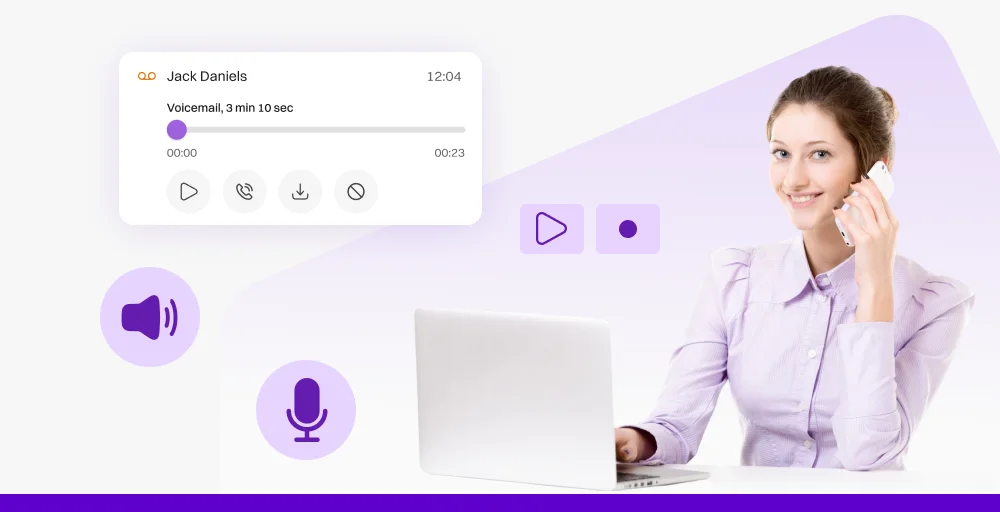
Advantages of leaving voicemails without calling
Leaving voicemails without initiating a phone call offers several practical benefits for both personal and business communication:
1. Respect the recipient’s time and space
By depositing a message directly into voicemail, you allow the recipient to listen at their convenience. There’s no interruption during meetings, family time, or other activities. This is particularly valuable when communicating across different time zones or reaching people with unpredictable schedules.
2. Increases message delivery rates
Many people screen calls and ignore numbers they don’t recognize. With ringless voicemail, your message reaches their inbox without triggering the defensive response that often comes with unexpected phone calls.
3. Improves efficiency for bulk communication
For businesses sending appointment reminders, event notifications, or follow-up messages to multiple contacts, direct voicemail dramatically reduces the time investment. Instead of calling hundreds of people individually and waiting for each voicemail system to activate, you can deliver all messages simultaneously in minutes.
4. Allows for better message preparation
When you record a voicemail in advance, you can script and rehearse your message. This results in clearer, more concise communication compared to improvising during a live call that unexpectedly goes to voicemail.
5. Provides a documented record
Voicemails create an audio record of what was communicated, which can be helpful for reference purposes. Recipients can replay messages to catch details they might have missed, and senders have confirmation that their message was delivered to the voicemail system.
Tips for effective voicemail messages
Whether you’re leaving a traditional voicemail or using ringless voicemail technology, the quality of your message determines its impact. Here are essential tips for crafting voicemails that get results:
1. Keep it brief and focused
Aim for voicemails between 20 and 30 seconds. People are more likely to listen to a complete message when it’s concise. State your purpose immediately and avoid unnecessary details.
2. Identify yourself clearly at the beginning
Start with your name and your relationship to the recipient. For example: HI, this is Poppy from ABC Company, or Hello, this is Alex, your neighbor from apartment 12B. Don’t assume the recipient will recognize your voice or have your number saved.
3. State your purpose early
Within the first few seconds, explain why you’re calling. People decide whether to continue listening based on immediate relevance. Instead of building up to your point, lead with it: I wanted to follow up about yesterday’s meeting, or Call me back asap.
4. Speak clearly and at a moderate pace
Speak slightly slower than your normal conversation pace and enunciate clearly, especially when providing numbers or specific details. Avoid areas with background noise that could interfere with message clarity.
5. Include a clear call to action
Tell the recipient exactly what you want them to do next. Whether it’s “Please call me back at your earliest convenience,” “Reply to my email with your availability,” or “No need to respond, just confirming our appointment,” clear direction prevents confusion and increases response rates.
6. Avoid leaving sensitive information
Don’t include confidential details like account numbers, medical information, or anything you wouldn’t want overheard if someone else accesses the recipient’s voicemail. Instead, mention that you have important information to discuss and request a callback.
7. Provide your contact information
Include your contact details at the beginning and at the end so the recipient can easily capture your callback number. Repeat it digit by digit in slow pace.
Related Article 👉: The Number You Have Dialed Has Calling Restrictions: Meaning, Causes and Fixes
How to use KrispCall to set up a voicemail?
KrispCall, a cloud-based AI-powered phone solution, allows you to send a pre-recorded voicemail message directly to the recipient’s voicemail inbox without ringing their phone with its “Voicemail drop” feature.
Here’s a detailed walkthrough of setting up voicemail with KrispCall:
Step 1: Access the voicemail drop feature
Log in to your KrispCall dashboard and navigate to Settings > Voicemail Drop
Step 2: Create or record your voicemail message
You can prepare your voicemail message using either KrispCall’s text-to-speech feature or by uploading a custom recording.
- Text-to-Speech: Type your message in the text box, choose your preferred voice and language from the dropdown menu. Preview the generated audio to ensure it sounds natural and professional.
- Custom recording: Upload your pre-recorded MP3 file directly from your computer. Ensure your recording is clear, professional, and between 20 to 45 seconds in length. Preview the uploaded file to verify audio quality and volume levels before proceeding.
Step 3: Schedule your voicemail delivery
Choose when you want your voicemail messages to be delivered. You can either do it immediately or schedule it for a specific date and time. Just be mindful of time zones and schedule your message to be delivered at the appropriate hours.
Conclusion
Leaving a voicemail without calling is now more accessible than ever, whether you’re using carrier-specific features like AT&T’s voicemail-to-voicemail system, sending audio messages through your smartphone’s messaging apps, or leveraging professional ringless voicemail platforms.
Each method serves different needs, and the key is choosing the right approach based on your specific situation.
For businesses seeking a comprehensive solution, platforms like KrispCall offer the complete package: traditional voicemail management for incoming calls, ringless voicemail drop capabilities for outbound campaigns, and integration with existing communication tools.