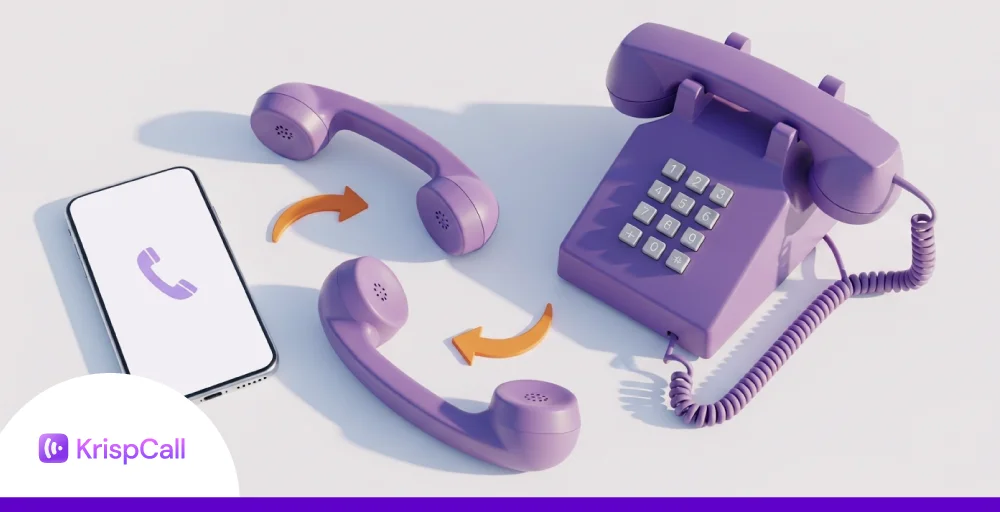
Are you frustrated with hearing ‘Press 1 for customer care‘ and ‘Press 2 to select the department‘ every time you make a call?
Well, who likes to hear that anymore? Every time you call the customer service or call back for a quick recap, you have to go through that annoying voicemail over and over again.
Not anymore! With DID (Direct Inward Dialing), you can eliminate that hassle and connect to the agent or department immediately. This has made the customer calling experience a lot easier.
Here in this blog, we discuss what DID is, how it can benefit businesses, its types, and how to set it up for smooth communication.
Let’s get started!
✨ Key Takeaways
- Direct Inward Dialing (DID) allows external callers to directly reach specific employees, departments, or extensions without going through a receptionist or phone menu.
- DID numbers can function on both PSTN systems and VoIP setups and are used widely across departments for customer support, sales, remote teams, healthcare routing, and marketing campaign tracking.
- Implementing DID improves customer experience, reduces call handling time and costs, supports scalability and flexibility, and enables direct internal extensions.
- To set up DID, you need to choose a reliable VoIP/DID provider, get numbers, configure routing, and test it.
What is Direct Inward Dialing (DID)?
DID or Direct Inward Dialing is used as a feature in VoIP that allows customers to get connected to the desired agent or faculty, bypassing the main reception line. It allows agents and departments to have their own numbers that are not tied to the main line, so customers do not have to worry about call queuing to hear an automated voice or recording as soon as they initiate the call.
It is a feature that allows you to set up virtual numbers so that inbound calls can be easily routed to the desired extension. Therefore, the split traffic can be managed easily.
How does direct inward dialing work?
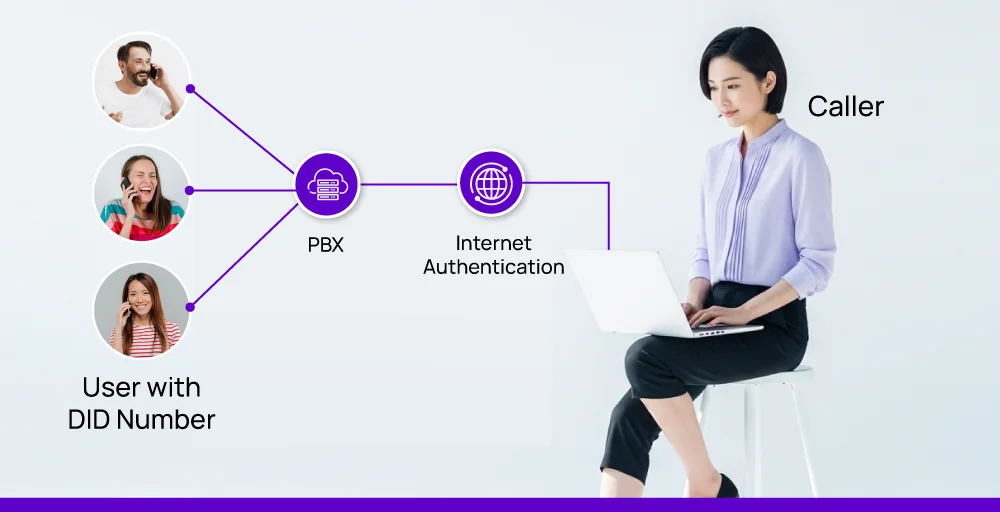
Direct inward dialing service works by assigning a block of phone numbers to a business. These numbers are further mapped to an individual extension or lines within their phone system(PBX).
1. Direct inward dialing on traditional phone lines (PSTN)
In older phone systems, DID worked through the Public Switched Telephone Network (PSTN). It uses a block of phone numbers that are tied to a phone company. These numbers are connected to the business’s PBX system through physical or digital trunk lines.
Here is how it actually works:
- A telecom provider gives you a range of phone numbers (DID numbers), which are linked to your business’s PBX system (Private Branch Exchange).
- Now, instead of connecting every phone to a separate physical line, the trunk lines carry all the incoming calls to the PBX.
- When a caller dials a DID number, the PBX recognizes the number and routes the call directly to the corresponding extension.
Example: A hospital may have a block of 100 DID numbers routed to its main PBX. Doctors, nurses, and departments each get a unique direct number. A patient can call their doctor’s extension directly, bypassing the front desk altogether. This setup reduces call handling time and keeps communications smooth, even over traditional lines.
2. Direct inward dialing on VoIP
VoIP, also known as Voice over Internet Protocol, is a reliable option to handle direct inward dialing services. It eliminates the use of phone lines and messy hardware.
Here is how it actually works:
- VoIP DID numbers are routed through the internet instead of copper wires.
- These numbers are connected to the phone system through a SIP trunk, a virtual pathway for voice data.
- When the caller dials the DID number, the VoIP provider sends all the calls over the internet to your cloud-based PBX or on-premise system.
- The system finally directs the call to the desired agent.
Example: Let’s say an eCommerce startup has customer service reps working from home. Each agent is assigned a DID number. When customers call, the system forwards the call to their laptops or mobile apps.
3. DID with SIP registration
DID becomes more effective when it is paired with SIP registration.
In this setup:
- A VoIP device, such as a softphone, IP desk phone, or mobile app, registers itself with a SIP trunk service provider.
- When the caller initiates the call, the provider immediately forwards it to the registered SIP endpoint.
- The agent then receives the call directly on their chosen device.
Example: A freelance consultant uses a softphone app on her laptop. Her VoIP provider sends all incoming calls from her DID number straight to her app via SIP registration. This allows her to remain flexible and not tied to a single location.
4. Using DID for faxing
VoIP is not limited to voice calls. It can also be used to send and receive faxes and business documents efficiently.
There are two common ways to do this: traditional faxing and digital faxing.
- In traditional faxing, you assign a DID number to a physical fax machine.
- In digital faxing, you assign a DID (Direct Inward Dialing) number to a fax server or online fax service, which receives the documents and delivers them to your email, printer, or digital storage.
Types of direct inward dialing numbers
DID is a telephone service that allows users to eliminate the phone tree to reach their desired live agent. There are basically 5 types of direct inward dialing numbers:
Department numbers
Department DID numbers are assigned to a specific department within a company/organization. When a customer calls these types of numbers, the call rings to a group of phones within that department. Anyone from the association can receive such calls.
Individual phone numbers
Individual DID numbers are a type of unique number that is basically assigned to a particular person in a department who is responsible for handling a specific type of query. With such a type of number, the caller can directly contact the person without going through the switchboard.
Location-based numbers
Location-based DID numbers are the type of numbers that are assigned to a specific location or branch of the company. Calling such a number rings only in those specific locations that are allocated in the DID list. These types of numbers are used to build the local level trust.
Auto attendant numbers
Auto attendant numbers are the type of numbers that are handled by the virtual receptionists. These types of numbers provide the menu of options, and once the caller selects the menu, the call is routed to the specific person or department. Here, the routing process does not require a human agent.
Virtual phone numbers
Virtual DID numbers are a type of number that is not tied to a physical location or phone line. The calls on these numbers can be routed to any device, such as a deskphone, softphone, or mobile phone.
What are the applications of DID?
DID is a smart way to handle inbound calls. It allows businesses to provide specific numbers to departments and agents so that callers can easily contact them without following the traditional phone tree.
Let us look at some of the applications of direct inward dialing with some real-life examples for a better understanding of its work process.
1. Customer support team
With DID, a company can easily assign a specific number to a department, allowing customers to directly reach the same agent they spoke to earlier without repeating themselves when they call back. This creates a smooth and personalized experience for customer support.
Example: A software company has a support team split into three tiers: basic troubleshooting, technical support, and billing. With DID numbers, each team has its direct line. Now, when a customer has a specific query, they can directly speak with the respective agent without having to go manually from the reception to the agent.
2. Sales teams
Sales representatives often manage their own client list. With the use of DID, each representative can have a dedicated number to handle their clients, even if they are working remotely. This maintains the professional touch and helps them track their leads and measure overall call performance.
Example: A real estate company gives each agent a direct inward dialing number where clients can call directly. It avoids confusion and missed calls when clients want quick updates on property listings.
3. Remote & hybrid workforces
DID stands out quite well in remote workplaces. It allows employees to receive calls on their dedicated numbers even when they are working from home or travelling. On the caller’s end, it makes them feel that they’re calling the office.
Example: An e-commerce company with a fully remote team uses DID to assign numbers to each employee. Customers don’t notice any difference in service, even though the staff is scattered across the country.
4. Departmental routing in healthcare
Instead of using a single number with a phone tree (press 1 for this, press 2 for that…), businesses can list separate DID numbers for each department to skip the call queuing time and connect callers directly to the desired agent.
Example: A healthcare clinic can separate numbers for appointments, lab results, and insurance inquiries, each through separate DID lines to speed up the process and reduce wait times.
5. Tracking market campaigns
Companies can assign unique DID numbers to different marketing channels (like social media ads, email campaigns, or landing pages) to track which campaigns are driving the most calls and conversions.
Example: A travel agency runs two ad campaigns: one on Instagram and another via email. They use different DID numbers for each to measure which platform brings in more customer inquiries.
How direct inward dialing benefits businesses?
DID benefits businesses by allowing callers to directly reach specific employees in specific departments.
It improves customer experience, reduces costs, enhances call management, and offers scalable and flexible solutions, and automates direct calls to extensions.
Let’s discuss these benefits briefly:
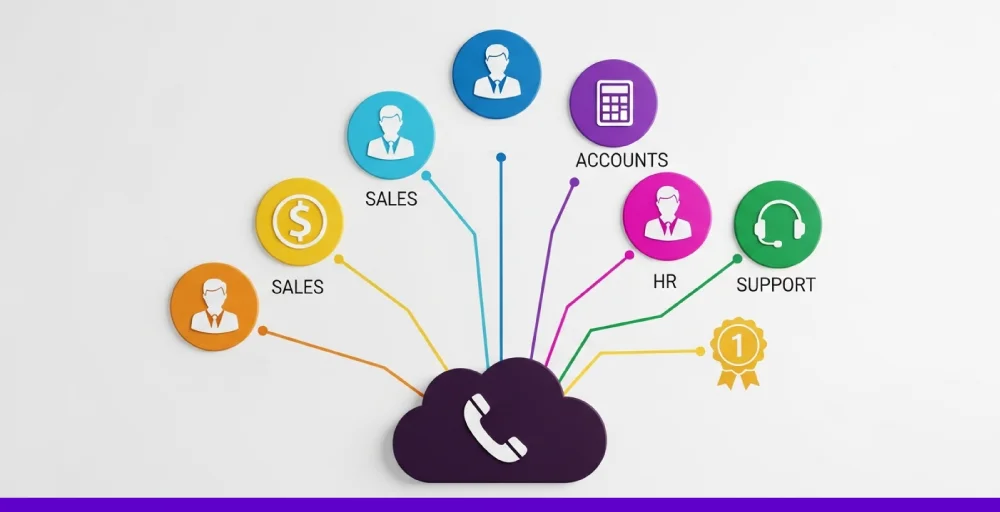
1. Improved customer experience: DID allows customers to reach the agent they previously interacted with. This improves customer satisfaction and boosts overall productivity.
2. Cost saving: DID is implemented with VoIP, which reduces the infrastructure cost and additionally, it decreases average call time due to fast interaction with the customer.
3. Enhanced call management: Calls are directed to the correct recipient based on their assigned DID number, which significantly minimizes call transfers and reduces call wait time.
4. Scalability and flexibility: Adding a new extension in DID is simple and cost-effective due to its easy setup and management.
5. Direct Calls to extensions: Callers can reach the specific agent without going through reception. It minimizes distractions and improves productivity.
Direct Inward Dialing (DID) vs Direct Outward Dialing (DOD)
Understanding the major differences helps you to analyze call data and decide whether you need them in your business phone number or not. While both these features are related to how calls flow in the business phone system, they serve opposite purposes. Choosing the right setup or combining them can efficiently improve the call handling process.
Let us break down the most significant differences that separate them:
What’s the difference between DID and DOD
There are 4 significant differences between DID and DOD that clearly distinguish them:
- Call direction and function: DID allows external callers to directly interact with internal extensions without going through a receptionist, whereas DOD allows internal users to make outbound calls that display the company’s business number on their own assigned line. Simply put, the call direction of DID is inbound (outside → inside) & for DOD it’s outbound (inside → outside)
- User convenience: In DID, the User can reach the agent instantly without a long wait or bouncing around, whereas DOD simplifies outbound calls by allowing employees to call out using dedicated numbers with a professional and traceable line.
- Number assignment: DID assigns unique virtual phone numbers or extensions to each user or department, while DOD typically uses trunk lines (via SIP or PRI) to manage outgoing calls.
Pros and cons of DID and DOD
Let’s have a look at the pros and cons of DID and DOD in detail:
| Type | Pros | Cons |
| DID | Makes your business more accessible to customers by allowing direct dial-insReduces wait times and improves customer experienceSupports call tracking, auto attendant routing, and virtual phone number flexibility | May need more virtual numbers depending on team sizeSlightly higher cost for a large-scale DID setup |
| DOD | Enables outbound calls with company caller IDEasier to track outbound communicationWorks seamlessly with hosted PBX or SIP trunk systems | Doesn’t handle incoming calls, and not all internal users need DOD. Outgoing calls may still need separate tracking and security measures |
Use cases of DID and DOD
Let’s have a quick glance at the use cases of DID and DOD in brief:
DID
- A customer calls the sales rep directly using a DID number listed on a business card without the need for IVR or a receptionist.
- Support teams have unique DID numbers so returning customers can directly reach the last agent they spoke with.
- A company can set up regional DID phone numbers (like UK or Malaysia virtual phone numbers) to build a local presence and increase trust.
DOD
- A sales agent calls a lead using a business line instead of their personal mobile number, keeping work communication separate and professional
- A technical support engineer reaches out to customers for scheduled troubleshooting without needing to go through the receptionist.
- A manager makes quick calls to vendors, suppliers, or partners directly from the company’s VoIP system using their assigned line.
How to set up direct inward dialing for your business?
Setting up DID means you can have a better customer experience, and you can easily increase your CSAT score. Well, DID is a great way to enhance communication and maintain a professional image. To set up DID, you just have to follow these 4 simple steps:
1. Choose a DID provider
Before you jump into setting up a DID, you must understand that having a reliable provider eases the work and makes the setup process efficient. Most businesses use VoIP (Voice over Internet Protocol) services for their internet telephony systems. And with high market competition, you need a reliable provider.
Before you decide, look for the best direct inward dialing providers that offer:
- DID number selection: Select from local, toll-free, or international numbers.
- Call forwarding: Make sure the service can forward calls to mobile phones or other lines.
- Scalability: As your business grows, you’ll want the flexibility to add more DID numbers.
2. Get DID numbers
You can select various types of numbers as per your need:
- Local DID numbers: Choose the local DID number if you are trying to make a local presence. Local numbers are an ideal choice to make a local presence in a specific region of the city or state.
- Toll-Free numbers: You can select the toll-free numbers if you are trying to provide customer care service. Toll-free numbers are free to call at the user’s end.
- Vanity numbers: You can select a vanity number if you want to leave a long-term impact on your clients. Vanity numbers usually follow a pattern or alphabetical words. (Example: 1-800-HELP-NOW)
- Mobile numbers: You can select a Mobile DID number for a personal touch. Mobile numbers are a reliable option to handle customers from anywhere at any time.
- International numbers: Consider using international DID numbers if you need to communicate with international clients. International numbers are helpful for a wider coverage area.
3. Configure the settings in your phone system
After you receive your number, it’s time to set up how calls will be routed to your DID numbers. This is usually done through an administrative dashboard in a VoIP system. Here you can set:
- Extensions: You can assign specific DID numbers to a particular employee or department.
- Call forwarding: Route the calls to the specific departments to handle all the customer queries efficiently.
- Voicemail: Maintain the flow so that if someone doesn’t answer, the call is forwarded to the voicemail box.
4. Test and train
Before you launch your DID, make sure to test it to check if it functions properly. Individually call every number to make sure the call reaches the right extension or department. Then, check that the voicemail and call forwarding are functioning properly. Also, check during different times of the day to ensure that call routing is working properly.
Finally, train your team about the use and benefits of DID, and you are good to go.
After your DID numbers are set up, monitor them regularly to ensure that everything is running smoothly. Keep an eye on call quality, traffic utilization, and customer feedback from time to time to maintain smooth communication.
Is direct inward dialing right for your business?
Yes, if you are looking for an opportunity to eliminate the traditional route to reach reception first and then the desired agent, you can use DID in your business to benefit customers and increase the overall customer experience. This way, you can also cut down the average call handling time and save on the cost of calling.
Overall, direct inward dialing service enables businesses to communicate more effectively both internally and externally. Even if it is about improving customer service, empowering remote teams, or tracking calls from marketing efforts, DID adds structure and speed to your communication flow.
So, if you are ready to explore more of the VoIP options beyond DID to make your business flow stronger, join KrispCall today. Its outstanding features, like call forwarding, Unified Callbox, insights into call analytics, and 100+ global coverage, can help you elevate your business to the next level.
Frequently Asked Questions
What is the cost of a DID number?
A direct inward dialing number cost typically ranges from $1 to $200 per month, depending on various factors like the country of registration, the service provider, specific features, and the required capacity. You can reach out to your provider for clear pricing based on your business demand.