Running a today’s contact center is no easy task. Between high call volumes, rising customer expectations, and a growing number of communication channels, your team needs more than just a phone line and a spreadsheet to stay ahead.
That’s where a powerful CRM comes in. The right contact center CRM helps you store customer data and transforms how your agents work, how your customers feel, and how your business grows.
In this blog, we’ve reviewed 12 of the best CRM software programs built for contact centers. Whether you’re a growing team or an enterprise-level operation, these tools can help you deliver faster support, build stronger relationships, and hit your performance goals with confidence.
✨ Key Takeaways
- A contact center CRM is a software solution that integrates customer data and interaction history from all channels into a single platform for contact center agents.
- Bitrix24, Zoho CRM, and Apptivo combine CRM, communication, project management, and automation tools into a single platform to streamline contact center operations.
- Zendesk and HubSpot CRM excel at managing tickets, omnichannel customer interactions, and analytics, improving first-call resolution and overall customer satisfaction.
What is a contact center CRM?
A contact center CRM is a software or platform designed to enhance customer experiences within a contact center. The software centralizes customer data, including past interactions, preferences, and contact history, so agents always have a complete picture in front of them during the call.
With the right call center CRM in place, support teams don’t need to ask customers to repeat information.
Everything is already logged, making conversions smoother and more efficient. Some contact centers also use a QR code to let customers quickly access self-service portals, support resources, or callback requests without waiting on hold. This kind of consistency is crucial, especially when over 52% consumers stop buying from companies after just one poor service experience.
How did we select these CRM for the contact center?
We selected these contact center CRMs by evaluating platforms against critical contact center needs: omnichannel support, ease of use for agents, omnichannel scalability, and analytics depth. To ensure the chosen CRMs matched our daily workflows, we have listed the following criteria:
- Features and functionality: We evaluated each platform’s core CRM features, focusing on contact management, pipeline tracking, ticketing, and automation, with an emphasis on tools that enhance agent workflows beyond basic record-keeping.
- Ease of use and onboarding: We evaluated how quickly agents and administrators can get up and running, onboarding resources, and the learning curve for non-technical users in fast-paced contact center environments.
- Integration capabilities: We examined how well each CRM integrates with telephony systems, helpdesk tools, and popular business apps, as seamless integration directly impacts agent productivity and data accuracy.
- Pricing transparency and value: We compared starting prices, plan limitations, and what’s genuinely included at each tier, flagging platforms that lock essential features like call recording or automation behind expensive upgrades.
- Customer support and reliability: We reviewed vendor support quality, uptime commitments, and user-reported satisfaction on G2 and Capterra, as unreliable support in a contact center environment can directly impact the customer experience.
Why trust our research?
For a full breakdown of how we research and maintain this guide, visit our software review methodology, content integrity statement, and content update methodology.
12 Best CRM software for contact centers
We have shortlisted the 12 best call center CRM systems by focusing on what truly matters: performance, usability, and value. Each of these CRMs on this list is evaluated for its features, reliability, ease of integration, support quality, and overall cost-effectiveness.
Here are the 12 best CRM for contact centers:
| CRM Software | Starting Price | Free Trial | Key Features | Key Integrations |
| Zoho CRM | $20 per user per month | YES | Multi-user portals, CRM analytics, Marketing Automation | Google Ads integration, Zoho Books, Zoho Desk |
| Freshsales | $11 per user per month | YES | API access, Contact management, Kanban view for records | SMS integration, Slack, Shopify |
| Bitrix24 | $61 per organization per month | YES | Collaboration, Messenger, Automation | Gmail, MS Office, Xero |
| Microsoft Dynamics | $70 per user per month | YES | Real-time translation, inbound voice routing, and Self-service | Jira cloud, Google Sheets, GitHub |
| Emitrr | $30 per user per month for VoIP / $149 per month for SMS automation | YES | AI-powered receptionist, SMS & VoIP communication, Appointment scheduling, Automated reminders & follow-ups, Review & reputation management | Salesforce, HubSpot, AthenaHealth, Denticon, Zapier |
| Salesmate | $23/user/month | YES | Sales automation, Text messaging, Call intelligence, Workflow automation | Gsuite, Squarespace, Zapier, Microsoft Office 365 |
| Apptivo | $20 per user per month | YES | 24×7 support, Sales automation, 2-way email sync | PayPal, Google Contacts, Office 365 |
| Agile CRM | $14 per user per month | YES | Lead scoring, Email templates builder, Onboarding coach | LinkedIn, Microsoft Exchange, Joomla CMS extension |
| HubSpot CRM | $15 per month per seat | YES | Customer journey orchestration, AI social caption generator, lookalike lists | PandaDoc, Zerys,Wistia |
| Zendesk | $55 per agent per month | YES | AI agents, Generative search, self-service customer portal | Rippling, Survey, Trigger Analyzer 2025 |
| Salesforce | $25 per user per agent | YES | Dynamic email marketing and analytics, Sales quoting and forecasting, Access to AppExchange | QuickBooks, MailChimp, Dropbox |
| Pipedrive | $24 per seat per month | YES | Deal management, Data import and export, API tokens | Apollo.io, Microsoft Teams, Click2Contract |
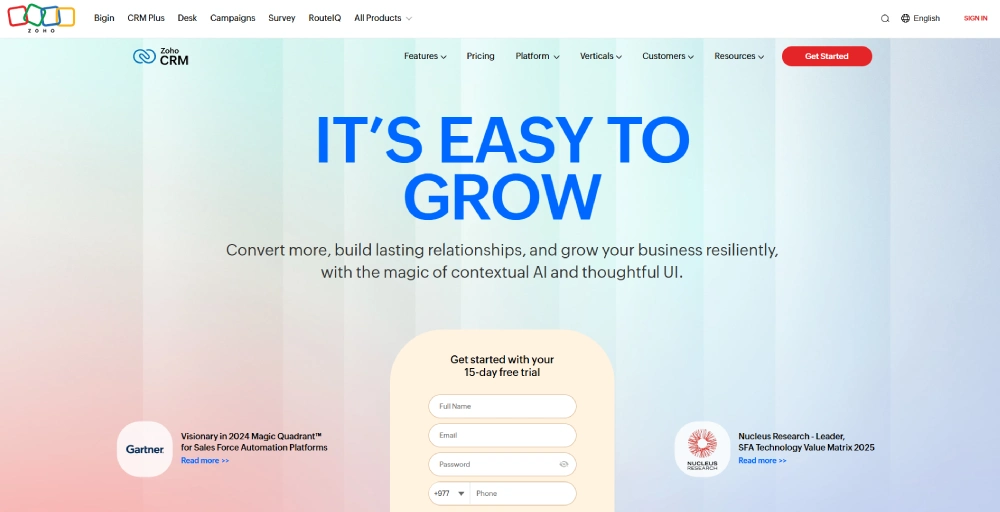
1. Zoho CRM: Best for teams that scale
Zoho CRM is a customizable customer relationship management (CRM) system that combines sales, customer support, and marketing activities in a single interface. It helps you grow your revenue, generate leads, and engage with customers with ease.
Key features
- Artificial intelligence: Zoho’s AI assistant Zia lets your commands turn into actions and empower you for success with automated follow-ups, flagging anomalies, and deciphering emails.
- Sales force automation: Zoho CRM helps your sales team focus on building lasting customer relationships by automating repetitive tasks, such as updating records, tracking contacts, and managing follow-ups.
- Lead management: Capture high-quality leads from multiple channels and guide them through the funnel with tools designed to convert interest into loyal customers.
- Process automation: Simplify complex workflow across the sales pipeline. Automate key activities while maintaining uniformity among sales reps.
- Customization: Make Zoho CRM your own with its flexible framework and capability to adapt to your unique operational workflow.
What we liked
Zoho CRM stands out for its adaptive AI, which provides insights without overwhelming the agents. It allows you to customize the call flows based on individual customer profiles.
Its reporting tools are equally impressive, offering metrics that can evolve with the business. It also handles omnichannel interactions well and provides flexibility to integrate with other systems through APIs and SDKs.
What could be better
The user interface can feel overwhelming to new users and presents a slight learning curve due to its advanced features. The experience with telephony integrations can vary depending on the provider and region, which could impact performance in specific setups.
Pricing and plans
- Standard: $20/user/month
- Professional: $30/user/month
- Enterprise: $50/user/month
- Ultimate: $65/user/month
Who should use it
Any business, from small to large, planning to scale and needing flexible tools, without a high upfront cost, should use Zoho CRM.
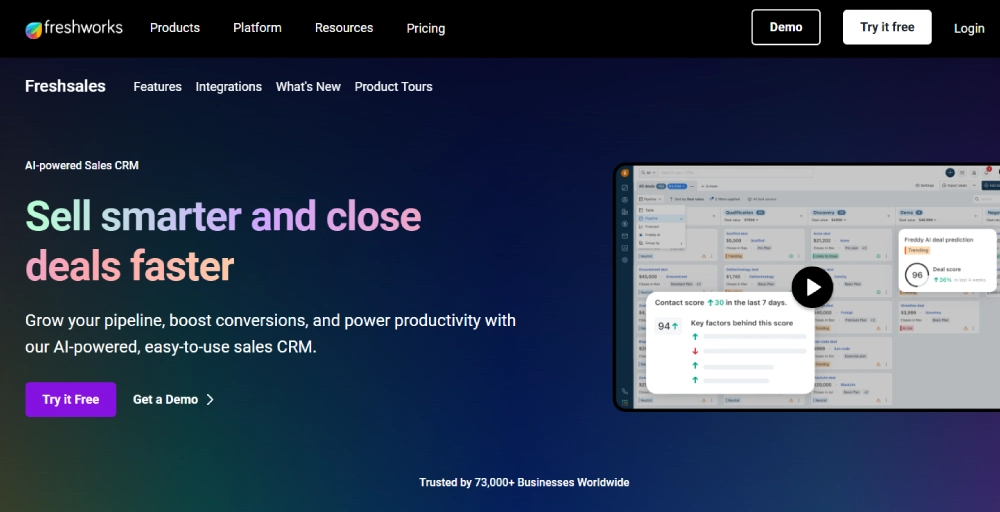
2. Freshsales: Best for user experience
Freshsales is a cloud-based CRM and call center software designed specifically for sales teams. It combines CRM functionality with built-in telephony to simplify agent workflows. Its activity home dashboard brings tasks, meetings, and notes into one unified view, helping agents stay organized without jumping between tabs.
Key features
- Freddy AI: Freddy AI is the AI assistant of Freshsales, helping to predict deal outcomes, prioritize leads, and detect duplicate leads or contacts within the CRM.
- Omnichannel engagement: Manage customer conversations across phone, email, chat, and SMS in one place. Freshsales ensures agents never miss a message, no matter where it comes from.
- Pipeline management: Track and manage every deal stage with clarity. Move prospects through the funnel with ease and close more deals efficiently.
- Marketing automation: Reach the right audience with workflows, behavior-based triggers, and fully personalized campaigns.
- 360° customer view: Give sales, support, and marketing teams unified access to customer data with marketing planning software for consistent, informed interactions.
What we liked
Freshsales impresses with its all-in-one interface that helps agents stay focused. The integrated phone system eliminates the need for additional software, while features such as warm transfer and parallel calling enhance response times.
Its sales pipeline management features provide a cleaner and more effective way to manage the complex sales cycle.
What could be better
Many of its customizations and integrations are available only with higher-tier plans. It offers customer support only during weekdays, which may be limiting for call centers that operate around the clock.
Pricing and plans
- Growth: $11/user/month
- Pro: $47/user/month
- Enterprise: $71/user/month
Who should use it
Freshsales is well-suited for contact centers that want a tight blend of task management, native call features, and flexible data storage, all without overcomplicating daily operations.
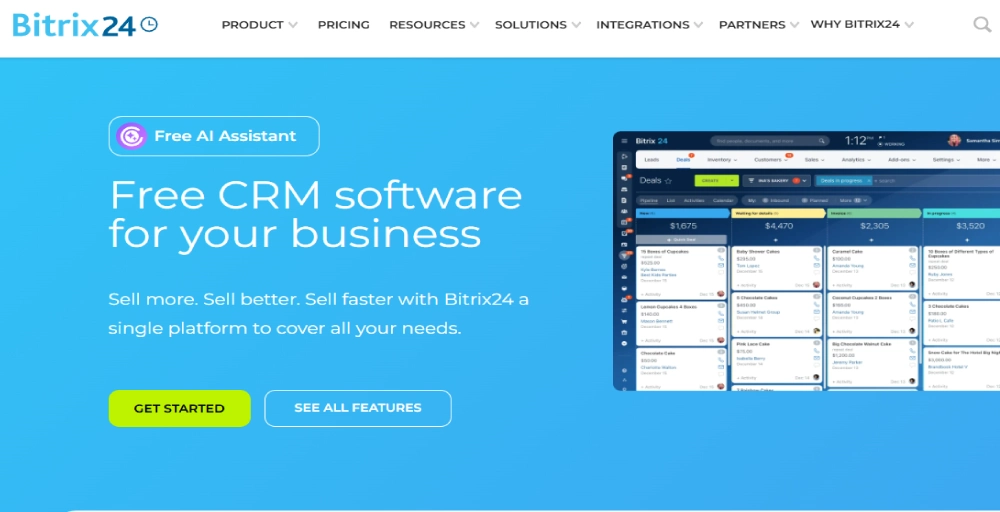
3. Bitrix24: Best for all-in-one team collaboration
Bitrix24 is an online workspace that combines CRM, contact center tools, project management, and communication into a single, cohesive platform. It helps you simplify your business operations without juggling multiple tools.
Key features
- Social media integration: It integrates with different social media platforms like Facebook, Instagram, and more to communicate directly with customers. Manage all messages in one place for faster response times.
- Task management: Keep workflows organized and ensure nothing gets missed by assigning, tracking, and prioritizing daily tasks within your team.
- Project management: Plan, manage, and monitor project timelines and deliverables. Helps teams stay aligned and meet deadlines efficiently.
- Internal collaboration tools: Use real-time chat, video calls, and shared calendars to stay connected. Simplify teamwork without relying on third-party apps.
- Contact management: Manage all of your customer details in one centralized space. Make it easy to track itractions and access key info instantly.
What we liked
The ability of Bitrix24 to manage customer service, projects, and team communication within a single system reduces friction in business operations and boosts overall productivity. It’s built-in VoIP, live chat, and mobile CRM access ensure agents stay responsive and connected, whether at their desks or on the move.
What could be better
While the platform offers a wealth of features, the interface can feel cluttered due to the sheer number of options. Some new users may find the learning curve steep, especially during setup. Performance can also slow down slightly with larger data sets.
Pricing and plans
- Basic: $61/organization/month
- Standard: $124/organization/month
- Professional: $249/organization/month
- Enterprise: $499/organization/month
Who should use it
Bitrix24 is ideal for small to mid-sized businesses that want a unified system for managing customers, teams, and tasks, without incurring the costs of multiple tools or per-user pricing.
4. Microsoft Dynamics: Best for enterprise-grade contact centers
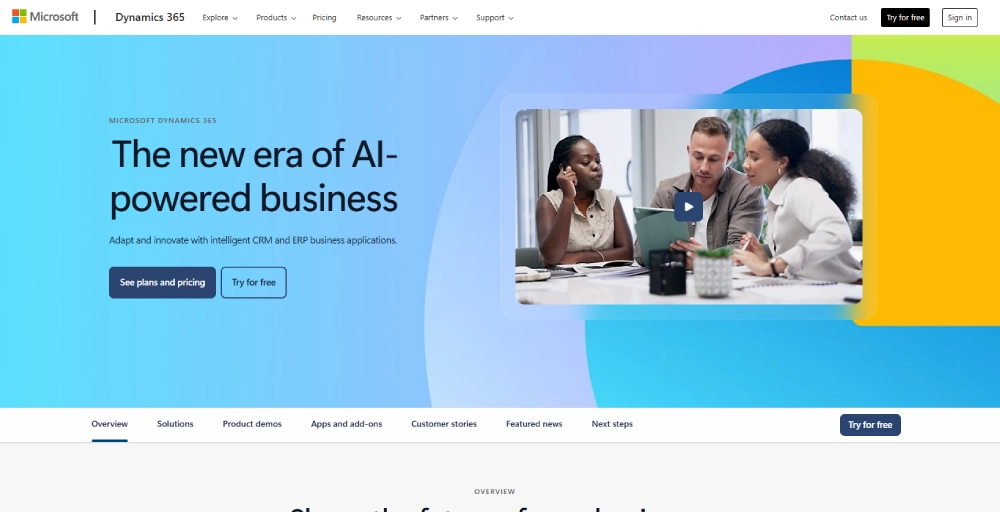
Microsoft Dynamics is a cloud-based suite of business applications built for large-scale operations. It combines both Customer Relationship Management (CRM) and Enterprise Resource Planning (ERP) capabilities into a unified platform to improve customer engagement and drive better business outcomes.
Key features
- Security & compliance: Offers security features like data encryption, multi-factor authentication, role-based access control, and compliance support.
- Integration with the Microsoft ecosystem: Smooth connections with Microsoft 365, Azure, Power Platform, Teams, and Outlook for enhanced data sharing and productivity.
- Customer support management: Case tracking, support management, AI-powered chatbots, self-service portals, and knowledge bases for personalized and faster support.
- AI-powered insights: AI-driven capabilities like predictive analytics, lead scoring, and sentiment analysis help businesses make data-driven decisions.
- Customer data management: Centralized database for a 360-degree view of customers, including contact details, interaction history, and preferences.
What we liked
Microsoft Dynamics brings structure to complex contact center environments. It enables agents to work effortlessly across sales and support, thanks to its enterprise-level architecture that eliminates data silos. Features like loyalty program management and detailed order workflows give agents more control and customers a better experience.
What could be better
The system’s depth can be overwhelming for smaller teams or simpler operations. It’s not well optimized for B2B sales, and the advanced feature set may be more than what many contact centers actually need.
Pricing and plans
- It depends on the industry, but pricing begins at $70 per user each month.
Who should use it
Large or enterprise-level contact centers that require an integrated solution for managing sales, service, and operations at scale should use it.
Check Out 👉: AI Call Center: Benefits for Business & How call centers are adapting to AI technology?
5. Emitrr: Best for fast, automated workflows
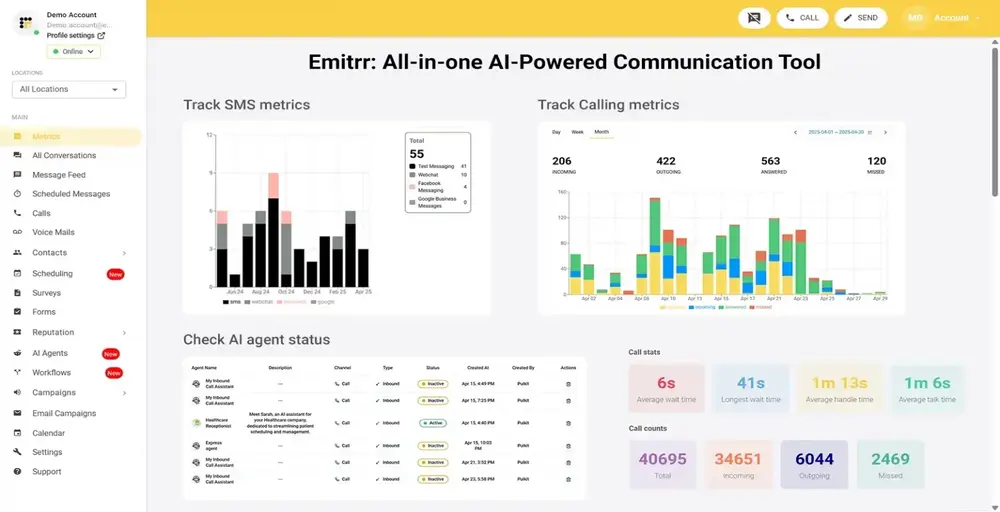
Emitrr is an AI-powered contact center CRM platform built for service-driven businesses. It combines texting, calling, voicemail, scheduling, reviews, and reputation management into one seamless solution.
With automation at its core, Emitrr helps teams handle appointment reminders, follow-ups, and customer outreach without extra manual effort. Its simple interface, strong integrations, and reliable uptime make it a solid choice for businesses looking to improve communication efficiency and customer engagement in 2026.
Key features
- Artificial intelligence: Emitrr uses AI to automate appointment reminders, missed call follow-ups, surveys, and customer outreach, reducing manual workload for busy teams.
- Omnichannel communication: Manage SMS, voice calls, voicemail drops, and chat in a single platform, ensuring seamless customer engagement.
- Reputation management: Collect and manage customer reviews effortlessly to strengthen trust and improve local search visibility.
- Call management: Features like HD call quality, call queues, auto-attendant, forwarding, and voicemail transcription improve efficiency for both staff and customers.
- Integrations: Connects smoothly with CRM, EHR, and practice management systems to keep records and communications in sync.
What we liked
Emitrr delivers a truly unified communication experience, eliminating the need to juggle multiple tools for calls, texts, and reviews. Its automation features stand out, helping teams save time while improving response rates. The platform is also praised for its user-friendly dashboard and reliable 99.99% uptime, making it ideal for businesses where missed communication isn’t an option.
What could be better
While Emitrr delivers strongly on core features, some advanced tools and deeper native integrations are still in progress. Businesses with highly specialized needs may find themselves waiting for these updates.
Pricing and plans
Emitrr offers flexible pricing starting at $30 per user/month, making it an affordable choice for small and mid-sized businesses.
Who should use it
Service-based businesses, especially healthcare practices, home service providers, and local businesses that rely heavily on customer calls, texts, and appointment management, will benefit most from Emitrr.
6. Salesmate: Best for Smarter Customer Engagement
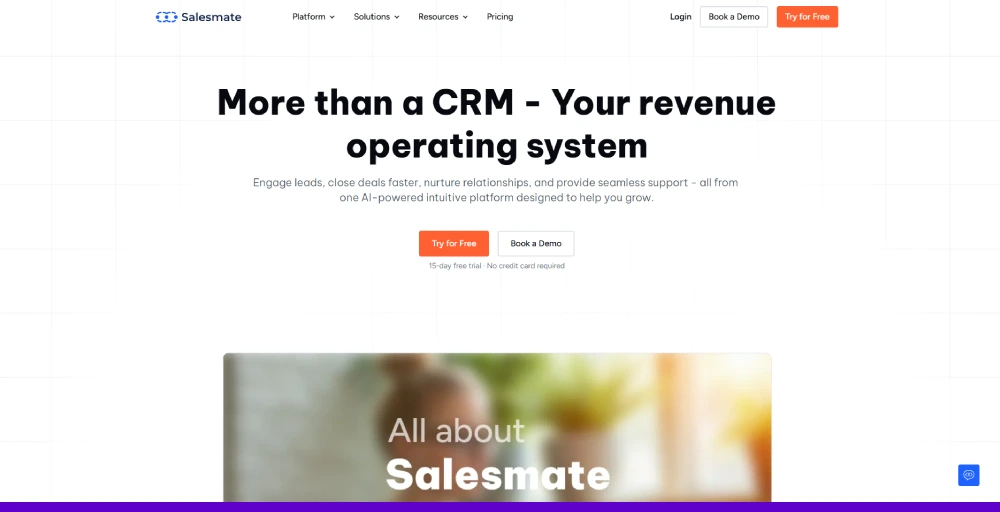
Salesmate is designed for businesses that want to manage customer interactions without juggling multiple tools. It’s an all-in-one platform that helps teams handle calls, track conversations, and automate follow-ups, making it easier to deliver a consistent and personalized customer experience.
Key Features
- Call Intelligence: Automatically transcribes calls in real time, making it easy to review conversations, track important details, and maintain accurate records.
- AI Employee: Handles routine tasks such as scheduling follow-ups, updating records, and generating reports, allowing your team to focus on high-value conversations.
- Contact Management – Keeps all customer information organized in one place, ensuring agents have the full context they need before each interaction.
- Lead Scoring: Uses custom criteria to rank by potential value so teams can prioritize outreach effectively and close deals faster.
- Workflow Automation: Automates repetitive processes such as lead management, task creation, and email sequences, helping reduce manual work and errors.
What we liked
Salesmate strikes a great balance between simplicity and power. The interface is clean and intuitive, which means even first-time users can navigate it with ease.
Its AI-driven tools save teams hours each week by automating tasks and surfacing the right insights at the right time, making it a strong contender for busy contact centers.
What could be better
While Salesmate offers robust automation and calling features, new users may require some initial configuration time to fully optimize workflows and integrations.
Pricing and plans
- Basic – $23/user/month
- Pro – $39/user/month
- Business – $63/user/month
Who should use it
Salesmate is best suited for contact centers, sales teams, and customer support departments that want to streamline calls, automate follow-ups, and maintain complete visibility into customer interactions without switching between multiple platforms.
7. Apptivo: Best for customization on a budget
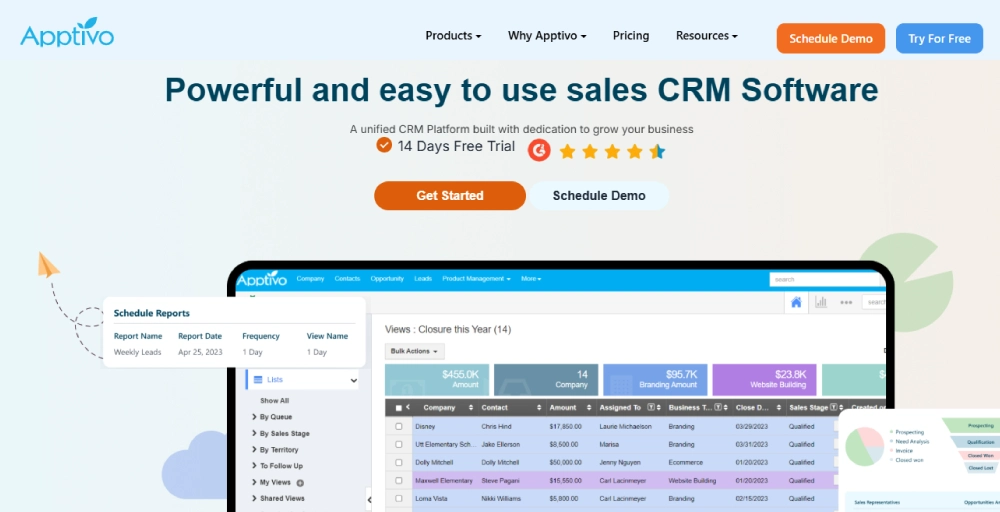
Apptivo is a large ecosystem of integrated business applications designed to help teams collaborate more effectively and manage operations efficiently. It brings everything, from CRM and project management to invoicing and customer support, under one platform.
Key features
- Mobile accessibility: Apptivo is available on different mobile apps (iOS and Android). It allows users to access and update CRM data on the go.
- Customization & scalability: Highly configurable workflows, fields, and modules tailored to business needs, with scalability to grow alongside the business.
- 24/7 customer support: Around-the-clock assistance ensures minimal downtime and quick issue resolution, especially helpful for global or after-hours teams.
- Contact management: Centralizes all customer data with easy import and organization, enabling detailed tracking of communication history and interactions for personalized customer engagement.
- Flexible tiered pricing: Apptivo offers scalable pricing options that grow with your team and budget. This cost-effectiveness makes it accessible for both small businesses and expanding contact centers.
What we liked
Apptivo blends affordability with versatility. It’s flexible workflow automation, custom dashboard, and broad integration support give call centers control over how they operate, all without breaking the bank. The always available support adds extra reliability, especially for teams that can’t afford delays.
What could be better
Lower-tier plans come with limited data storage, which may restrict long-term use for larger teams. The platform lacks built-in two-factor authentication and industry-specific templates, which may require extra setup for contact centers with stricter requirements.
Pricing and plans
- Lite: $20/user/month
- Premium: $30/user/month
- Ultimate: $50/user/month
- Enterprise: Contact the sales team
Who should use it
Apptivo is ideal for contact centers of all sizes that need a customizable, scalable CRM with solid core features, without committing to high costs upfront.
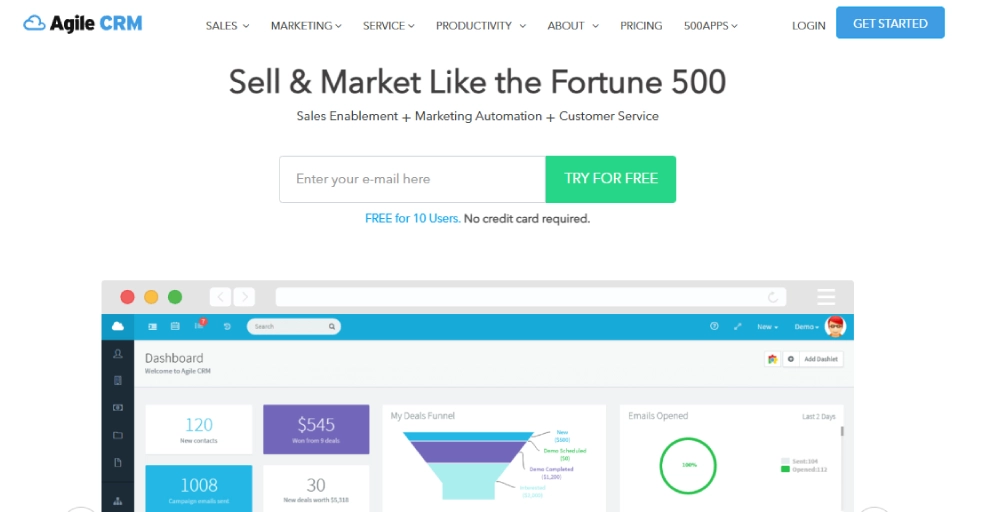
8. Agile CRM: Best for cost-effective automation
Agile CRM is a cloud-based SaaS platform that brings together sales, marketing, and service automation in one unified system. It simplifies customer management while offering powerful tools to enhance daily operations, all without stretching the budget.
Key features
- Lead scoring: Helps agents focus on high-value prospects by ranking leads based on behavior and engagement. This improves call routing and conversion rates.
- Two-way telephony integration: Enables Smooth digital and voice communication, so agents can handle calls, voicemails, and call logs directly within the CRM.
- Post-call automation: Automatically triggers actions, such as follow-up emails or task assignments, after a call, which reduces manual effort and enhances responsiveness.
- Integrated marketing tools: Run email campaigns, mobile marketing, and web engagement tools directly from the dashboard. There is no need to switch between platforms.
- Helpdesk & ticketing support: Offers built-in ticketing features to efficiently manage customer issues, thereby supporting both sales and service teams.
What we liked
Agile CRM brings together marketing, sales, and service tools in a way that’s easy to use and affordable. The lead scoring and campaign automation features help small teams focus on qualified prospects while staying organized. It’s a solid fit for contact centers that need to do more with less.
What could be better
While the feature set is strong, the basic plans limit automation capabilities. The onboarding coach is only included in higher tiers, and navigating the interface can be overwhelming at first due to numerous tools packed into the system.
Pricing and plans
- Starter: $14.99/user/month
- Regular: $49.99/user/month
- Enterprise: $79.99/user/month
Who should use it
Agile CRM is best for contact centers that want affordability, automation-rich tools to improve efficiency, and scale customer support over time.
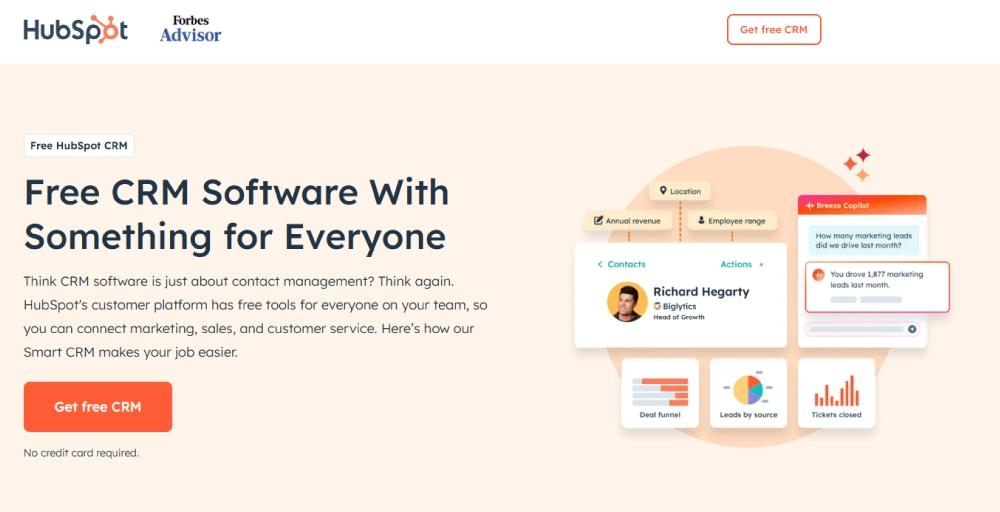
9. HubSpot CRM: Best for analytics and deal management
HubSpot CRM simplifies conversations, visualizes sales progress, and delivers deep performance insights from a single platform. Its flexible deal pipelines and automatic conversion routing ensure agents are matched to the right inquiries.
Key features
- Customizable deal pipelines: Tailor sales stages to match your contact center’s workflow and help your agents deal with more clarity and structure.
- Automatic conversation routing: Customer queries are directed to the most qualified agent, which improves resolution times and enhances customer satisfaction.
- Advanced dashboards and reporting: Build up to 25 dashboards, each containing 30 reports. This allows managers to focus on the metrics that matter without unnecessary clutter.
- Built-in calling SDK: Easily integrate telephony tools into the CRM and efficiently manage high call volumes and complex call handling needs.
- Omnichannel engagement: Provide omnichannel customer support across email, chat, phone, and social media platforms from a single, centralized platform. This ensures consistent communication and faster response times.
What we liked
HubSpot’s analytics capabilities are unmatched with clean, customizable, and informative dashboards. Its built-in calling SDK provides the flexibility to integrate your preferred phone system directly into the platform, which further enhances call handling efficiency.
To extract even deeper insights from the CRM, consider integrating HubSpot with BigQuery to leverage the advanced analytical features of Google’s data warehouse.
What could be better
The Professional plan includes a $750 mandatory onboarding fee, which may be hard to justify for smaller operations. Starter-tier plans feel restrictive, especially around automation and reporting. Costs can ramp up quickly if your team grows or you need access to more advanced tools.
Pricing and plans
- Starter: $15/month/seat
- Professional: $1450/month/seat
- Enterprise: $4700/month/seat
Who should use it
HubSpot CRM is a strong contender for businesses seeking a comprehensive, user-friendly, and scalable CRM solution that supports their marketing, sales, and customer service efforts.
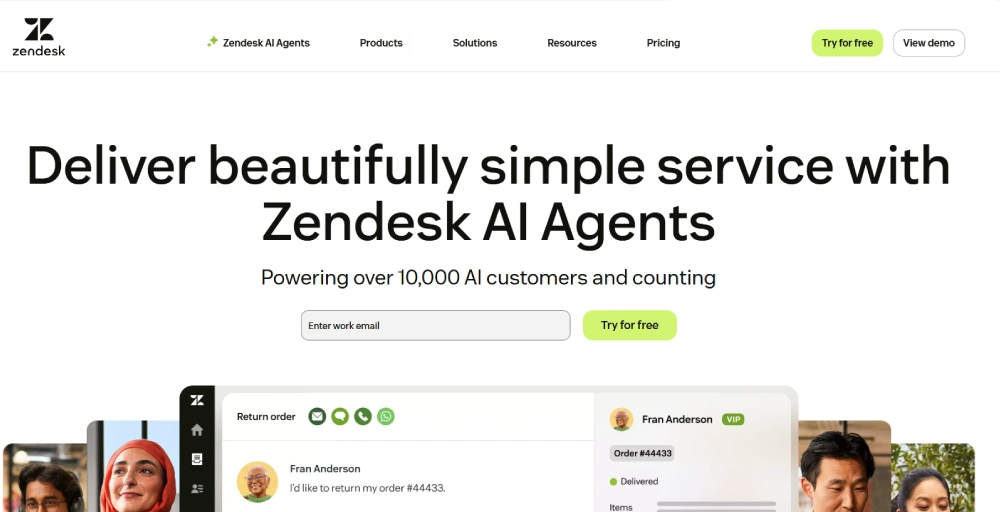
10. Zendesk: Best for support-focused contact centers
Zendesk is a customer service CRM built from the ground up for support teams. With its powerful ticketing system, customer inquiries are converted into tickets and then are tracked and resolved effectively. It also enables agents to manage phone, chat, email, and social media interactions in one unified workspace.
Key features
- Ticket routing: Automatically assigns support tickets based on agent skillsets, availability, or priority. Helps resolve issues faster and improves agent efficiency.
- Knowledge base: Create and manage self-service portals with help center articles and FAQs. Reduces ticket volume and empowers customers to find answers quickly and independently.
- Unified agent workforce: Gives agents a complete view of customer history, conversation threads, and ticket status in one place. Improves the response quality and speed of the agent to handle customer inquiries.
- Reporting and analytics: Track key performance metrics like resolution time, ticket volume, and customer satisfaction. Identify trends, optimize workflows, and gain actionable insights into customer support operations.
- Omnichannel support: Handle customer conversations from chat, email, phone, and social media in one unified workspace. Agents can switch channels without losing context.
What we liked
Zendesk’s interface is built to help agents respond quickly without getting lost in unnecessary options. Its automation tools help reduce handle time, and features like skill-based routing and CSAT surveys help maintain high service levels. Zendesk also integrates with most major phone systems, allowing teams to manage calls alongside tickets effortlessly.
What could be better
Zendesk’s pricing can add up fast if you want advanced features like AI or custom reporting. Customization options are also limited compared to CRMs like Zoho or Salesforce, particularly when it comes to tailoring fields or workflows outside the support flow.
Pricing and plans
- Suite Team: $55/agent/month
- Suite Growth: $89/agent/month
- Suite Professional: $115/agent/month
- Suite Enterprise: Talk to sales
- Suite Enterprise Plus: Talk to sales
Who should use it
Support-driven contact centers that are looking to improve forecasting, automate tasks, track interactions, and manage leads across multiple channels with minimal setup complexity.
You may also like 👉: 20 Key Call Center Metrics & KPIs to Drive Better Performance
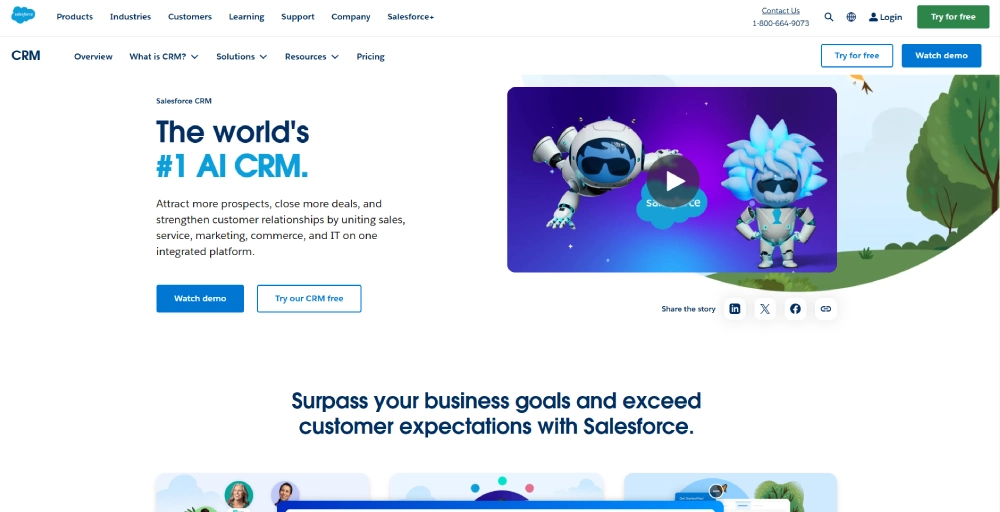
11. Salesforce: Best for highly customizable enterprise workflows
Salesforce is a cloud-based CRM designed for enterprise contact centers that require deep customization, automation at scale, and an extensive ecosystem of integrations. It offers AI-powered lead scoring, customer journey mapping, and advanced workflow automation.
Key features
- Flow automation: Create complex, multi-step workflows without writing a single line of code. Automates tasks across departments to save time and reduce errors.
- Service cloud: Centralize customer support through live chat, phone, and messaging. Gives agents the tools to deliver fast, consistent service across all channels.
- Einstein AI: Uses artificial intelligence to enhance routing, forecasting, and decision-making. Suggests next-best actions to improve customer outcomes.
- AppExchange ecosystem: Access thousands of prebuilt apps, integrations, and tools. Easily extend Salesforce to fit your team’s exact needs without custom development.
- Custom objects & fields: Structure your CRM to match any workflow or industry. Capture and manage the data that matters most to your business.
What we liked
Salesforce stands out for its depth and adaptability. It can be molded to fit virtually any contact center process. Its Service Cloud offers everything a support team needs, while Sales Cloud handles pipelines, forecasts, and automation. With Einstein AI, agents receive real-time suggestions, enabling them to close cases and deals more quickly.
What could be better
The learning curve is steep, and implementation can be time-consuming, especially for small or midsize teams. Costs escalate quickly as you add features, users, or integrations, and ongoing admin or developer support is often necessary to get full value.
Pricing and plans
- Starter Suite: $25/user/month
- Pro Suite: $100/user/month
Who should use it
Large or fast-scaling contact centers that need a fully customizable CRM with advanced automation, deep integrations, and long-term scalability should use Salesforce CRM.
12. Pipedrive: Best for visual sales management
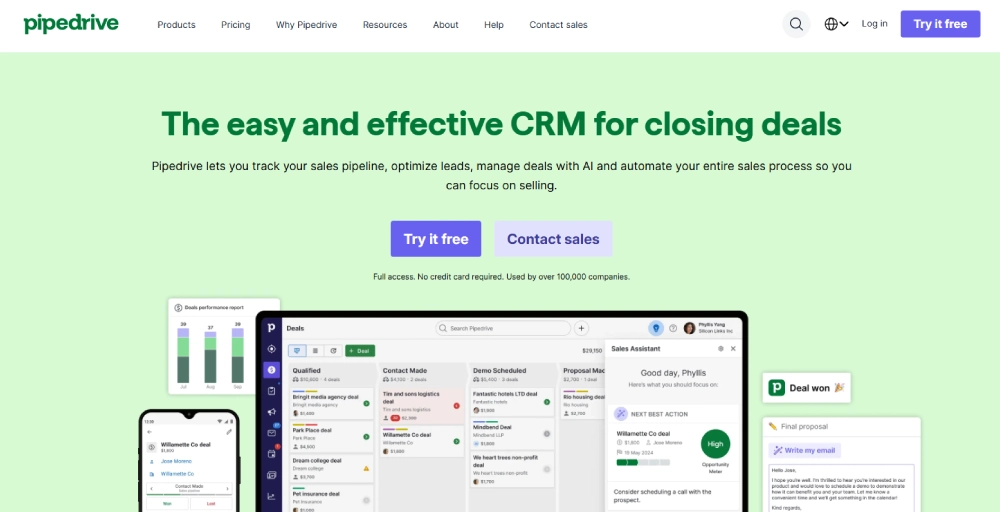
Pipedrive is a CRM designed for simplicity and visual clarity, making it an excellent choice for contact centers focused on outbound sales or lead follow-ups. Its drag-and-drop pipeline view, activity-based workflow, and built-in calling features help teams stay on top of deals without being buried in menus or technical complexity.
Key features
- Visual sales pipelines: Manage deals through a user-friendly visual interface. Drag-and-drop stages help agents stay organized and focused.
- Caller integration: Make and log calls directly from within the CRM. Keeps communication centralized and ensures no interaction is missed.
- Activity reminders: Get timely alerts for calls, emails, and follow-ups. Helps agents stay on schedule and maintain momentum with leads.
- Sales reports: Access real-time performance data with clear, actionable insights. Track conversion rates, deal value, and agent productivity.
- LeadBooster add-on: Enhance lead capture with chatbot, live chat, and web form tools. Engage visitors in real-time and move leads into your pipeline automatically.
What we liked
Pipedrive keeps things simple without sacrificing functionality. It’s easy for new reps to pick up, and the interface keeps focus on next steps and pipeline movement. The native caller tool makes outreach fast and trackable, and the LeadBooster add-on turns your site into a lead-generating engine.
What could be better
It’s not built for deep support workflows with no native ticketing system and limited omnichannel routing. Reporting is solid but lacks the depth of tools like HubSpot or Salesforce. Larger contact centers or those with complex service requirements may quickly outgrow their capabilities.
Pricing and plans
- Lite: $24/seat/month
- Growth: $49/seat/month
- Premium: $79/seat/month
- Ultimate: $99/seat/month
Who should use it
Sales-focused contact centers that want a clean, intuitive CRM for managing outbound calls, follow-ups, and deal tracking without unnecessary complexity should use it.
Benefits of contact center CRM software
A contact center CRM goes far beyond basic record-keeping; it empowers agents, simplifies operations, and improves customer satisfaction at every touchpoint. Here are five key benefits:
- Improved first-call resolution: By giving agents access to a full view of customer history and preferences, CRM tools help resolve issues during the first interaction, saving time and enhancing customer satisfaction.
- Higher agent productivity: Automated workflows, call logs, and real-time data reduce manual tasks, letting agents focus on conversations that matter most.
- Consistent omnichannel experience: Whether via phone, chat, email, or social media, CRM systems unify customer interactions, enabling agents to deliver seamless support across all channels.
- Better collaboration and escalation: Shared dashboards and internal notes let teams collaborate effortlessly, which accelerates complex case resolutions and minimizes knowledge gaps.
- Actionable insights through analytics: Built-in reporting tools track agent performance, customer trends, and call outcomes, so you can fine-tune your strategy with real data.
How to choose the right CRM for your contact center?
Selecting the right CRM can shape the efficiency, performance, and overall customer experience of your contact center. With countless options available, focus on the features that align with your operational goals and long-term scalability. Here’s what to consider:
- Match with business needs: Start by identifying your core pain points, whether it’s slow response times, poor agent coordination, or scattered data, choose a CRM that directly addresses them.
- Ease of use: A user-friendly interface ensures faster onboarding, reduces errors, and increases adoption across your team, especially in high-paced environments.
- Multichannel support: Ensure the CRM can manage voice, chat, email, and social channels in one workspace to maintain a seamless customer experience. Some platforms cover this through a mix of native features and integrations — for example, SendPulse CRM solution handles live chat, email, and messaging apps like WhatsApp and Instagram natively, and extends voice capability through integrations, making it a solid option for teams that want broad channel coverage without a dedicated contact center platform.
- Smart routing & automation: Features like skill-based routing and workflow automation can boost both agent productivity and customer satisfaction by streamlining tasks and matching inquiries to the right person.
- Integration & customization: Look for CRM software that integrates easily with your telephony systems, helpdesk tools, and business apps, and that can be tailored to your processes.
- Scalability: Your CRM should grow with your team. Choose a solution that can handle increasing contacts, users, and feature needs as your business expands.
- Reporting & compliance: Built-in analytics help optimize performance, while compliance tools protect sensitive customer data, especially critical for regulated industries.
- Reliable vendor support: A responsive, knowledgeable support team makes all the difference when resolving issues or scaling your setup.
Conclusion
Selecting the right CRM for your contact center is a strategic decision that significantly impacts customer satisfaction, agent performance, and overall business growth. With the right platform, your team can respond faster, personalize every interaction, and make data-driven decisions that keep your operations ahead of the curve.
Whether you’re a fast-scaling startup or a high-volume support center, investing in a CRM built for contact centers gives you the tools to simplify communication, reduce operational complexity, and create a smooth customer journey across every channel.