If you’re willing to switch to the virtual phone system but are stuck in the setup process, you’re in the right place.
Many organizations are thrilled by the idea of a virtual phone system for customer care, but most of them are struggling to keep up with the setup process. You may find multiple guides promising to help you with the process, but with too many options, it’s tempting to choose one.
That’s why we’ve done the work for you. Allow us to walk you through clear, actionable steps to set up a virtual phone system that fits right into your business operations.
✨ Key Takeaways
- A virtual phone system handles the process of making and receiving calls using the internet telephony solution VoIP, aka Voice over Internet Protocol.
- Virtual phone systems benefit businesses by offering smooth internet calls, including advanced options such as call routing, auto attendant, voicemail transcription, and more.
- Setting up a virtual phone system is an easy task with a trusted VoIP provider by your side to help you walk through your setup journey.
What is a virtual phone system?
A virtual phone system is a cloud-based telephone solution that uses technology like VoIP to initiate and receive phone calls. It eliminates the use of traditional phone lines and the reliance on physical SIM cards.

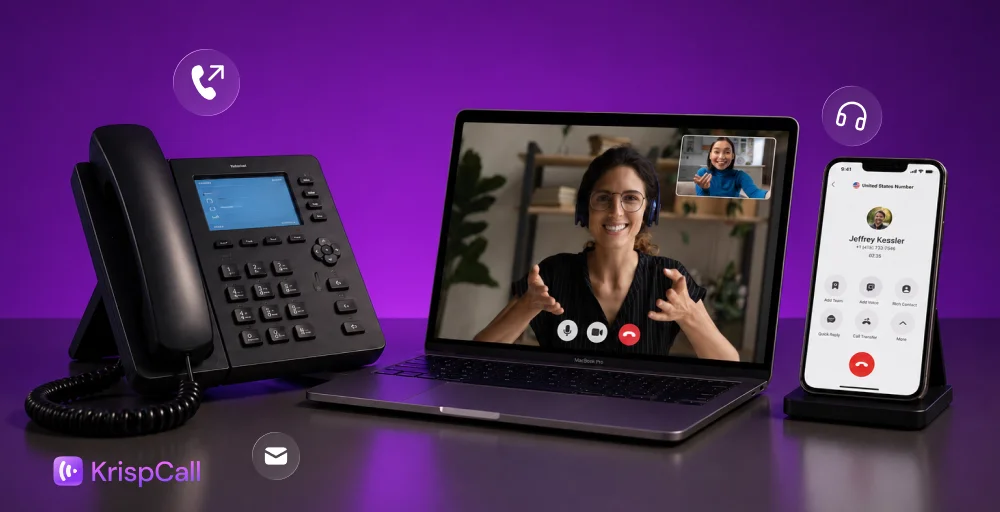
It fosters flexibility and easy accessibility as it can be used from any location using various devices, such as desktops, laptops, and mobile phones.
And if you are willing to buy a virtual phone number, watch this:
Why does your business need a virtual phone system?
A virtual phone system is essential for your business as it enables professional communication solutions, even with remote teams. It offers cost savings, high flexibility, and improved customer experience (CX), and supports professional call management.
Features like call forwarding, voicemail, call routing, and call analytics also help to enhance efficiency. Overall, it boosts credibility with a dedicated business number.
How to set up a virtual phone system?
Many business owners (like you) find the idea of acquiring a virtual number compelling, but most of them struggle with setting up VoIP. Here we have the best virtual phone system setup for you to follow:
1. Choose the right VoIP provider
This is the foundation of all other steps in virtual phone service. If you don’t have a trusted VoIP service provider you can rely on for further queries, you are already missing out. Always check your business needs and opt for the provider that has everything to offer to meet your changing business phone plans.

Start by assessing your specific business needs, such as international country coverage, call routing, or multi-device access. And then look for a VoIP provider that offers flexibility, 24/7 support, and the ability to grow with your business.
The best business phone app platforms forward calls, include call analytics, and team collaboration features to streamline operations. Search for cloud phone features and compare firms to find solutions that fit your enterprise.
2. Pick your business phone number (local, toll-free, vanity, or mobile)
After selecting the provider, look for the type of number you want to buy.
It can be a local number, a toll-free number, or an international number, depending on your customer coverage area.
- Choose a local virtual number if you want to make a local-level presence in a specific area or country. A local number always begins with an area code and helps you build brand trust when you actually make a call with a code familiar to that region.
- Choose a toll-free virtual number if you provide customer care services. Toll-free numbers are free of cost on the customer’s end. This helps you build trust and ease customers.
- Choose a vanity virtual number if you want to have a long-term impact on your customers. A vanity number is usually an easy-to-remember number that contains a pattern or alphabetical letters.
- Choose a mobile virtual number if you are willing to make a personal impact. Mobile virtual numbers function similarly to regular mobile numbers, except that calls are transmitted over the internet instead of physical SIM cards.
3. Set up user accounts and permissions
Now, when you have number(s), start adding team members, assign extensions, and define access levels of the business phone system.
Create user accounts for each employee or department and assign unique extensions or network cables for easier internal communication. Set roles and permissions depending on their responsibilities. For example, customer support agents may need full calling access, while admin users can manage voicemail or analytics.
This step keeps your system organized and ensures every team member only sees and uses the tools they need.
4. Customize call handling & voicemail
It’s time to customize your calls. Set business hours, call forwarding rules, and voicemail greetings. Pre-record the message and schedule it to enable the auto attendant feature. This feature is nothing but a basic greeting that your caller hears as soon as they call your business phone number.

Customize the voicemail setting so that your callers can prioritize voice messages when you are unavailable, and you can respond to them later.
With KrispCall, you can do this in simple steps. Just log in to your KrispCall account, navigate to ‘My Number’ settings, configure the voicemail settings under ‘Voicemail Options,’ and test the system to ensure everything works smoothly.
5. Start making virtual calls across devices
Once everything is configured, you’re ready to go live.
Use your virtual number to make and receive calls from any device, such as smartphones, laptops, desktops, or tablets. No matter if your team works remotely or on-site, they can access the phone system using a web app or softphone, without being tied to one desk phone or location.
Make sure your internet connection is stable, and start handling customer interactions professionally from anywhere.
6. Provide basic training to the team
Before you launch your virtual phone system, check that everything is in the right place.

Organize a quick walkthrough of the dashboard, key features, and best practices to train your team. For example, introduce them to: transfer calls, check voicemails, or set availability. This helps prevent confusion later and maintains the system efficiently from day one.
With the proper guidance, your team will quickly adapt and enjoy the flexibility of working beyond traditional desk phones.
Tips for smooth virtual calling
Virtual calling is of no use if you face disturbance and noise due to high traffic congestion. Here are a few tips that ensure smooth virtual calling for your business:
- Ensure a strong internet for better VoIP call quality: Make sure the internet connection you are using for VoIP phones provides enough bandwidth for the fluency of your call. Maintain the internet bandwidth based on the people using it.
- Use noise-canceling headsets: Always try to use the headsets that provide a noise-cancellation feature. With the noise of the outer world, you may face difficulty in hearing the caller’s voice clearly.
- Set business hours and call rules: Maintain a log stating work hours and call rules for the employees to follow. Make sure they follow the standard guidelines within the work hours.
- Regularly update call handling settings: Try to update the call handling settings on a regular basis to keep up with the emerging trends. Check for updates and customize it according to your requirements.
Wrapping up!
Switching to a virtual phone system is a strategic step toward modernizing your business communication. With the right provider, the setup process can be simple, scalable, and tailored to your unique needs.
At KrispCall, we make it easy to get started. You don’t need to worry about complex hardware or technical setup. Just follow the guided steps, and we’ll handle the heavy lifting behind the scenes, so you can focus on growing your business.
KrispCall, an AI-powered cloud telephony solution, is designed to streamline business interactions for both small remote teams and global operations. It stands out for its unique features like virtual numbers from 100+ countries, call routing, AI coaching, Unified Callbox, voicemail-to-email, CTI integrations, and many more. KrispCall offers everything you need in one intuitive platform.
Get Started with KrispCall Today
Need help? Reach out to our support team; they’re there to assist you every step of the way.