erlang c staffing calculator
Erlang C Contact Center Staffing Calculator
Figure out exactly how many agents your contact center needs to hit your service level target. This Erlang C calculator uses the same queuing formula workforce planners have relied on for decades, turning your call volume, average handle time, and shrinkage rate into a clear agent headcount. No email required, results show instantly.
Shrinkage Builder
Build a complete shrinkage allowance from planned and unplanned activities. The resulting rate can be applied directly to the Erlang C calculator.
Used by 9,000+ businesses to keep every business conversation reliable













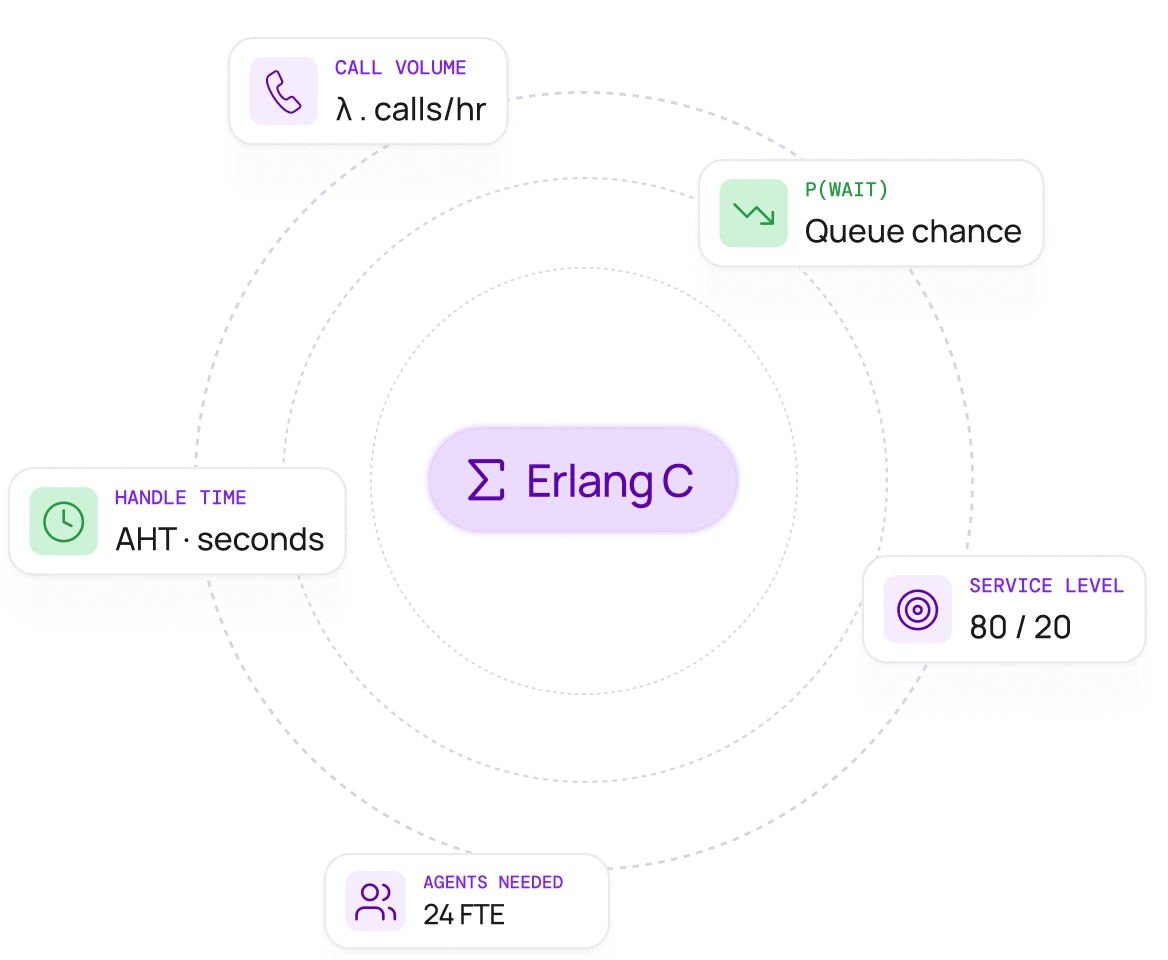
What Is Erlang C?
Erlang C is a queuing formula named after Agner Krarup Erlang, a Danish mathematician who studied call traffic for the Copenhagen telephone exchange in the early 1900s. His name also gave us the erlang, a unit of traffic intensity equal to your call volume multiplied by handle time, divided by the length of your time period. One Erlang represents one agent or one line kept continuously busy for that period.
The Erlang C formula uses this traffic intensity figure to calculate the probability of waiting, the likelihood that a customer's call will need to queue rather than being answered right away. Everything else this calculator shows you, from required headcount to occupancy, is derived from that single number.
This erlang c calculator takes your call volume, average handle time, target service level, and shrinkage rate, then runs through those calculations to find the minimum staffing level that meets your target. It's the same process used by workforce management software, just without the spreadsheet, which is why some people simply call it a contact center staffing calculator.
Erlang C assumes calls arrive somewhat randomly throughout a time period and that each agent handles one call at a time. It doesn't account for customers hanging up before they're answered, which is why the results sometimes run slightly higher than what you'll see in practice. For most inbound contact centers, it remains the most reliable starting point for staffing decisions.
How to Use This Contact Center Staffing Calculator
Enter your call volume
This is the average number of calls you expect during your busiest time period, whether that's calls per hour or calls in a 30 minute window. If you're not sure, check your call logs for a typical busy hour.
Choose your interval length
Most contact centers plan in 15, 30, or 60 minute blocks. Shorter time periods give you a more precise picture of peaks and dips across the day.
Enter your average handle time
This is talk time plus any wrap up time or after call work, in seconds. If an agent spends two minutes on the call and one minute on after call work updating notes, your handle time is 180 seconds.
Set your target service level and answer time
A common industry benchmark is 80 percent of calls answered within 20 seconds, but you can adjust this to match the service level agreement your team works to.
Adjust your shrinkage percentage
This covers breaks, training, meetings, and time off. If you're not sure what your number should be, 30 percent is a reasonable starting point for most contact center agents.
What Your Staffing Calculator Results Mean
Once the calculator runs, here's what each part of your contact center staffing plan means.
Required agents
This is the raw number of contact center agents the formula calculates as necessary to meet your service level target, before accounting for time off or breaks. Think of it as the agents required to be logged in and ready to take calls during that time period.
Total headcount
This is your required agents adjusted for shrinkage, and it's the number that matters most for hiring and scheduling. If your shrinkage rate is 30 percent, your total headcount, or overall staffing needs, will be noticeably higher than your required agents, because not everyone on the schedule is available to handle customer contacts at any given moment.
Occupancy rate and maximum occupancy
Occupancy shows how busy your team will be, expressed as a percentage of their available time spent actively handling calls. A rate between 75 and 85 percent is generally considered healthy, and many workforce planners treat 85 to 90 percent as a maximum occupancy ceiling not to be crossed for long periods. Go above that and your team has little room to handle unexpected spikes. Go much lower and you may be carrying more resources than the current call volume needs.
Average wait time
This is the expected average hold time for customers under the staffing level you've entered, sometimes called average speed of answer or ASA. It's closely tied to the probability of waiting calculated earlier, since a higher probability of waiting generally means a longer average hold. If this number looks higher than you'd like, try increasing your headcount slightly or revisiting your handle time to see where it's going.
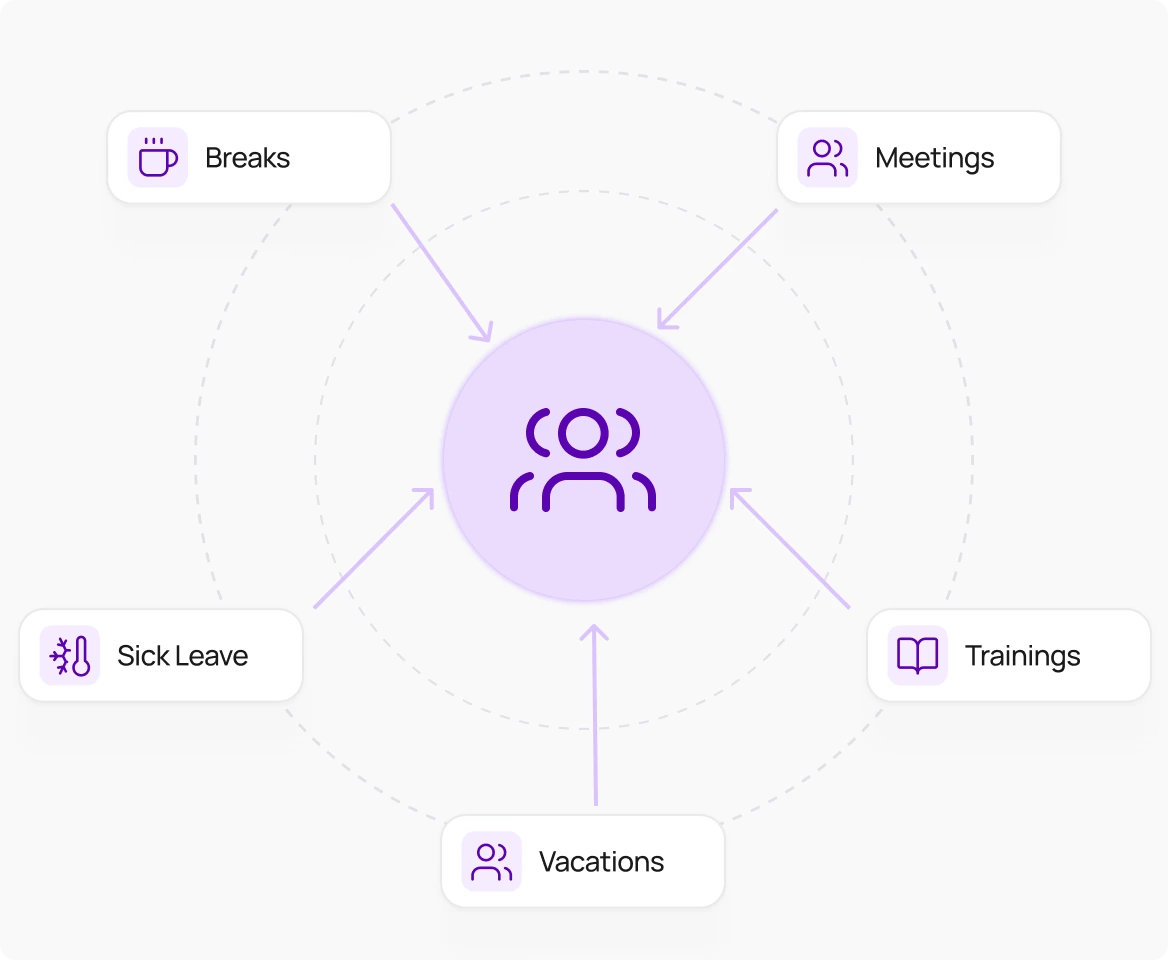
How Shrinkage Rate Affects Your Contact Center Headcount
Shrinkage is the percentage of paid time that staff aren't available to handle calls. It covers things like breaks, lunch, training sessions, team meetings, coaching, system outages, and time off, and it should account for holidays and planned leave as well as unplanned absences. Most contact centers see shrinkage somewhere between 25 and 35 percent, though it varies by team and industry.
The reason shrinkage matters so much is that it sits between your raw staffing requirement and your real world headcount. Here's a simple example: if the Erlang C formula says you need 10 agents on the phones during a given time period, and your shrinkage rate is 30 percent, your required staffing comes to 10 divided by 0.7, or about 14.3 full time employees.
Skip this step and your schedule will look fine on paper while falling short every single day, because some portion of your scheduled team will always be unavailable for reasons that have nothing to do with call volume.
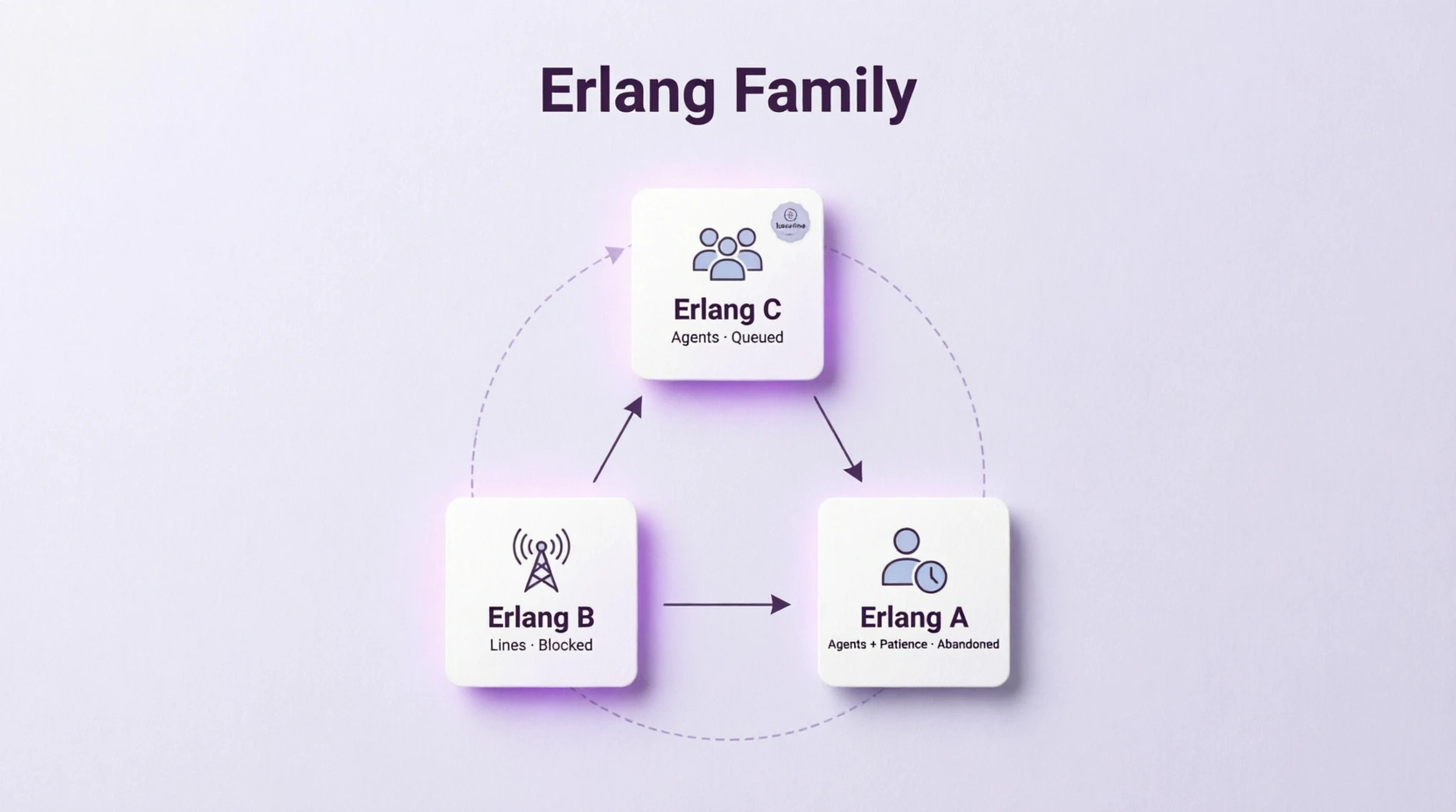
Erlang C vs Erlang A vs Erlang B: Which Staffing Formula Do You Need?
These three models are part of the same family of queuing formulas, but they answer slightly different questions.
Erlang C calculates how many agents you need. If every agent is busy, the customer waits in a queue until one becomes available. This is the model used throughout this calculator.
Erlang A builds on Erlang C by accounting for call abandons, meaning customers who give up and hang up while waiting. It was developed by Swedish statistician Conny Palm and adds an input called average patience, sometimes shortened to time to abandon or ATA, which estimates how long a typical customer will wait before giving up. Erlang A is a closer match to real world abandonment rate behavior in contact centers with longer queues, though it requires this extra input that most teams don't track by default.
For most contact centers with reasonable hold times, Erlang C remains a solid and widely trusted baseline.
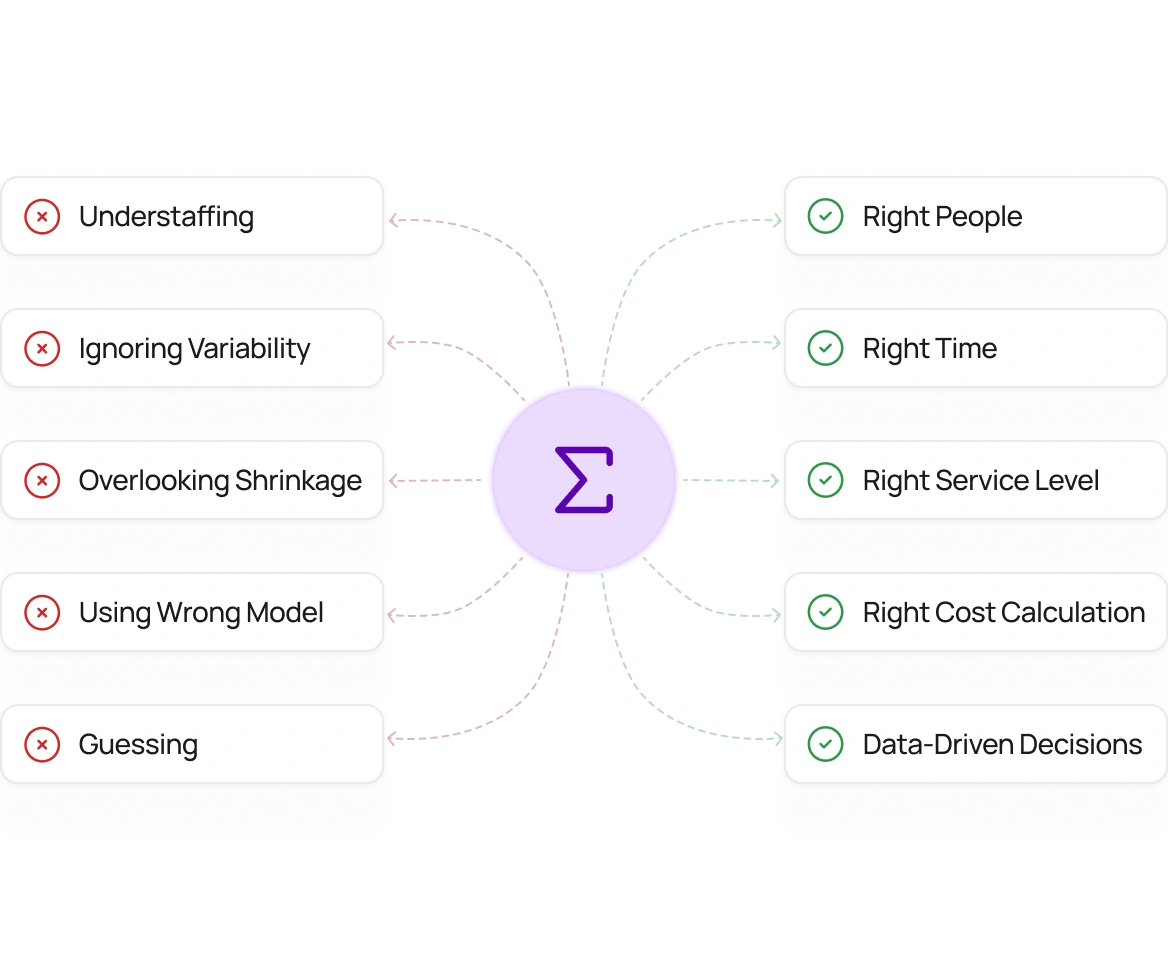
Contact Center Staffing Mistakes Erlang C Helps You Avoid
Having too few agents during busy periods is one of the most common and costly mistakes a call center can make. When calls come in faster than agents can answer them, wait times grow, more customers hang up before speaking to anyone, and the team finishes each shift with a backlog that carries into the next one. Left unchecked, the problem gets worse each day rather than correcting itself.
Having too many agents during quiet periods is less obvious but still expensive. When agents have little to do, labor costs rise without any improvement in service, and underlying problems with how calls are handled can go unnoticed because the slack in the schedule hides them.
Running the calculator for each hour of the day, rather than using a single daily average, makes both of these problems easier to catch before they affect customers. Combining accurate staffing numbers with tools like call queuing and live performance tracking gives your team a clear picture of whether the schedule is holding up against real call volumes, so you can make adjustments before a difficult hour turns into a difficult week.
How to Turn Erlang C Results Into a Contact Center Schedule
Getting a number from the calculator is the easy part. Turning it into a working schedule takes a few more steps.
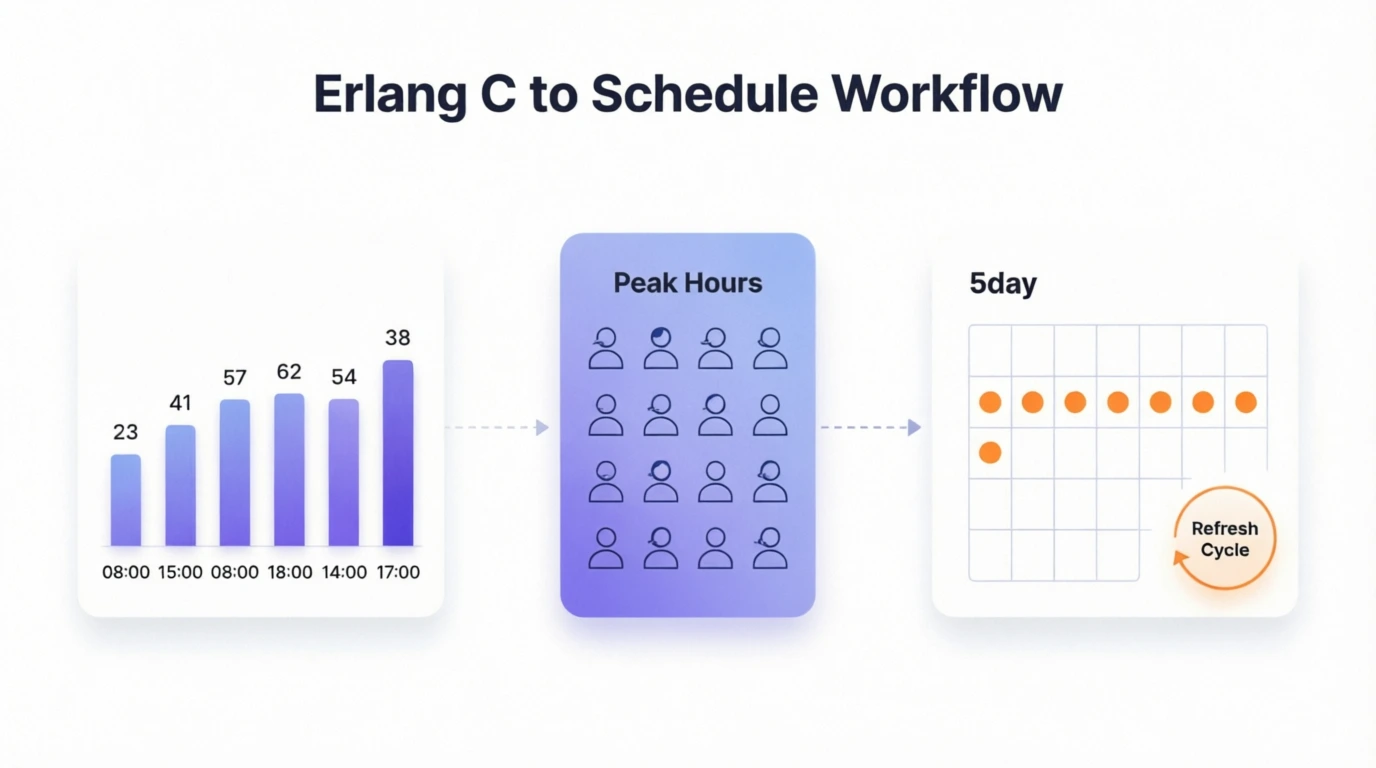
Start by running the calculator for each hour of the day, not just your busiest one. Call volume rarely stays flat, it rises and falls in a predictable pattern with one or two busy stretches and quieter periods in between. Your schedule needs to follow that shape rather than spreading the same number of agents evenly across the whole day.
When deciding how many agents to schedule, plan for your busiest realistic hour rather than your typical one. Scheduling around averages tends to leave you short during the peaks that matter most, which is exactly when customers notice long wait times.
If the calculator shows you need more agents than you currently have, factor in how long it takes to hire and train someone before they can handle calls independently. A team that needs ten more agents and takes a month to get a new hire ready should start recruiting at least six weeks before the period when that extra cover is needed.
Finally, treat your staffing number as something to revisit regularly rather than a one-time calculation. Call volumes shift with seasons, marketing campaigns, and product updates, so checking your inputs every few months helps you catch a mismatch between your plan and what is actually happening before it shows up in longer wait times.
Who Uses Erlang C Staffing Calculator and Why?
Erlang C calculators are used by anyone responsible for making sure enough people are available to answer calls without keeping customers waiting too long. From small business owners managing a handful of agents to large contact centers with dedicated planning teams, the formula works the same way regardless of team size or industry.
Call center managers
Call center managers use the calculator to find out exactly how many agents need to be logged in during each part of the day. Instead of relying on experience or rough estimates, they get a number based on actual call volume and handle time. When service levels slip, running the numbers helps pinpoint whether the team is understaffed, taking too long on calls, or losing too much time to breaks and meetings.
Workforce planners
Workforce planners use the calculator to build staffing schedules that hold up during busy periods, not just on an average day. They run it across every hour of the day to see where coverage gaps appear before they show up in service level reports. When call patterns change due to seasons, promotions, or product issues, they rerun the numbers to adjust headcount before the impact reaches customers.
HR and hiring teams
HR teams use the calculator to turn a headcount request into a concrete hiring plan. Once they know how many agents are needed and how long training takes, they can work backward to figure out when recruiting needs to start. That prevents the common situation where a staffing gap is identified too late to fill it before the busy period arrives.
Finance and operations teams
Finance and operations teams use staffing outputs to understand what different service level targets actually cost. They can run side-by-side comparisons showing how headcount changes if call volume grows, handle time drops, or the answer time target tightens. That makes it easier to have budget conversations grounded in numbers rather than assumptions.
Small business owners and team leads
Smaller teams often don't have a dedicated planner, so the person managing the schedule might be a team lead, an office manager, or the business owner. The calculator gives these users a straightforward way to figure out how many people they need without building a complex spreadsheet or hiring a specialist. They put in their numbers and get a staffing figure they can act on immediately.
Outsourced call center providers
Outsourced providers use the calculator when quoting on new client contracts. When a client sets a service level requirement, such as answering nine out of ten calls within 20 seconds, the calculator shows exactly how many agents that takes given the expected call volume and call length. That figure goes directly into the pricing proposal and the internal plan for how many staff to assign to the account.
Proud to be Recognized as VoIP Leader & Regional Leader in ANZ, EMEA, Europe, and Asia Pacific by G2








J C.
HR Officer

Jun 23, 2025
“I love how easy KrispCall is to use, and the helpful support makes it easy for me to manage multiple numbers and stay connected globally.”

Mike B.
Co-Founder and Business Dev...
Jun 04, 2025
“KrispCall won us over with lightning-fast support, effortless access to numbers and SMS, and pricing that makes sense for small businesses.”

Tkachenko E.
Software Developer
Apr 21, 2025
“KrispCall lets me manage all my calls, texts, and voicemails from one place, helping me stay organized and present a professional image wherever I work.”

Amanda C.
CEO
Jan 22, 2025
“KrispCall’s quick, respectful customer support helped me find the perfect solution for global calls and a customer service number!”

Nagendra V.
Digital Marketing Specialist
Oct 07, 2024
“KrispCall makes global calling effortless with all the tools I need in one place—perfect for connecting with clients worldwide & my digital marketing needs!”

James S.
Software Engineer
May 21, 2025
“KrispCall’s easy setup and intuitive interface keep my team’s communication organized, while its AI-powered platform has streamlined global calls and customer interactions.”

Taha Ryuko S.
Founder & CEO
May 29, 2025
“We received a prompt response right after reaching out, and KrispCall helped resolve my virtual identity issue.”

Colin L.
Server
Feb 11, 2025
“We use KrispCall for a Hong Kong number to receive OTPs—the service is reliable, support is excellent, and the daily usage emails keep us in the loop.”

Lucas W.
Product Manager
Dec 3, 2024
"KrispCall’s authentic, professional service and exceptional customer understanding make staying connected with clients effortless—I’m very happy with it!"

Pushkar Verma
Director
Aug 12, 2024
“The setup process was very easy, with chat support available during our business hours. We needed a UK number with WhatsApp setup, and this solution met our needs at a reasonable price.”

Turan B.
Researcher
Jun 05, 2025
“KrispCall helped me get a virtual number that makes international calling smooth and easy.”

Sandeep M.
Real Estate Specialist
Apr 22, 2025
“KrispCall helped me get a UK number and set up WhatsApp and Telegram effortlessly for my real estate client calls from Dubai.”

Teddy M.
Finance Professional - Busin...
Feb 04, 2025
“Super quick setup and amazing support, KrispCall made it easy for our customers to reach us!”

Hunter F.
Business Analyst
Nov 12, 2024
"KrispCall’s amazing VoIP features and seamless number porting have been essential for managing my international business calls and remote team—highly recommended!"

Matthew Jones (JP, AFIML)
Associate Fellow
Jul 18, 2024
“Been using KrispCall for a while now and the service is great and the customer support is so responsive”
Frequently Asked Questions
Didn’t find the Answer you were looking for? Visit our Help Center or Contact Support
Shrinkage is the percentage of scheduled time that agents are unavailable to handle calls, including breaks, training, meetings, and absences. To calculate it, add up all the hours staff are paid but not available, then divide by total paid hours. Most contact centers see shrinkage between 25 and 35 percent.
An erlang is just the unit of measurement behind this calculator’s name, similar to how miles per hour measures speed. In practical terms, it tells you how much continuous work your call volume represents. If your traffic works out to 8 erlangs, that’s roughly 8 agents worth of nonstop talking, with no gaps between calls. Since real agents need breaks and can’t be on back to back calls all day, your actual staffing number will always come out higher than the raw erlang figure. This calculator handles that conversion for you, turning the erlang value into a realistic headcount based on your service level and shrinkage settings.
Probability of waiting is the core figure the Erlang C formula calculates. It represents the likelihood that a customer’s call will need to queue rather than being answered immediately, and required headcount, occupancy, and average speed of answer are all derived from this single probability.
Erlang B calculates how many phone lines are needed, with calls blocked once all lines are busy. Erlang C calculates how many agents are needed, with customers queuing until one is free. Erlang A adds a layer of realism to Erlang C by accounting for call abandons, customers who hang up while waiting.
Start with the required agents from the Erlang C calculation, then divide by one minus your shrinkage rate, expressed as a decimal. For example, if you need 10 agents and your shrinkage rate is 30 percent, your FTE requirement is 10 divided by 0.7, or about 14.3.
The 80/20 rule is a common service level target meaning 80 percent of calls should be answered within 20 seconds. It’s widely used as a default benchmark, though many contact centers set their own service level agreement based on call complexity and customer expectations.
This calculator is built for inbound queuing, where customers wait for an available agent. Outbound calls work differently, since agents are dialing out rather than waiting for inbound calls to arrive, and outbound teams typically use occupancy based planning instead. If your team handles both inbound and outbound calls, it’s best to calculate each separately.
This calculator is built around phone calls specifically. If your team also handles chat, email, or other channels, a multi channel calculator that accounts for blended workload across channels will give you a more accurate picture than running each channel through this tool on its own.
Erlang C assumes customers wait indefinitely and never abandon the queue, which means it can slightly overestimate the staffing you actually need. It also assumes a steady arrival rate within each time period, so sudden spikes won’t be reflected. For contact centers with higher abandonment rates, Erlang A tends to be more accurate.
Yes. This contact center staffing calculator is free, with no email required and no limit on how many times you recalculate.
Checkout more free tools
Phone Number Validator
Check whether a number is real and active. You can look up any number to confirm its status. With a KrispCall number validation tool, you can reduce the chances of connecting with an unauthorized mobile number.
Phone Carrier Lookup
Perform a free phone carrier lookup on any phone number in any country. Phone number carrier lookups are an easy way to check which country and service provider a phone number currently is allocated to.
Phone Number Checker
Check any mobile or landline number with our free phone number lookup tool. Lookup any phone number, upload a list of numbers, or use our phone number lookup API. IPQS support phone number intelligence worldwide.
Reverse Phone Lookup
Confidently identify fraudulent users and invalid user information with accurate phone number risk scores. IPQS phone validation API analyzes data in real-time as users sign up, submit an application, make a purchase & more.
Random Phone Number Generator
Instantly create authentic-looking phone numbers of various types and from different countries, perfect for testing, development, or any other purpose you may have in seconds.
Text to Voice Generator
Effortlessly turn your text into speech with our free text-to-voice generator. Simply upload, choose a voice, and download it. Perfect for creating accessible, engaging audio content in seconds—no recording or extra costs required.
