Sales, finance, and operations often speak different languages, and their data lives in different systems. That’s where Salesforce and ERP (Enterprise Resource Planning) integration change the game.
When Salesforce connects with an ERP system, every customer record, order, and invoice becomes part of one connected flow. Sales teams get instant access to inventory and pricing data, while finance and operations see real-time sales updates without switching tools.
Companies aiming to remove manual data entry, reduce errors, and accelerate decision-making can achieve all these with this integration.
In this blog, you’ll learn what Salesforce integration with an ERP system really means, why it matters, the challenges to watch for, and proven best practices to make the process successful.
✨ Key Takeaways
- Salesforce ERP integration connects customer-facing and operational teams through a unified data system that eliminates manual entry and data silos.
- This integration allows businesses to gain faster quote-to-cash cycles, real-time visibility into operations, and accurate financial forecasting that supports better decision-making.
- With the right integration strategy, Salesforce and ERP systems together build a connected business framework that drives efficiency, accuracy, and stronger customer relationships.
What does Salesforce integration with ERP systems mean?
Salesforce integration with ERP systems connects two core business platforms: the customer relationship management (CRM) system and the enterprise resource planning (ERP) system, so that data can move freely between them.
Salesforce manages leads, opportunities, and customer interactions. ERP systems handle inventory, production, finance, and supply chain processes. When integrated, both systems share real-time data such as orders, payments, stock levels, and customer history.
This integration helps sync ERP data with Salesforce CRM and removes the need to enter information twice or switch between tools to find details. It turns scattered business data into a unified, reliable source that supports every aspect of the customer and order lifecycle.
Benefits of Salesforce ERP integration
Connecting your ERP and Salesforce systems creates a single flow of data across different departments. This alignment strengthens visibility, accuracy, and collaboration across every stage of your business process.
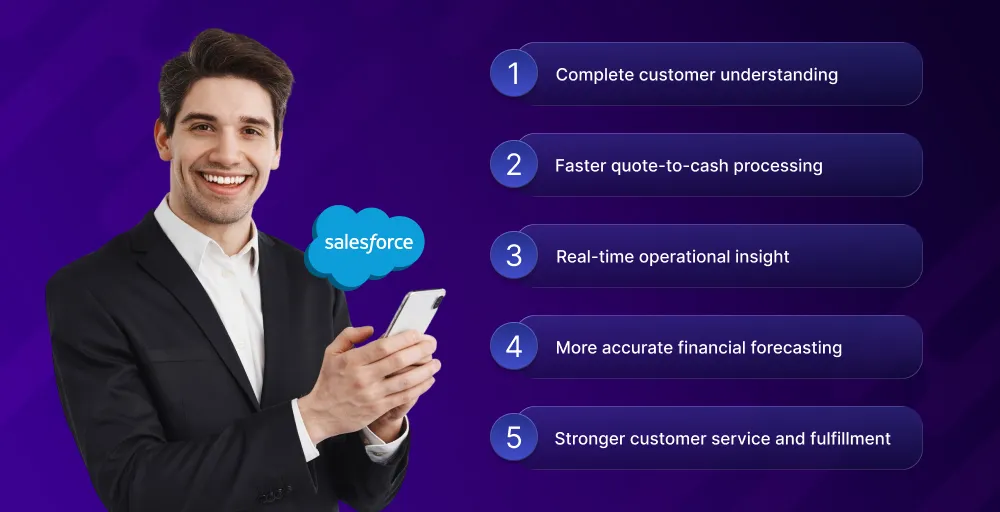
1. Complete customer understanding
Salesforce integrations with ERP systems give teams a unified view of every customer. It combines Salesforce’s sales and service insights with operational data from the ERP.
With this, sales reps and service agents gain context about each client’s purchase history, open orders, and preferences, helping them deliver accurate responses and recognize new opportunities without switching platforms.
2. Faster quote-to-cash processing
ERP integration with Salesforce automates the entire quote-to-cash cycle. Once a deal closes in Salesforce, the ERP automatically generates the order, triggers fulfillment, and creates an invoice.
This real-time data exchange between Salesforce and ERP eliminates manual work, reduces human error, and shortens the time between quote approval and cash collection.
3. Real-time operational insight
With real-time data exchange between Salesforce and ERP, teams gain instant access to live operational information such as inventory levels, production updates, and shipment status.
This transparency helps sales and operations stay aligned, set realistic delivery timelines, and make confident commitments based on accurate data instead of outdated reports.
4. More accurate financial forecasting
Cloud ERP integration with Salesforce allows both sales and finance teams to rely on a single source of the final truth. It connects revenue forecasts from Salesforce with recorded transactions and expenses from the ERP.
This unified view supports precise forecasting, better cash flow planning, and informed decisions about growth, investment, and resource allocation.
5. Stronger customer service and fulfillment
When Salesforce ERP integration synchronizes order, payment, and inventory data, support teams can quickly check the status of shipments, invoices, or returns without depending on separate systems.
Customers receive faster answers, accurate updates, and consistent service, which strengthens trust and ensures smooth fulfillment from purchase to delivery.
Challenges of ERP integration with Salesforce (and how to handle them)
Even though the Salesforce financials and operations integration with the ERP system offers clear benefits, connecting two complex platforms can introduce technical and operational hurdles, and some of those challenges are:
Challenge 1: System incompatibility
Legacy ERP systems often lack modern APIs or a built-in Salesforce ERP connector. This incompatibility prevents smooth data exchange and may lead to incomplete or failed syncs between systems. Older ERP setups may also use different data formats or structures tha Salesforce can’t directly interpret.
Solution
Use middleware platforms such as MuleSoft or Jitterbit to bridge system gaps. These tools translate data formats, manage API calls, and ensure both systems communicate effectively. When necessary, create custom API gateways to link Salesforce with legacy ERP software and support a scalable connection for future upgrades.
Challenge 2: Data silos
Unconnected databases can trap information in isolated departments. Sales teams may update customer details in Salesforce while finance or operations rely on outdated ERP entries. This leads to duplicated work, inaccurate reporting, and a lack of shared visibility across teams.
Solution
Perform a full data audit before integration to identify silos and overlaps. Implement Salesforce data integration with ERP through middleware or data warehousing tools that unify information into a central repository. Clear data-mapping rules ensure that all teams have access to synchronized, reliable records.
Challenge 3: Scaling the integration
As a business grows, the integration must handle more data, transactions, and users. A system that performs well at launch can slow down under higher loads, causing sync delays or even failures during peak periods.
Solution
Design ERP integrations with Salesforce using scalable architecture. Optimize APIs with data batching and caching for large data volumes, and rely on cloud-based infrastructure for auto-scaling during heavy traffic. Regular load testing identifies bottlenecks before they affect performance.
Challenge 4: Synchronization delays
When Salesforce and ERP systems don’t update at the same pace, users see outdated data. For example, showing an item as available in Salesforce when it’s already out of stock in the ERP. These timing gaps disrupt customer experience and order accuracy.
Solution
Enable real-time data exchange between Salesforce and ERP through event-driven architecture or webhooks, for processes that don’t need instant updates, schedule batch syncs during off-peak hours to balance performance and accuracy. This keeps both systems aligned without overloading APIs.
Challenge 5: Ongoing maintenance ignored
Many companies treat integration as a one-time project, which is far from the truth, and overlook continuous monitoring. Over time, API changes, version updates, or data growth can cause sync errors and system downtime.
Solution
Plan for long-term Salesforce ERP integration maintenance from the start. Assign a dedicated team or partners to track system logs, handle updates, and monitor performance. Regular audits help detect issues early and maintain data consistency across both platforms.
Challenge 6: Security and compliance risks
Both Salesforce and ERP systems are quite secure on their own, but their integration increases the surface area for potential data breaches. Without strict controls, sensitive financial or customer information may be exposed or mishandled.
Solution
Adopt a security-first integration design. Use encryption for data in transit and at rest, apply role-based access controls, and define clear governance policies. Compliance with standards such as GDPR, SOC 2, or HIPAA ensures both Salesforce and ERP data remain protected and traceable.
Best practices for Salesforce data integration with ERP systems
To ensure a smooth and effective Salesforce integration with ERP systems, organizations must plan strategically and execute with precision. The following best practices help maintain accuracy, security, and scalability throughout the integration process.
1. Define business priorities before mapping objects
Start with clear goals rather than jumping straight into the technical setup. Identify the most valuable business process you want to improve, whether it’s quote-to-cash automation, inventory updates, or order tracking.
Once priorities are set, map Salesforce and ERP objects based on real needs. A focused start ensures measurable results and helps avoid unnecessary complexity during Salesforce data integration with ERP.
2. Select the integration method that suits your system
There’s no one-size-fits-all approach to ERP integration with Salesforce. Choose an integration method that aligns with your system architecture, scale, and budget. You can use:
- Custom APIs for flexibility
- Middleware tools like MuleSoft or Bhoomi for quicker deployment
- Native ERP connectors for simpler workflows
The right choice balances customization, stability, and long-term maintenance needs.
3. Set rules to maintain data consistency and synchronization
Consistent data is the foundation of successful integration. Without clear rules, mismatched entries can cause reporting errors and operational delays.
Define which platform acts as the ‘source of truth” for each data type. For instance, Salesforce for customer details and ERP for financials or inventory. Combine real-time updates for time-sensitive information with scheduled syncs for large data sets to keep both systems aligned.
4. Perform a security check in every touchpoint
Every point where Salesforce and ERP systems exchange data should follow strict security standards. Use encryption for data transfers, implement role-based access controls, and maintain detailed audit logs. Regular security assessments ensure compliance with data protection regulations like GDPR, HIPAA, and SOC 2.
5. Conduct testing for every major system change
Testing verifies that your integration performs as expected before it reaches a live environment. Even small updates in either system can affect synchronization or workflow logic.
Perform unit, end-to-end, and performance testing for each major change. Simulate real business scenarios, like heavy transaction loads or simultaneous order entries, to confirm that Salesforce ERP integration remains stable and reliable.
6. Step-by-step rollout with training for key teams
A gradual rollout reduces risk and helps teams adapt confidently. Start with one process, such as syncing accounts or automating order entries, then expand based on feedback.
Alongside phased deployment, train sales, finance, and support teams to understand new workflows. This approach strengthens adoption and ensures your integration delivers consistent business value from day one.
Top 5 ERP platforms that integrate with Salesforce
Choosing the right ERP system to connect with Salesforce can define how efficiently your teams operate. While many platforms support integration, these five stand out for their compatibility, scalability, and proven reliability when paired with Salesforce.
1. Oracle NetSuite
Oracle NetSuite is a leading cloud-based ERP platform known for strong financial management, inventory tracking, and order processing. When integrated with Salesforce, it creates a continuous data flow between sales, finance, and operations.
2. Microsoft Dynamics 365
Microsoft Dynamics 365 offers a flexible ERP and CRM environment that connects easily with Salesforce through APIs or middleware tools. Businesses use this integration to unify sales forecasting, accounting, and project management data.
3. SAP
SAP ERP is a powerful choice for large enterprises managing complex supply chains, production, and financial operations. Integrating SAP with Salesforce gives organizations a unified view of customer orders, manufacturing status, and inventory availability.
4. Acumatica
Acumatica provides cloud ERP solutions that are designed for growing businesses that value flexibility and accessibility. Its integration with Salesforce simplifies data sharing across accounting, sales, and inventory systems.
5. Sage Intacct
Sage Intacct specializes in financial management and accounting automation. Integrating it with Salesforce connects revenue and billing directly to the customer records, streamlining quote-to-cash workflows.
Conclusion
Integrating Salesforce with ERP systems bridges the gap between customer management and core business operations. It unites sales, finance, and supply chain data in one connected flow, removing manual entry, reducing errors, and ensuring every team works with accurate, up-to-date information.
When implemented with clear priorities, strong security, and a well-planned rollout, Salesforce ERP integration supports smarter forecasting, faster workflows, and improved customer experiences. It turns disconnected systems into a unified framework that drives clarity, efficiency, and long-term growth.